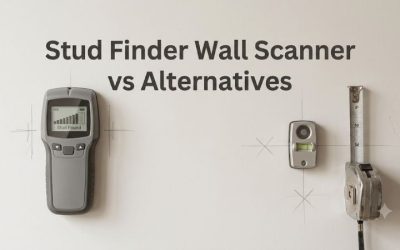
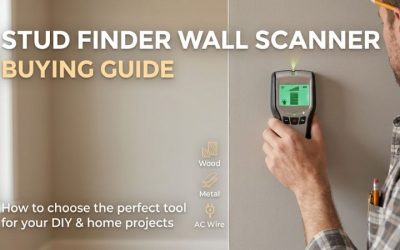
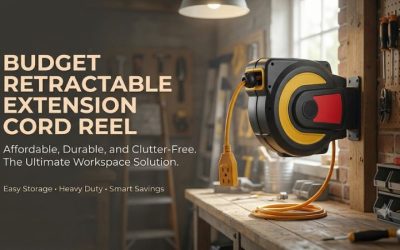
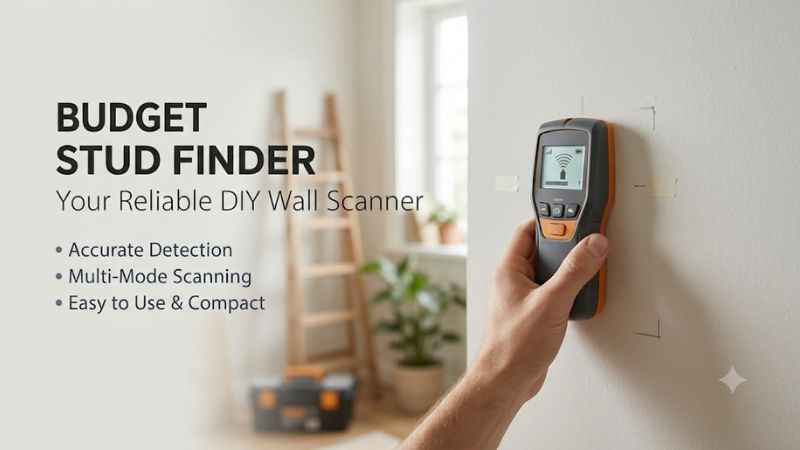
A budget stud finder wall scanner can show enough for an ordinary drywall project without costing more than $40. Choose a basic edge finder for occasional work, a center model for quick bracket marks, or an LED array if you want to see the indicated width. The right choice depends on the wall and how you plan to read it.
Budget stud finder wall scanner prices and features
The seven products were listed below $40 in the U.S. before tax, shipping, and any batteries you need to buy separately. Prices are retail snapshots. The selection favors electronic tools useful for typical drywall work, with different displays and ways to mark an indicated center or edge.
| Model | Observed U.S. price | Main readout | Best fit |
|---|---|---|---|
| Zircon StudSensor HD55, 65945 | $17.97 | Stud edges with standard and deep settings | Lowest observed price for an electronic pick |
| Franklin ProSensor M70, FSM7002HD | $19.97 | Seven-light sensor array | Simple visual scanning under $25 |
| Franklin ProSensor M90, FSM9002 | $29.79 | Nine-light display with center and edge information | Array-style reading around $30 |
| Zircon StudSensor HD70, 66229 | $29.97 | Center and edges, with an LCD | Center finding with standard and deep modes |
| Ryobi Whole Stud Detector ESF5002 | $34.97 | Full-width LED indication and built-in marker | One-handed marking |
| DeWalt DW0150 | $36.97 | Center indication and marking channel | A straightforward center-finding workflow |
| Franklin ProSensor M155, FSM15502HD | $39.97 | 15 LEDs and a live-wire meter | Most features in the selected Franklin lineup under $40 |
What the $40 budget buys
At this price, the most useful differences are the display, the way you make a mark, and how the device handles normal versus deeper stud readings. The tools can give useful framing evidence on supported surfaces. A separate material mode for copper or a radar view generally belongs to another class of product.
The retailer’s use of “wall scanner” does not establish which objects the device can find. A product advertised to locate wood and metal studs is still a stud finder. If you need to investigate a sheet-metal feature, wiring in conduit, or a plastic pipe, look for the exact tool and appropriate verification for that question. Live AC indicators on some budget products give limited warning information.
Compare the battery requirements as part of the price. Some packages include disposable cells, and others may need a suitable battery you already own or need to buy. Confirm the package contents and the recommended battery type. If a $39.97 unit exceeds your total cap after tax or batteries, the M90 or HD70 offers more room under the threshold.
The picks are based on published documentation and listings. They are ranked by workflow and use case. For an everyday shelf or picture rail, a less expensive finder that gives repeated, consistent readings may serve better than paying for an extra warning or depth mode you will rarely use.
Seven budget stud finder wall scanner picks in detail
Start with what the screen should tell you at the point you need to mark. Some people prefer to identify two edges themselves. Others want a direct center signal or a wide row of LEDs. The best inexpensive choice is the one you can read consistently on the wall you have.
Zircon StudSensor HD55 for inexpensive edge finding
The Zircon HD55 was listed at $17.97. It uses an LCD and finds indicated stud edges, with published depth limits up to ¾ inch in StudScan and up to 1½ inches in DeepScan under the stated conditions. It is a sensible low-cost option for buyers who are comfortable marking two edges.
For a straightforward shelf job, mark the first edge, follow the instructions for approaching from the other side, and compare the two positions. Verify the overall result at another height. This workflow is a bit slower than accepting a direct center cue, but it encourages you to see whether the indicated width is plausible before transferring a fastening line.
Use the standard mode where it is appropriate. Choose the deeper setting when the manual calls for it based on the wall. A deeper mode can respond differently and may be less useful where there are overlapping targets. More nominal reach does not turn an edge finder into a material identification tool.
Buy the HD55 if you want the lowest observed price and are happy to do a little extra marking. Check the battery requirement and purchase contents before comparing it with the Franklin M70 around $20. If you prefer a simple row of lights that shows the indicated position at a glance, the M70 is a strong alternative for a small difference in price.
Franklin ProSensor M70 for a simple LED array
The Franklin ProSensor M70 was listed at $19.97. Franklin specifies seven sensors, seven LEDs, a three-inch display width, and a published 1.5-inch detection depth. This is the budget option to start with when you want quick visual feedback on ordinary drywall and do not need separate material modes.
The array lets you see how the group of lights moves as you cross a likely stud. That can be easier to read than converting a single edge indication into a center mark. Scan slowly as directed and compare results at two heights. If a feature gives a very wide or irregular signal, note it and seek a clearer reading or additional evidence.
The M70 can be useful for a first apartment shelf project or a short row of garage hooks where the wall material and appropriate installation are known. The smaller housing and simple display make it easy to store. Franklin describes a green center LED on certain versions, so check the specific unit if that display behavior matters to you.
Buy it when you want an inexpensive visual finder for standard drywall. It is a good example of useful simplicity at around $20. If you want a live-wire meter as an extra indication, compare the M155 or another eligible model. Keep the actual electrical verification process separate from any feature on the scanner.
Franklin ProSensor M90 for an array around $30
The ProSensor M90 was listed at $29.79. It uses nine sensors with nine LEDs and is rated by Franklin for detection up to 1.5 inches under suitable conditions. Its main advantage over the M70 is the different sensor and display layout rather than a higher published depth number.
Compare the view you want on the wall. With a shelf rail that needs several support points, the M90 gives another inexpensive way to see the indicated center and edges while moving across the surface. If you get a broad response, stop and compare it with a pass at a second height. A change in pattern can help decide whether you have enough evidence to mark a useful center.
The M90 is easy to justify if you like the Franklin display and want the additional positions without reaching the $40 cap. It is a smaller step than purchasing a more elaborate scanner. For a buyer who expects only a couple of ordinary mounting jobs, the M70’s lower price may be more important than the difference between their arrays.
Choose the M90 when the center-and-edge display matches how you want to lay out the project. Read the included documentation for the actual version, particularly if the center indicator color is important. Consider a model with separate metal detection if your biggest concern is an unexplained object instead of locating ordinary framing.
Zircon StudSensor HD70 for center and edge indications
The Zircon HD70 was listed at $29.97. It adds center indication to an LCD workflow with edge information and offers standard and deeper stud scanning. It fits people who like seeing a defined target on the screen and want more feedback than the edge-only HD55 provides.
The center cue is useful when you have several marks to make for a bracket or rail. Confirm the same center from another direction and compare it with nearby framing evidence. The deeper mode can be valuable on compatible thicker surfaces. Use it only under the conditions the instructions describe. The tool’s ability to flag possible live wiring has its own limitations.
Think about where you will use the display. In a closet under an existing shelf, you might prefer a center cue or audible information when the view is partly blocked. In a well-lit open room, a broad array may appeal more. The difference is how you read and transfer the indication while holding the sensor properly.
Buy the HD70 when you want a center cue and a deep option at around $30. The M90 is nearly the same price and offers a different display. Compare how much time you spend marking and confirming a position. For a homeowner who likes modes and wants a distinct signal rather than a row of lights, the HD70 is the more natural fit.
Ryobi ESF5002 for one-handed marking
The Ryobi ESF5002 was listed at $34.97, with a lower promotional price shown in some manufacturer listings. It uses several LEDs to show the indicated width of wood or metal studs and has a built-in marker. The product listing includes two AAA batteries. Its main advantage is transferring the mark without switching tools.
That can help when holding a level or when working beside an existing cabinet. It also makes repeated layout work convenient if you have enough room for the body and hand grip. Confirm the center at more than one height first. The ability to leave a mark quickly is most helpful after the reading is repeatable.
Check the exact part number. Similar product names may describe older versions or other Ryobi designs. The Whole Stud Detector should be compared on its full-width indication and built-in marker. If you need information beyond likely framing, compare the features of a dedicated scanner instead of inferring them from the name “Whole Stud Detector.”
Choose it when the built-in marker will make your most common work easier. If you intend to label each position on tape or prefer to mark with a pencil, a less expensive array can provide enough information without the marker. Compare the observed $34.97 total with the exact promotion and the included batteries before buying.
DeWalt DW0150 for a dedicated center-marking channel
The DeWalt DW0150 was listed at $36.97. It indicates the center of wood or metal studs, offers directional LEDs and an audible alert, and has a center-marking channel. DeWalt specifies a maximum drywall thickness of 1½ inches for stud detection under the documented conditions.
The included live AC indication can provide an extra warning, particularly if you already know nearby fixtures suggest a possible route. It cannot tell you that an unflagged spot is clear. Wire condition and construction affect detection. Compare signals at several positions and resolve possible plumbing or electrical routes using appropriate independent evidence.
This model is a sensible choice for people who prefer a definite center mark and a conventional pencil. Follow the model instructions for how it calibrates and operates. Check that the reading repeats across another part of the wall. If the implied center changes near a metal corner, adjoining cabinet, or wall transition, investigate rather than averaging the results.
Buy it if the center channel is more useful to you than a broader display. For roughly three dollars more at the observed prices, the Franklin M155 gives you a more detailed visual span. For a few hanging jobs, the DeWalt’s simple center cue may be easier to interpret with the tool against the wall.
Franklin ProSensor M155 for the most features under $40
The ProSensor M155 was listed at $39.97. It has nine sensors, 15 LEDs, a claimed 1.5-inch detection depth, and a live-wire meter. The inclusion of finer display increments and center information makes it an appealing option near the budget ceiling for buyers who frequently work on ordinary drywall.
Its best use is in projects with more than one support point. When you need to check several stud positions along a mounting rail, the lighted span makes it easier to see which signals look similar and which require a separate check. A response at only one height might be blocking or another object. Look for independent support before using the indicated location.
The live-wire meter adds information without turning the M155 into a general-purpose scanner. For a persistent metal signal or suspected concealed pipe, a suitable dedicated method is a better way to resolve the question. In a small location, also consider whether the housing fits where you need it. The number of sensors matters less than whether the tool can be held correctly.
Choose the M155 if the display and extra indication are worth spending nearly the full $40 before tax. If you mainly need two credible stud centers for one dry-wall project, the M70, M90, or HD70 may be enough. Compare taxes and battery costs when the available budget applies to the whole purchase.
When it makes sense to spend more than $40
An inexpensive finder is a strong purchase for locating ordinary framing behind supported drywall. Spending more makes sense when it answers a different question, such as finding a separate metal signal or scanning a supported surface that the cheap tool cannot handle. Start with the missing capability rather than another depth figure.
Pay for a needed mode, not a bigger number
Think about the most difficult wall you expect to deal with repeatedly. A standard ¾-inch stud-search mode and a deeper setting may cover known drywall work. If the wall contains several layers or an uncommon finish, check whether the manufacturer supports that construction before assuming the deepest listing will be a useful upgrade.
A mode for metal can provide a clue when you want to examine a pipe route or distinguish an isolated metal response from recurring stud-like readings. This is a separate capability from identifying a metal stud through drywall. If the extra mode is something you will use often, price a tool that documents it properly. If it’s a one-off concern, independent verification may be more economical.
Do the same with app visualization and radar. They are worth paying for when the exact tool supports the wall and target, and the additional information helps you decide. For a basic shelf install on normal drywall, the common improvements come from reading the tool carefully, verifying more than one height, and following the mounting hardware requirements.
Compare the cost of the complete mounting job
Budget for the installation hardware and verification the job requires. A finder can show a likely location but does not establish the support capacity of a wall system or tell you which fastener is appropriate. Confirm the mounting instructions and match them with the wall construction, the supported load, and the actual framing you establish.
If you already have a magnetic locator, use it to corroborate possible fastener patterns before paying for additional features. A small magnetic finder can give an independent clue alongside a budget electronic sensor. Substituting a magnet for a material scanner does not make sense where there may be copper, plastic, or a concealed service.
Use the actual U.S. checkout price and exact model. Some affordable items are sold under similar labels with different modes. Compare the cost of the device and battery, then choose the model that solves the projects you are likely to repeat. Keep questionable installations open until you have resolved the risks at the specific hole location.
Conclusion
Choose the Zircon HD55 for inexpensive edge finding, the Franklin M70 for a simple LED display, or the Franklin M155 if you want more visual detail near the $40 cap. The DeWalt DW0150 makes sense for a direct center mark. Buy the readout that serves your drywall projects and verify every location independently before drilling.
More from Amazon
Programs that pair well with the guide above. Offers and eligibility are set by Amazon and may change.
Collect the home and kitchen items you want in one registry that guests can shop from.
Create a wedding registrySet up recurring deliveries of everyday items on eligible products. Terms and savings are set by Amazon.
Explore Subscribe & SaveFree shipping on eligible items, Prime Video and more. Eligible new members can start with a free trial.
Start a Prime free trialAudiobooks and podcasts to listen to on the go. Eligible new members can start with a free trial.
Try Audible freeAs an Amazon Associate we earn from qualifying purchases.