Our Top Picks
 SIHOO B300 Pro Ergonomic Office Chair Without FootrestPack of 128.34 x 28.93 x 51.18 inches40.78 poundsCheck on Amazon
 SIHOO Doro C300 Pro V2 Ergonomic Office ChairPack of 128.35 x 28.74 x 40 inches55.45 poundsCheck on Amazon
The best chair for neck pain is usually a fully adjustable task chair with a height- and angle-adjustable headrest, a back tall enough to support the upper back and shoulder blades, and armrests that rise high enough to take the weight of your arms off your shoulders. No chair treats or cures neck pain, and persistent, severe or radiating pain is a reason to see a doctor or physical therapist first, but the right chair can make it easier to sit in a relaxed, supported position during long workdays. The same features apply whether you call it neck pain, cervical discomfort, or tension that spreads across the upper back and shoulders.
This article is general information about furniture features, not medical advice.

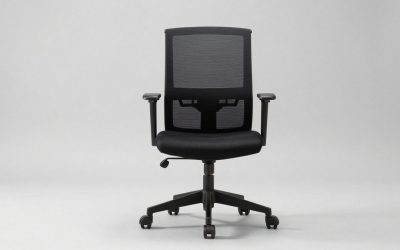
SIHOO M18 Ergonomic Office Chair, Mesh Back Desk Chair with Headrest
Chosen because it specifies Mesh Back Desk Chair with Headrest.
View on AmazonSIHOO B300 Pro Ergonomic Office Chair Without Footrest, 4D Lumbar Support
Chosen because it specifies 4D Lumbar Support.
View on AmazonSIHOO Doro C300 Pro V2 Ergonomic Office Chair, Full-Body Adaptive Support
Chosen because it specifies Full-Body Adaptive Support.
View on AmazonWhy the Chair Affects the Neck at All
The head weighs roughly 10–12 pounds. When it drifts forward of the shoulders, as it often does when leaning toward a laptop, the neck and upper-back muscles work harder to hold it up. A chair cannot fix posture on its own, but it can reduce the reasons people slump: a seat that is too deep, a back that ends below the shoulder blades, armrests that are too low, or a recline that is locked upright. Combined with a monitor at the right height, those adjustments let the head rest more naturally over the spine.
Features That Matter Most for Neck and Upper-Back Comfort
| Feature | What to look for | Why it helps the neck and upper back |
|---|---|---|
| Headrest | Height range of 3+ inches and adjustable tilt | Supports the head when reclining; a fixed headrest often pushes the head forward instead |
| Backrest height | Top of the back at or above the shoulder blades (roughly 20–24 in above the seat for average adults) | Supports the upper back so shoulders are not held up by muscle alone |
| Armrests | Height adjustable over 3–4 inches; ideally width and pivot too | Lets forearms rest at desk level so shoulders can drop |
| Recline with tension control | Unlocks to 100–110 degrees; lock in several positions | A slight recline shifts some upper-body weight onto the backrest |
| Seat depth adjustment | 2–3 inches of slider travel | Lets you sit back fully so the backrest and headrest can reach you |
| Lumbar support | Height adjustable | A supported lower back keeps the whole spine stacked, including the neck |
Do You Actually Need a Headrest?
Many people assume a headrest is the key feature for neck pain, but it only helps when you recline. When sitting upright and typing, your head is usually a few inches in front of the headrest. That makes the headrest’s adjustability more important than its presence.
- Useful: if you recline during calls, reading, or thinking breaks, or if you tend to lean back while watching a screen.
- Less useful: if you mostly sit upright and lean forward to type; a tall backrest and good armrests matter more.
- Counterproductive: a headrest fixed too far forward or too low, which pushes the head into a chin-forward position.
Chairs Worth Considering by Situation
The following are well-known chairs that offer the features above. Prices are general market ranges and vary by configuration.
Upper back and neck tension from long typing days
Steelcase Leap (often $900–$1,400 new depending on options) has a flexible backrest, strong lumbar adjustment, adjustable seat depth and an optional headrest. It suits people who sit upright for long periods and want armrests that move in several directions.
Phone and tablet users who change postures
Steelcase Gesture (often $1,100–$1,700) is built around armrests that pivot and move widely to support arms in many positions, which is helpful if you hold a phone or tablet. A headrest is offered as an option.
People who like a simple, self-adjusting recline
Humanscale Freedom with headrest (often $1,200–$1,800) uses a weight-sensitive recline with few manual levers, and its headrest moves with the backrest as you recline. Good for people who dislike fiddling with knobs.
Tighter budgets
Sihoo M18 and similar mesh task chairs (usually $150–$300) include an adjustable headrest, tilt lock and adjustable lumbar. The adjustment ranges and materials are more limited than premium chairs, but they cover the basic feature list for a much lower price.
Whatever the brand, check the adjustment ranges against your body size; a chair that does not fit your height and seat depth will not help, regardless of price.
Fit Measurements to Check Before Buying
| Your height | Seat height to aim for | Backrest top above seat | Armrest height above seat |
|---|---|---|---|
| 5’0″–5’4″ | 15–17 in | 18–21 in | 7–8 in |
| 5’5″–5’10” | 17–19 in | 20–23 in | 8–9 in |
| 5’11″–6’4″ | 19–21 in | 22–26 in | 9–10 in |
These are rough guides; elbow height when your shoulders are relaxed is the best reference for armrests. If the chair’s minimum seat height is too tall for you, use a footrest rather than letting your feet dangle.
Set Up the Desk Around the Chair
A chair cannot compensate for a screen that pulls your head down. These desk changes are often as important as the chair itself:
- Monitor height: top of the screen at or slightly below eye level, about an arm’s length away (20–30 inches).
- Laptop users: use a laptop stand plus an external keyboard and mouse so the screen rises to eye level.
- Bifocal or progressive lens wearers: lower the monitor a few inches so you do not tilt your head back to read.
- Phone calls: use a headset rather than cradling the phone between ear and shoulder.
- Breaks: stand up and change position every 30–60 minutes; even a good chair does not replace movement.
When to Talk to a Professional
If neck pain lasts more than a few weeks, keeps returning, comes with numbness, tingling or weakness in the arms or hands, follows an injury, or comes with headaches or dizziness, see a doctor or physical therapist before relying on furniture changes. A professional can also recommend specific positions or exercises, and an occupational therapist or ergonomic specialist can assess your workstation in person.
Quick Checklist
- Headrest adjustable in height and angle, or no headrest if you never recline
- Backrest reaching at least the shoulder blades
- Height-adjustable armrests that reach desk level
- Recline with tension control and multiple lock positions
- Seat depth adjustment and adjustable lumbar
- Monitor at eye level and breaks scheduled through the day