Our Top Picks
 Herman Miller Embody Ergonomic Office Chair28D x 27W x 38.25H in28 x 27 x 38.25 inches51 PoundsCheck on Amazon
 Herman Miller Classic Aeron Task Chair: Highly AdjSize B (Medium)17 x 27 x 42 inches48 poundsCheck on Amazon
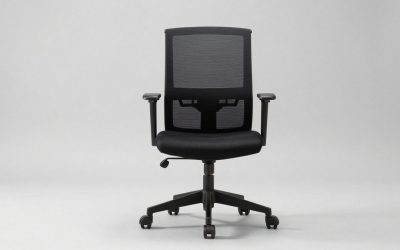
Computer chairs for adults built for full-day home office work need adjustable lumbar depth and height, a seat depth of 15 to 19 inches or a sliding seat pan, 3D or 4D armrests, and a breathable support structure that matches your body weight and height — mesh for heat regulation and flex, or leather and faux leather for firm padding and easier cleaning.
What Makes a Computer Chair Ergonomic for Adults
The right chair keeps your spine in a neutral S-curve, your thighs parallel to the floor, and your elbows at 90 to 110 degrees without reaching. For long work hours, four adjustments matter more than marketing features:

Herman Miller Classic Aeron Chair - Size B, Posture Fit
Chosen because it specifies Size B and Posture Fit.
View on AmazonHerman Miller Embody Ergonomic Office Chair | Fully Adjustable Arms and Carpet Casters | Black Rhythm
Chosen because it specifies Fully Adjustable Arms and Carpet Casters and Black Rhythm.
View on Amazon
Herman Miller Aeron Ergonomic Chair - Size B, Graphite
Chosen because it specifies Size B and Graphite.
View on AmazonHerman Miller Classic Aeron Task Chair: Highly Adj w/Lumbar Pad - Tilit Limiter w/Seat Angle Adj - Fully Adj Vinyl Arms - Carpet Casters
Chosen because it specifies Tilit Limiter w/Seat Angle Adj and Fully Adj Vinyl Arms.
View on Amazon1. Lumbar Support: Height and Depth, Not Just a Pillow
Effective lumbar support should hit the curve of your lower back, roughly 6 to 10 inches above the seat pan, and be adjustable in both height and protrusion. Fixed lumbar pads or attached cushions often sit too high for users under 5’4″ and too low for users over 6’0″.
- Best for back pain or herniated disc history: Look for a chair with a ratcheting lumbar that moves 2 to 3 inches vertically and adjusts 0.5 to 1.5 inches in depth, or a two-part system with independent tension. This lets you maintain lordosis without forcing your pelvis forward.
- What to avoid: A large, soft lumbar pillow that pushes your entire lower back forward. It feels supportive for 20 minutes, then increases pressure on the seat edge and thighs.
- Recline matters too: A synchronous tilt where the back reclines 2:1 to the seat, with a tilt range of 95 to 125 degrees and at least 3 lock positions, reduces spinal disc pressure far more than an upright-only posture.
2. Seat Depth and Width for Different Body Types
Seat depth determines whether your back can actually touch the backrest. If the pan is too deep, shorter users slouch; if too shallow, taller users lose thigh support.
- Petite (5’0″ to 5’4″): Ideal seat depth 15 to 16.5 inches. Look for a seat slider or a small-size frame (often labeled Size A or Small). You should have 2 to 3 inches of clearance between the seat edge and the back of your knees.
- Average (5’5″ to 5’11”): Standard depth 17 to 18.5 inches works for most. Adjustable depth is still preferable if you alternate between upright typing and reclined calls.
- Tall or broad (6’0″+ or over 220 lbs): Need 18.5 to 20 inches of usable depth and a seat width of at least 20 inches. Big-and-tall rated frames usually offer wider pans and higher-density foam.
- Test at home: Sit fully back, feet flat. If you can fit a closed fist between your calf and the seat edge, depth is correct. If not, shorten the slider or choose a smaller pan.
3. Armrest Adjustability
Armrests are not for resting all day, but for offloading shoulder and neck strain while typing and mousing.
- 2D armrests: Height and width only. Acceptable for limited tasks.
- 3D armrests: Add forward/back slide, crucial for getting close to a desk without the armrest hitting the edge.
- 4D armrests: Add pivot (15 to 30 degrees inward). Best for long hours, as you can angle them to support forearms while keeping elbows close to your body, reducing trapezius fatigue.
- Armrest height should adjust from about 7 to 11 inches above the seat pan to align with a standard 29 to 30-inch desk height for users from 5’2″ to 6’2″. If your desk is fixed and non-adjustable, armrest range becomes even more important.
Mesh vs. Leather and Faux Leather: Trade-Offs for Daily Use
Neither material is universally better. The choice depends on climate, maintenance tolerance, and how your body distributes pressure.
| Feature | Mesh (e.g., woven elastomer/suspended mesh) | Genuine Leather | Faux Leather / PU / Leatherette |
|---|---|---|---|
| Breathability & Heat | Excellent; airflow prevents heat buildup over 6+ hours | Moderate; breathes better than faux but retains heat | Low; traps heat and moisture, can feel sticky in summer |
| Pressure Distribution | Flexible suspension, less pressure on sit bones, good for 200+ lbs if frame is rated | Depends on foam underneath; high-density foam (50-60 kg/m³) holds shape | Same as leather, but surface peels before foam wears out |
| Durability (5-year outlook) | Mesh can sag if tension is low; quality mesh lasts 7-12 years | 5-15 years with conditioning; resists cracking but scratches | 2-5 years; surface flaking and cracking is the first failure point |
| Cleaning | Vacuum and wipe frame; absorbs less odor | Wipe and condition every 6 months; sensitive to solvents | Wipe clean easily, but cannot be repaired once peeling starts |
| Best For | Hot rooms, long sessions, users who sweat easily | Executive look, cool climate, users who prefer cushioned sink-in feel | Budget under $400, low-maintenance look for light use (under 4 hrs/day) |
| Typical Market Range | Usually $400–$900 for ergonomic models | Usually $800–$1,800+ | Usually $200–$550 |
Foam density note: If you choose any padded chair (leather or fabric), ask for foam density. 40-45 kg/m³ is medium and will soften within 18 months under daily 8-hour use. 50-60 kg/m³ high-resilience cold-cure foam retains support for 5+ years and is worth the premium for adults over 180 lbs.
Picks by Situation: Which Computer Chair for Adults Fits You
Best for Small Home Office or 10×12 ft Bedroom
Choose a compact mesh task chair without a bulky headrest or wide base. Look for an overall footprint under 26 inches wide and 26 inches deep, and a five-star base of 25 to 26 inches diameter so it tucks under a 48-inch desk. Armless or flip-up arm models save another 4 to 6 inches of width when pushing the chair in. Avoid oversized racing-style chairs that need 36 inches of clearance to recline.
Best for Back Pain and Long 8+ Hour Days
Prioritize a chair with independent lumbar height/depth, seat depth slider, and synchronous tilt with tension control. Models like the Herman Miller Aeron, Steelcase Leap, and Humanscale Freedom are built around these mechanisms and offer size-specific fits, which is why they are common in real offices. Expect to set lumbar height first, then depth, then seat depth — in that order — and to keep recline unlocked for micro-movement.
Best for Heavy or Tall Adults (250 to 350 lbs, 6’1″ to 6’5″)
Check the rated weight limit, not just comfort. Standard ergonomic chairs are typically rated to 250 to 275 lbs. Big-and-tall frames are usually rated to 300 to 350 lbs, with a wider seat (22+ inches), reinforced cylinder (Class 4), and higher seat height range up to 22 inches. Avoid standard mesh rated only to 250 lbs; the mesh will hammock and lose tension within a year under higher loads.
Best for Hot Climates or No Air Conditioning
Full mesh seat and back is the clear winner. Suspended mesh keeps back and thigh temperatures 3 to 5 degrees cooler than padded surfaces during extended sitting. If you prefer cushioning, look for a mesh back with a padded mesh-hybrid seat rather than full faux leather.
Best for Kids, Pets, or Easy Cleaning
Faux leather and coated fabric wipe clean from pet hair and spills, but mesh resists odor and does not peel. If you have cats, tightly woven mesh and dense fabric resist claw snags better than soft PU leather, which punctures easily. For homes with shedding pets, choose a dark mesh or fabric and a simple plastic frame with minimal crevices.
Decision Matrix: Match Your Constraints to the Right Type
| Your Situation | Recommended Type | Why |
|---|---|---|
| Renter with no room to modify desk (fixed 29-30″ desk) | Mesh chair with 4D arms and seat height 16.5″–21″ | Height and arm adjustments compensate for non-adjustable desk, no installation needed |
| Small apartment, need to save floor space | Compact mid-back mesh, flip-up arms | Smaller footprint, slides fully under desk, needs only 30″ rear clearance |
| Back pain, sit 8+ hours | Ergonomic mesh with synchronous tilt, adjustable lumbar, seat slider | Supports spinal curve and allows posture change every 30-45 minutes |
| Tall/heavy build | Big-and-tall rated (300–350 lbs) with 22″+ seat width | Reinforced base and wider pan prevent sagging and restrict circulation |
| Want executive look, sit 4-6 hours | Genuine leather or high-density faux leather with cold-cure foam | Professional aesthetic with adequate comfort for half-day use |
| Hot room or warm sleeper | Full mesh | Maximum ventilation prevents heat and moisture buildup |
Room Fit, Heights, and Weight Limits: Real Measurements
Before ordering, measure your space and desk. Computer chairs are larger than they look in photos.
| Measurement | Standard Range | What to Check at Home |
|---|---|---|
| Seat Height (from floor) | 16″ – 21″ (standard), 18″ – 22″ (tall/big-and-tall) | With feet flat, thighs parallel to floor; elbows at desk height without shrugging |
| Seat Depth | 15″ – 20″ | Leave 2″–3″ gap between seat edge and back of knees |
| Desk/ Table Height | 29″ – 30″ fixed; sit-stand desks 27″ – 47″ | If desk is 30″ and you are under 5’5″, you may need a footrest to avoid dangling feet |
| Clearance Behind Chair | 30″ – 36″ for recline; 24″ minimum to push back and stand | In a 10×12 ft room, a 26″ deep chair plus 30″ recline zone uses over 40% of room length — place desk near wall with window behind |
| Doorway / Hallway Width | Box is 26″–31″ wide; assembled chair is 25″–29″ wide | Measure narrowest doorway (often 28″–30″ in older homes) to ensure box fits |
| Weight Capacity | Standard: 250–275 lbs; Heavy-duty: 300–350 lbs; Certified: up to 400 lbs | Include clothing and items in pockets; exceed rating and cylinder/tilt mechanism wears prematurely |
For carpeted home offices, add 0.5 to 1 inch to effective seat height and use hard-floor casters or a low-pile chair mat (1/4 inch thick) to prevent sinking. On hardwood, soft polyurethane casters prevent scratching and roll more quietly than hard nylon.
Assembly, Moving, and What Wears First
Most computer chairs for adults ship in one box weighing 35 to 65 lbs. Budget and mid-range models usually require 15 to 30 minutes of assembly: attaching the five-star base, inserting the gas cylinder, mounting the seat to the mechanism, and adding backrest and armrests with 4 to 8 bolts. Premium ergonomic chairs often come 80% pre-assembled, with only the base and back to attach.
- Box weight and moving: If you live upstairs or have a narrow elevator, consider the boxed weight. A 55-lb box is difficult to carry alone around tight corners. Remove the box in the hallway and carry components separately.
- What wears first: On faux leather chairs, the surface coating flakes at armrest edges and seat edges within 2 to 3 years. On mesh chairs, the mesh tension and lumbar cable loosen. On all chairs, the gas cylinder and casters fail first — a Class 4 cylinder and replaceable casters extend life by years.
- Durability realities: Foam softens 15 to 25% in the first year of 8-hour daily use. Mesh does not soften the same way but can sag if the frame flexes. Check whether the manufacturer sells replacement seat pans, arm pads, and cylinders; brands like Steelcase and Herman Miller do, which makes a $600–$900 investment repairable rather than disposable.
- Warranty as a signal: A 2-year warranty is standard for budget chairs. 5 years is good for mid-range mesh. 10 to 12 years indicates the manufacturer expects the frame, mesh, and mechanism to last under office use — a strong indicator for home offices where the chair is used even more.
Final Setup Tips for Comfort
Once your chair arrives, set it up in this order: seat height so feet are flat, seat depth so your back touches the backrest, lumbar height and depth so you feel gentle support without pushing, armrest height so shoulders are relaxed, then recline tension so you can lean back with light effort. Add a footrest if your feet do not rest flat after correct seat height, and keep monitor height so eye level hits the top third of the screen. Small adjustments every few weeks as the chair breaks in will keep support aligned with long work hours.