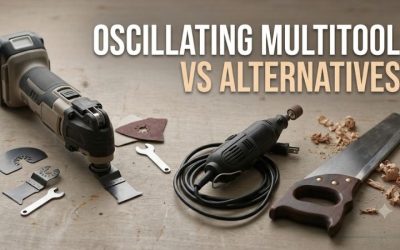
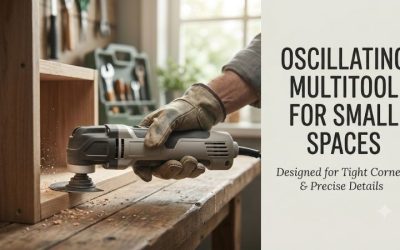
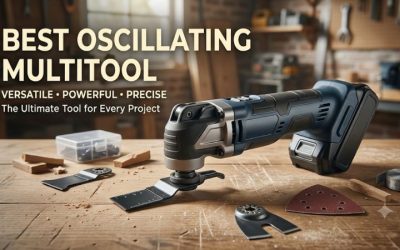
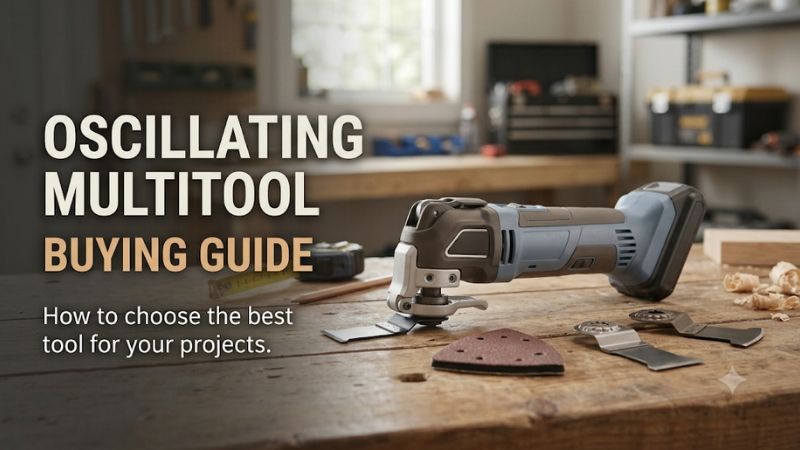
This oscillating multitool buying guide explains how to choose the right tool for cutting, sanding, scraping, grout removal, and remodeling. Oscillation angle, speed range, accessory compatibility, power source, and vibration control influence how well a tool performs. Understanding these features helps homeowners select equipment that fits their projects without purchasing unnecessary power or incompatible accessories.
What Should You Look for in an Oscillating Multitool?
The best starting point is identifying the tasks you expect to perform most frequently.
A homeowner trimming door jambs and sanding corners may need adjustable speed, a comfortable grip, and suitable cutting and sanding accessories.
A remodeler cutting nail-embedded wood or removing substantial amounts of material may benefit from greater output and effective vibration control.
A user primarily removing grout should prioritize compatible grout-removal attachments and careful speed adjustment.
The essential buying criteria are the tool’s power source, oscillation angle, OPM range, accessory interface, blade-change mechanism, grip, operating weight, and available replacement accessories.
Maximum cutting speed is not the only important feature.
The quality and suitability of the installed accessory can have a greater effect on practical performance than a small difference between advertised speed ratings.
How an Oscillating Multitool Works
Understanding Oscillating Motion
An oscillating multitool moves its accessory rapidly through a small side-to-side arc.
This differs from a circular saw, which rotates its blade continuously in one direction.
The oscillating movement allows localized cutting, scraping, and sanding in areas where a continuously rotating blade would be difficult to position.
The small movement range also makes it possible to use specialized accessories for detailed repairs.
However, the cutting edge remains hazardous and can cause injury.
Why Oscillation Is Useful
Oscillating motion allows an accessory to work close to surrounding surfaces when the correct blade and tool geometry are used.
For example, an oscillating blade can trim the bottom of a door jamb so new flooring fits beneath it.
The same tool can use a triangular sanding pad to reach inside corners.
However, oscillating tools are not generally efficient substitutes for larger saws when cutting long boards or sheet materials.
Oscillation Versus Rotation
Rotating tools typically use continuous circular movement.
This can be more efficient for drilling, grinding, or cutting long paths.
Oscillating tools concentrate movement within a small arc.
They are particularly useful for localized cutting, scraping, and detail finishing.
The correct cutting mechanism depends on the task.
Understand Oscillations per Minute
What OPM Means
OPM stands for oscillations per minute.
It describes how many oscillating cycles the accessory completes during one minute.
Many oscillating multitools offer operating ranges extending to approximately 20,000 OPM.
However, maximum OPM should not be confused with cutting speed through a particular material.
Actual performance depends on the accessory, material, oscillation angle, and motor capability.
Low-Speed Settings
Lower speed settings are useful for certain delicate operations.
They may help with initial positioning, controlled scraping, and some sanding tasks.
However, the correct setting depends on the accessory and material.
A blade operating too slowly may cut inefficiently.
Follow the manufacturer’s recommendations.
High-Speed Settings
Higher oscillation speed increases the frequency of accessory movement.
This may improve cutting productivity in suitable materials.
However, excessive speed can generate heat and accelerate wear.
For some materials, a moderate speed is preferable.
Variable-Speed Dials
A variable-speed dial allows the operator to select the tool’s oscillation frequency.
This is useful when switching between different applications.
Some tools provide numerous dial positions, while others offer fewer preset ranges.
The number of settings does not automatically establish greater precision.
Variable-Speed Triggers
Certain multitools allow speed adjustment through trigger pressure.
This can improve control during initial placement.
However, sustained speed may be easier to manage with a dial or lock-on arrangement in some applications.
Choose according to personal handling preferences and task requirements.
Automatic Speed Control
Some tools incorporate electronic modes that adjust speed when cutting resistance changes.
These features can improve convenience.
However, they do not replace correct accessory selection or feed pressure.
Understand Oscillation Angle
What Oscillation Angle Measures
Oscillation angle describes the angular movement of the accessory.
Manufacturers may specify the total side-to-side arc.
A larger angle generally increases the distance traveled by the cutting edge during each cycle.
This can support faster cutting in appropriate conditions.
Small Oscillation Angles
A narrower oscillation angle can provide controlled movement.
It may be useful for certain precision tasks and finishing operations.
However, tool design and accessory choice influence actual results.
A smaller angle does not guarantee greater accuracy.
Large Oscillation Angles
A larger angle can create more aggressive cutting action.
The Milwaukee M18 FUEL 2836-20, for example, uses a 4.2-degree oscillation angle.
This may be beneficial for demanding cutting applications.
However, larger movement can also influence vibration and surface finish.
How Angle and OPM Interact
Oscillation angle and OPM describe different characteristics.
A tool with a large angle at moderate speed may move the cutting edge through a similar total distance per minute as another configuration.
However, material removal cannot be predicted from these numbers alone.
Blade design, cutting pressure, and motor output also matter.
Choosing an Appropriate Angle
For general household repairs, a moderate oscillation angle with effective speed control is often sufficient.
For demanding cutting, a wider angle may be beneficial.
For precision finishing, accessory selection and controllable operation are especially important.
Corded Versus Cordless Oscillating Multitools
Cordless Advantages
Cordless multitools provide mobility and eliminate electrical cables.
They are convenient for remodeling projects requiring movement between rooms or work in confined locations.
They can also simplify operation around installed cabinetry.
However, battery runtime and tool weight must be considered.
Cordless Limitations
A cordless tool depends on compatible rechargeable batteries.
Smaller packs may reduce operating weight but provide less stored energy.
Larger packs may increase runtime and support demanding workloads but add bulk.
Battery charging and replacement also contribute to ownership cost.
Corded Advantages
Corded tools provide continuous electrical power without battery charging interruptions.
They can be economical for users working near suitable outlets.
However, motor heating and operating limitations still apply.
Continuous power does not guarantee unlimited operation.
Corded Limitations
A cord can interfere with movement around furniture and installed fixtures.
It must remain clear of the accessory.
Extension cords must be appropriate for the tool and environment.
Damaged electrical cables should not be used.
Which Power Source Should You Choose?
For occasional repairs in a fixed workshop, corded operation can provide good value.
For frequent work across different rooms or job sites, cordless convenience may be worth the additional cost.
Existing battery ownership can substantially affect the decision.
Brushed Versus Brushless Motors
Brushed Motors
Brushed motors use carbon brushes to transfer electrical current during operation.
They can provide sufficient performance for many occasional household applications.
However, brushes wear through use.
Brushless Motors
Brushless motors use electronic commutation rather than conventional carbon brushes.
This can improve efficiency and reduce brush-related maintenance.
Electronic control can also support advanced operating features.
Does Brushless Mean More Power?
Not necessarily.
Actual output depends on motor design, gearing, electronics, battery capability, and tool construction.
A brushed model may be appropriate for light work.
A brushless model becomes more attractive for frequent demanding applications.
Is Brushless Worth the Cost?
For occasional use, the additional cost may not be necessary.
For frequent remodeling, efficiency and reduced brush maintenance can be valuable.
Compare actual tool features rather than relying on motor technology alone.
Understand Accessory Mounting Systems
Universal-Style Interfaces
Some oscillating tools accept a variety of blades through broadly compatible mounting interfaces.
However, universal is not an absolute guarantee.
Accessories may require adapters or specific mounting hardware.
Always verify fit.
Starlock
Starlock uses a three-dimensional mounting connection.
It is intended to provide secure accessory engagement and convenient changes.
However, only compatible tools can use the interface.
StarlockPlus
StarlockPlus supports a particular class of accessories within the Starlock family.
Not every Starlock tool accepts StarlockPlus.
Check the exact model.
StarlockMax
StarlockMax accessories are intended for compatible higher-capability tools.
The Makita XMT04ZB supports StarlockMax along with other Starlock classes.
The Bosch GOP18V-34N does not accept StarlockMax.
This distinction is important when purchasing demanding cutting accessories.
Tool-Free Blade Changes
Tool-free mechanisms allow accessories to be changed without a separate wrench.
They are convenient for projects involving multiple tasks.
However, the clamping mechanism must be operated correctly.
Wrench-Based Blade Changes
Some affordable models use a wrench to secure accessories.
This may be acceptable for occasional use.
However, frequent changes can take longer.
Always disconnect power before changing accessories.
Choose the Right Cutting Blades
Wood Blades
Wood-cutting blades are designed for appropriate timber and wood-based materials.
They can be useful for door-jamb trimming, cabinet repairs, and localized openings.
Choose the correct tooth geometry.
Do not use wood-only blades on hidden nails.
Bi-Metal Blades
Bi-metal blades may be suitable for specified mixed-material cutting applications.
Some can cut wood containing nails.
However, not all metals are compatible.
Check material and thickness limitations.
Carbide Blades
Carbide accessories may offer wear resistance for certain demanding operations.
Their suitability depends on blade design.
A carbide grout-removal blade is not automatically appropriate for cutting hardened metal.
Segmented Blades
Segmented blades have a curved or partial circular cutting edge.
They can be useful for certain flush cuts and localized material removal.
However, the accessory must be appropriate for the tool and material.
Scraper Accessories
Scrapers are designed for removing suitable surface deposits.
Rigid scrapers may work on firmly attached residue.
Flexible scrapers may be more suitable for other applications.
Choose the correct angle and pressure.
Sanding Pads
Triangular sanding pads are useful for corners and edges.
They accept compatible abrasive sheets.
Select the appropriate grit and attachment system.
Sanding With an Oscillating Multitool
When Oscillating Sanding Works Well
Oscillating sanding is particularly useful for confined corners and small surface areas.
It can prepare trim, smooth localized repairs, and remove limited amounts of finish.
However, it is generally less efficient than a dedicated orbital sander for large flat surfaces.
Choosing Sandpaper Grit
Coarser grits remove material more aggressively.
Finer grits are used for refining surfaces.
The correct sequence depends on the material and desired finish.
Avoid starting with unnecessarily aggressive abrasives on delicate surfaces.
Preventing Surface Damage
Apply moderate pressure.
Holding the tool in one location for too long can create uneven sanding.
Move the accessory consistently.
Use appropriate dust control.
Sanding Painted Surfaces
Old coatings may contain hazardous substances.
Before sanding, identify whether lead-based paint or another harmful coating may be present.
Use appropriate procedures and professional assistance where necessary.
Do not disturb unknown coatings without considering exposure risks.
Cutting and Scraping Applications
Door-Jamb Trimming
Oscillating tools can trim door jambs for flooring installation.
Use a suitable guide or flooring spacer.
Maintain a controlled horizontal cutting path.
Drywall Cutouts
A compatible blade can create localized drywall openings.
However, hidden wiring and plumbing may be present.
Inspect the area before cutting.
Nail-Embedded Wood
Use a blade rated for nail-embedded wood.
Ordinary wood teeth may be damaged by metal.
Avoid excessive pressure.
Grout Removal
Use a specialized grout accessory.
Maintain control to protect surrounding tile.
Avoid damaging waterproofing or hidden components.
Adhesive Scraping
Scraper attachments can remove certain adhesives.
However, substrate damage is possible.
Test a small area when appropriate.
Caulk Removal
A suitable scraper may help remove old caulk.
Delicate surfaces may require manual methods.
Do not force the blade against finished fixtures.
Evaluate Vibration and Ergonomics
Why Vibration Matters
Oscillating tools generate vibration through their operating mechanism.
This can create discomfort during prolonged use.
Exposure depends on the tool, accessory, material, and operating conditions.
Vibration-Control Systems
Some tools incorporate counterbalance or isolation systems.
These features can reduce vibration transmission.
However, manufacturer claims are often based on specific comparisons.
Do not assume identical results across all applications.
Grip Shape
A slim barrel grip may improve handling.
However, comfort depends on hand size and working position.
Choose a tool that allows secure control.
Operating Weight
Battery size affects the weight of cordless models.
A larger battery may improve runtime but increase fatigue.
Compare complete configurations.
Lighting
Integrated LEDs can help in poorly lit areas.
However, additional lighting may be required.
Never cut blindly.
Safety Considerations
Remove Power Before Adjustments
Unplug corded tools or remove batteries before changing accessories.
Follow the manufacturer’s instructions.
Check for Hidden Services
Walls, floors, and cabinets may conceal electrical wiring or plumbing.
Inspect before cutting.
Secure the Workpiece
Use clamps or appropriate supports.
Do not hold small workpieces near moving accessories.
Use Appropriate Protective Equipment
Eye protection is important for cutting and scraping.
Hearing and respiratory protection may also be required.
Avoid Excessive Pressure
Forcing the accessory can produce heat, premature wear, and loss of control.
Let the tool perform the work.
Manage Heat
Cutting blades can become hot.
Allow accessories to cool before handling.
Inspect Accessories
Damaged or incompatible accessories should not be used.
Check mounting security before operation.
Buying Mistakes to Avoid
Focusing Only on OPM
Maximum speed does not establish overall performance.
Consider angle, motor design, accessories, and vibration.
Ignoring Accessory Costs
Replacement blades can become a substantial ownership expense.
Compare compatible blade availability.
Buying an Oversized Tool
A high-output model may be unnecessarily bulky for detail work.
Consider actual working clearance.
Choosing Too Little Capability
A basic tool may struggle with demanding repeated cuts.
Match the tool to your workload.
Overlooking Battery Compatibility
Existing batteries can reduce costs.
Verify exact compatibility.
Frequently Asked Questions
What is an oscillating multitool best used for?
It is particularly useful for localized cutting, trim work, detail sanding, scraping, and grout removal.
Is a brushless multitool worth buying?
It can be, particularly for frequent use. However, a suitable brushed model may be sufficient for occasional repairs.
What OPM range should I choose?
A variable-speed tool with a broad range is useful for different applications. The correct operating speed depends on the accessory and material.
Can an oscillating multitool cut nails?
Some blades are designed for nail-embedded wood and compatible metals. Check the blade’s material rating.
Are cordless multitools powerful enough for remodeling?
Many are suitable for a broad range of remodeling tasks. Demanding cuts may require a higher-output model or a different cutting tool.
Do all oscillating blades fit every tool?
No. Accessory mounting systems differ. Verify exact compatibility before purchasing.
Conclusion
This oscillating multitool buying guide recommends starting with your regular cutting, sanding, and scraping tasks, then evaluating accessory compatibility, oscillation angle, speed control, vibration, and power source. Cordless models offer mobility, while corded tools can provide economical operation near electrical outlets. Select a tool that accepts the blades you need and allows safe, controlled work rather than focusing exclusively on maximum OPM.
More from Amazon
Programs that pair well with the guide above. Offers and eligibility are set by Amazon and may change.
Collect the home and kitchen items you want in one registry that guests can shop from.
Create a wedding registrySet up recurring deliveries of everyday items on eligible products. Terms and savings are set by Amazon.
Explore Subscribe & SaveFree shipping on eligible items, Prime Video and more. Eligible new members can start with a free trial.
Start a Prime free trialAudiobooks and podcasts to listen to on the go. Eligible new members can start with a free trial.
Try Audible freeAs an Amazon Associate we earn from qualifying purchases.