Key takeaways
- Back corners: the strips beside the monitor, usually 8 to 15 inches wide on a 48-inch desk.
- Vertical space: the wall above the desk, a monitor shelf, or a pegboard.
- The surface itself: a desk mat or a tray that decorates and organizes at the same time.
The best computer table decoration items are the ones that earn their footprint: a small plant, a lamp with a warm bulb, a monitor riser or shelf, a desk mat, a cable tray and one or two personal objects, placed in the zones your hands and eyes do not need while you work. Everything below is about choosing those items by size and placement so the desk looks styled but still works as a desk.
Start With the Space You Actually Have
Most home computer tables are 40 to 60 inches wide and 20 to 30 inches deep. Once you place a keyboard, mouse and monitor, the free surface shrinks fast. A 24-inch monitor on a stand takes roughly 9 to 10 inches of depth at the back, a full-size keyboard is about 17 to 18 inches wide and 5 to 6 inches deep, and you want 15 to 20 inches of open depth in front of the keyboard for wrists, notebooks and coffee. That leaves decoration with three realistic zones:
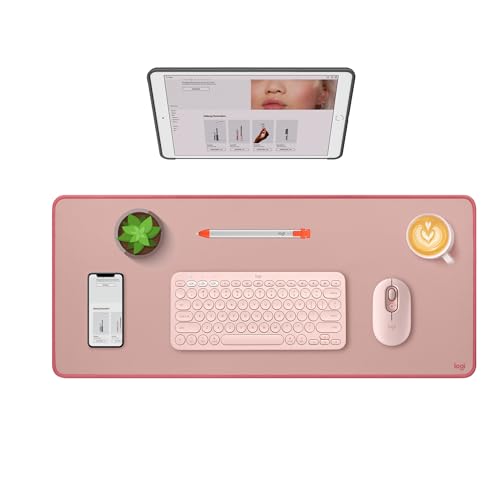
Logitech Studio Series Desk Mat Large 28x12 Inches - Rubber - Darker Rose
Included for 'Computer Table Decoration Items: What to Put on Your Desk Without Losing Work Space' because the listing specifies Rubber and Darker Rose, details this guide uses to compare options.
View on Amazon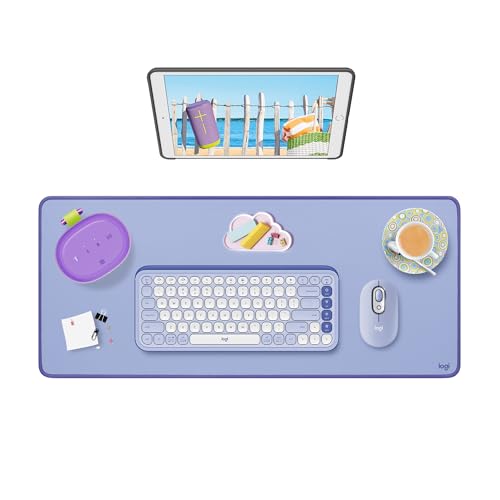
Logitech Studio Series Desk Mat Large 28x12 Inches - Lilac
Included for 'Computer Table Decoration Items: What to Put on Your Desk Without Losing Work Space' because the listing specifies Lilac, details this guide uses to compare options.
View on Amazon
Aothia Non-Slip Waterproof PU Leather Desk Pad Protector for Mouse, Writing Desk, Office, Home, Laptop Blotter, 23.6" x 13.7", Black
Included for 'Computer Table Decoration Items: What to Put on Your Desk Without Losing Work Space' because the listing specifies Writing Desk and Office, details this guide uses to compare options.
View on Amazon- Back corners: the strips beside the monitor, usually 8 to 15 inches wide on a 48-inch desk.
- Vertical space: the wall above the desk, a monitor shelf, or a pegboard.
- The surface itself: a desk mat or a tray that decorates and organizes at the same time.
Anything that lands in the front 12 inches of the desk will get pushed, knocked or annoying within a week.
Decoration Items Ranked by Footprint and Usefulness
| Item | Typical footprint | Best zone | Usual price range | Does it also do a job? |
|---|---|---|---|---|
| Small potted plant (pothos, snake plant, ZZ plant) | 4–6 in. pot diameter | Back corner | $10–$40 | Softens screen glare area visually; low-light species tolerate offices |
| Desk lamp (LED, adjustable arm) | 5–7 in. base or clamp | Back corner, opposite your writing hand | $25–$120 | Task lighting; warm 2700–3000K reads cozier on camera |
| Monitor riser / desk shelf | 20–40 in. wide, 8–10 in. deep | Behind keyboard | $20–$80 | Raises screen 3–6 in. and creates a shelf for decor |
| Desk mat (felt, leather-look, cork) | 31–35 x 12–16 in. | Under keyboard and mouse | $12–$45 | Protects finish, quiets typing, sets a color |
| Pen cup or catch-all tray | 3–4 in. cup, 6–9 in. tray | Back corner | $8–$30 | Stops loose clutter |
| Picture frame (4×6 or 5×7) | 5–7 in. wide | Monitor shelf or wall | $8–$25 | Personal touch only |
| LED light bar or bias lighting strip | Mounts on monitor | Behind or above screen | $20–$60 | Reduces contrast between screen and dark wall |
| Bookends with 4–8 books | 10–14 in. run | Monitor shelf or desk end | $15–$40 | Reference storage |
| Wall art or floating shelf | 0 in. of desk surface | Wall above desk | $20–$100 | Frees the desk entirely |
Five Desk Decoration Ideas by Setup
The narrow desk (under 24 inches deep)
Skip anything that sits on the surface except a lamp. Put a floating shelf 12 to 16 inches above the desktop for a plant and a frame, and use a clamp lamp so the base takes no room. A desk mat in a solid color does most of the styling work here.
The video-call desk
Decorate what the camera sees, not what you see. That usually means the wall behind you, a shelf at shoulder height and soft side lighting. On the desk, a warm lamp placed 30 to 45 degrees to the side of your face does more for your image than any accessory. Keep the visible background to three or four objects at different heights so it does not read as clutter.
The gaming or dual-monitor table
Monitors eat the back of the desk, so go vertical. A monitor arm frees 8 to 10 inches of depth that can hold a small plant or speaker. Bias lighting behind the screens is functional decoration, and an extended desk mat (around 35 inches) unifies keyboard and mouse into one clean surface.
The shared family computer table
Choose items that survive bumps: a weighted pen cup, a plant in a pot with a wide base, frames that hang rather than stand. A lidded box hides chargers and cables between users.
The minimalist work desk
One plant, one lamp, one tray. Pick all three in the same material family, such as matte ceramic and light oak, and the desk looks intentional with almost nothing on it.
Materials and Finishes That Hold Up on a Work Surface
A computer table gets more contact than a console table, so decor materials matter:
- Ceramic and stoneware: heavy enough not to tip, but put felt pads under them so they do not scratch laminate or veneer.
- Metal trays and holders: durable; powder-coated finishes resist fingerprints better than polished brass.
- Felt desk mats: quiet and warm-looking but they pill and hold crumbs; wool felt lasts longer than polyester felt.
- Faux-leather mats: wipe clean and stay flat, though cheap PU can peel at the edges after a year or two of heavy wrist contact.
- Real plants vs artificial: real plants need a drip tray and a spot within a few feet of a window; quality artificial plants avoid water near electronics.
Lighting Numbers Worth Knowing
A desk lamp is the most useful decoration item on the list, and a few numbers make it work better:
| Setting | Recommended value | Why |
|---|---|---|
| Task light output | About 450–800 lumens | Enough for paper work without washing out the screen |
| Color temperature for focus | 3500–4000K | Neutral white, good for reading |
| Color temperature for evening/cozy | 2700–3000K | Warmer, better on camera and at night |
| Bias light behind monitor | Around 6500K, low brightness | Matches typical screen white point |
| Lamp head height above desk | 15–20 in. | Lights the work area without hitting your eyes |
Cable Management Counts as Decoration
Nothing undoes a styled desk faster than a tangle of cords. A cable tray mounted under the back edge, a few adhesive clips and a fabric cable sleeve for the monitor and lamp cords will make every other item look better. Under-desk trays usually run 15 to 24 inches long and hold a power strip; check that your desk has at least a 1-inch lip or a solid panel at the back to screw into, since many particleboard tops do not hold screws well near the edge.
Common Mistakes
- Too many small objects. Five 3-inch items look like clutter; one 8-inch plant looks like a choice.
- Everything at one height. Mix tall (lamp, plant), medium (frame, books) and flat (tray, mat).
- Decor in the mouse zone. Leave at least 10 inches to the side of the keyboard clear for mouse movement.
- Liquids near the computer. Vases and watered plants belong on the side away from a laptop or tower intake.
- Ignoring the wall. The wall above a computer table is free real estate and keeps the work surface open.
A Simple Starting Kit
If you want a quick plan: a desk mat in a color that matches your chair or rug, an adjustable LED lamp on the side opposite your mouse hand, a low-light plant in the other back corner, a monitor riser with one frame and two or three books on it, and an under-desk cable tray. That is five decoration items, usually $100 to $250 total, and it covers lighting, organization and personality without taking a single inch of the space you type in.