Our Top Picks
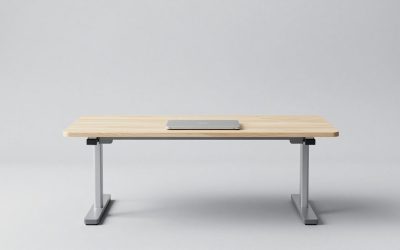
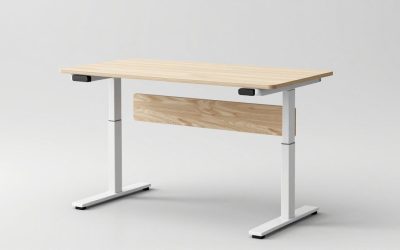
 FLEXISPOT Comhar 48" Electric Standing Desk with Drawers48"Maple/White24 x 48 x 28.3 Inches85.3 poundsCheck on Amazon
The best study table set up puts the work surface at elbow height, the light source to the side of your writing hand rather than behind you, and everything you use daily within a 20 inch reach, and then arranges the rest of the desk around how you actually study: on paper, on a screen, or both. The ideas below are organized by study style first, because a setup that suits a laptop-only college student will frustrate a high schooler doing handwritten math every night.
Step 1: Get the Height Right Before Anything Else
Most desks are sold at 29 to 30 inches tall, a height that suits people around 5 ft 10 in to 6 ft 2 in. Shorter users, and nearly every child, end up shrugging their shoulders to write. Use this table to find your target surface height, then either pick an adjustable desk, raise the chair and add a footrest, or choose a desk built for the height.
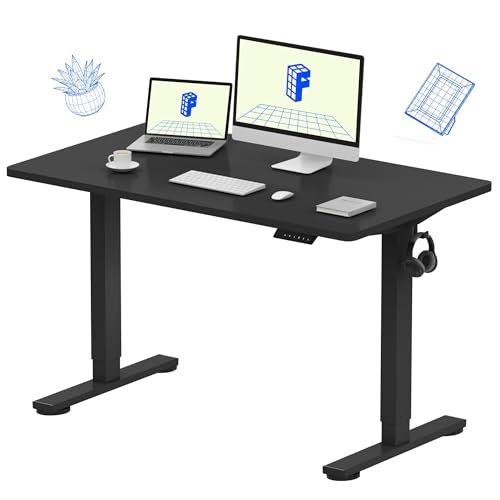
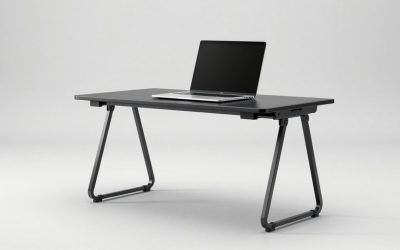
FLEXISPOT EN1 One-Piece Standing Desk, Electric Adjustable with 4 Memory Presets, 176 LBS Capacity, Stable & Quiet, Seamless Desktop for Home Office & Dual Monitors, 48"x24" Black
Chosen because it specifies Electric Adjustable with 4 Memory Presets and 176 LBS Capacity.
View on Amazon
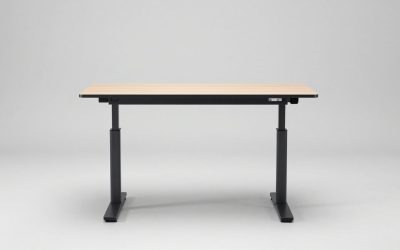
FLEXISPOT EN2 55"x28" Whole-Piece Standing Desk with Power Strip, White
Chosen because it specifies White.
View on Amazon
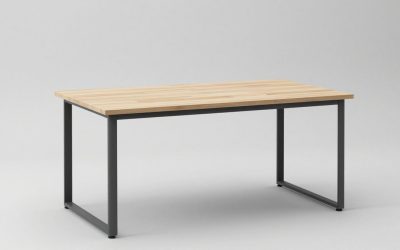
FLEXISPOT 60"x24" Electric Standing Desk, Black Walnut
Chosen because it specifies Black Walnut.
View on AmazonFLEXISPOT Comhar 48" Electric Standing Desk with Drawers, USB Charging Ports, Quick Assembly, Height Adjustable Sit Stand Computer Desk with Child Lock for Scandinavian Home Office, Maple
Chosen because it specifies USB Charging Ports and Quick Assembly.
View on Amazon| User height | Writing / keyboard surface | Chair seat height | Typical age range |
|---|---|---|---|
| 3 ft 9 in – 4 ft 3 in | 21–23 in | 13–14 in | 6–8 years |
| 4 ft 3 in – 4 ft 9 in | 23–25 in | 14–16 in | 8–11 years |
| 4 ft 9 in – 5 ft 3 in | 25–26.5 in | 16–17.5 in | 11–14 years |
| 5 ft 3 in – 5 ft 9 in | 26.5–28 in | 17.5–19 in | Teens and adults |
| 5 ft 9 in – 6 ft 3 in | 28–30 in | 19–20.5 in | Adults |
Check the result by sitting with feet flat and upper arms relaxed: forearms should rest on the surface with elbows at roughly 90 to 100 degrees. If feet dangle after raising the chair, add a footrest 3 to 6 inches tall.
Step 2: Pick a Layout for Your Study Style
Paper-heavy study (textbooks, notebooks, handwritten math)
You need depth and open surface more than screen space. Aim for a top at least 24 inches deep and 40 inches wide so an open textbook (about 17 to 20 inches across) sits beside a notebook. Keep the center clear, put a book stand to the non-writing side, and store pens and calculator in a shallow tray at the front edge. A slight desk-top incline board, 10 to 15 degrees, reduces neck flexion during long reading sessions.
Screen-heavy study (online classes, coding, research)
Here the setup ideas overlap with computer table set up ideas. Put the monitor or a raised laptop directly in front, top edge at or just below eye level, 20 to 30 inches from the eyes. With a laptop, use a stand plus a separate keyboard and mouse; otherwise you are forced to choose between a good screen height and a good typing height. A desk 24 inches deep is the minimum for a monitor plus keyboard; 28 to 30 inches is more comfortable.
Hybrid study (screen plus paper)
This is the most common and the hardest to fit. Two layouts work well:
- Offset screen: monitor arm pushes the screen toward the back and to the non-writing side, freeing a 20 x 16 inch writing zone in front.
- L-shape or corner desk: screen on one leg, paper on the other, with a swivel chair. Each leg needs at least 40 inches of length.
Shared desk for two
Allow about 30 inches of width per person as a bare minimum and 36 inches for comfort, plus a shared central shelf or drawer for supplies so neither person reaches across the other.
Step 3: Place the Desk in the Room
| Placement | Pros | Cons | Best for |
|---|---|---|---|
| Side-on to a window | Natural light without screen glare | Needs a lamp after dark | Almost everyone; the default choice |
| Facing a window | Views, daylight on paper | Strong backlight makes screens hard to read | Paper-only study |
| Facing a wall | Fewest distractions, wall space for shelves and planners | Can feel closed in | Students who drift easily |
| Back to a window | Saves floor space in some rooms | Glare on screen, shadow on desk | Avoid where possible |
| Closet or alcove | Doors close on the mess | Ventilation and lighting limited | Small apartments, shared bedrooms |
Leave at least 36 inches behind the desk for the chair to roll back and for you to stand up. In a 10 x 10 ft kid’s bedroom with a twin bed, a 40 x 20 inch desk on the wall opposite the bed usually fits with that clearance intact.
Step 4: Light the Work, Not Just the Room
- Task lamp position: on the opposite side from your writing hand (left side for right-handers) so your hand does not cast a shadow over the line you are writing.
- Brightness: general room light around 300 lux plus a task lamp delivering roughly 500 to 750 lux on the page. Many LED desk lamps list lux at a set distance; compare at the same distance.
- Color temperature: 4000 to 5000 K reads as crisp, neutral white for daytime focus; lower it to around 3000 K in the evening if the lamp allows.
- Screen balance: keep room light on when using a screen; a bright monitor in a dark room increases eye strain.
Step 5: Storage Within Reach, Clutter Out of Sight
Think in three zones. The primary zone, within about 14 to 20 inches of where you sit, holds what you use every session: pens, highlighters, calculator, current notebook. The secondary zone, up to about 28 inches, holds today’s textbooks and a water bottle. Everything else belongs off the desk: on a wall shelf, a rolling cart, or in drawers.
- A three-tier rolling cart under or beside the desk replaces a pedestal and moves out of the way.
- Wall-mounted pegboard or rails keep the surface clear and are renter-friendly with removable strips for light items.
- A vertical file or magazine holder for each class keeps loose papers from spreading.
Step 6: Tame Cables and Charging
A power strip clamped under the back edge, a cable tray, and two or three adhesive cable clips solve most mess. Keep charging for phone and tablet on a shelf or drawer outside arm’s reach; a phone charging across the room is one of the simplest focus improvements you can make.
Small Upgrades With the Biggest Payoff
- Footrest for anyone whose feet do not sit flat.
- Laptop stand plus external keyboard and mouse.
- Side-mounted task lamp with adjustable color temperature.
- Monitor arm to reclaim desk depth.
- Rolling cart for supplies.
FAQ
How big should a study table be?
For one person, 40 to 48 inches wide and 24 inches deep covers most study styles. Go to 28 to 30 inches deep if you use a monitor and keyboard together.
Should a child’s study desk be adjustable?
A child can grow 2 to 3 inches a year, so an adjustable desk or one with height-adjustable legs is usually cheaper than replacing a fixed desk every few years.