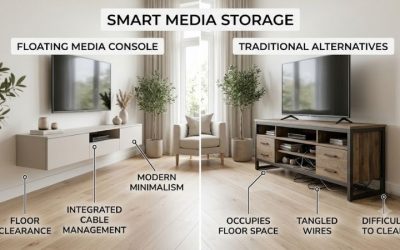
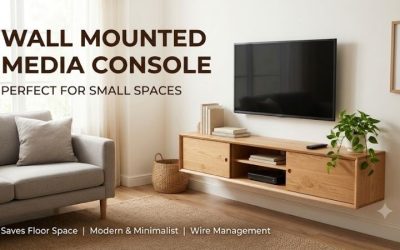
A wall mounted media console buying guide should help you choose furniture that looks clean, stores equipment efficiently, and remains securely attached to the wall. Cabinet size, interior depth, anchoring design, and equipment ventilation can matter more than decorative appearance. This guide explains how to evaluate installation, storage, compatibility, maintenance, and total cost before purchasing.
What Is a Wall Mounted Media Console?
A wall-mounted media console is a cabinet or shelf system intended to attach to a wall rather than rely entirely on floor-standing legs.
It is often described as a floating TV stand, floating entertainment center, or wall-hung media cabinet.
Its main advantage is making the floor beneath the unit accessible while providing storage for electronics and accessories.
However, the term floating does not mean the cabinet is structurally unsupported.
The wall, fasteners, cabinet frame, and mounting system work together to carry its weight.
That makes installation requirements central to the buying decision.
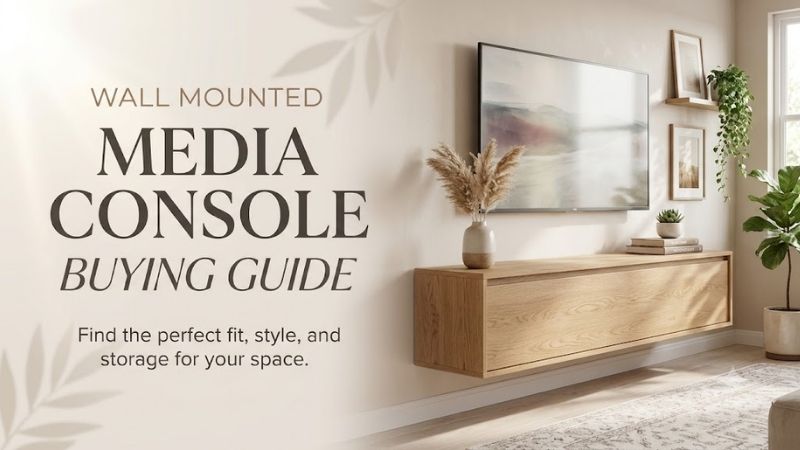
Main Types of Floating Media Consoles
| Type | Main advantage | Main drawback |
|---|---|---|
| Open-shelf floating cabinet | Convenient electronics access | Visible clutter |
| Closed-door media console | Concealed storage | Ventilation planning |
| Modular wall cabinet | Customizable arrangement | Extra accessory costs |
| Floating shelf system | Minimal appearance | Limited storage |
| Long entertainment console | Broad visual balance | Heavy installation |
| Compact media cabinet | Fits smaller walls | Less device capacity |
| LED floating console | Decorative lighting | Extra electronics |
| Integrated TV-mount unit | Combined system where approved | Specific mounting limitations |
Step 1: Determine Whether the TV Will Be Wall-Mounted
The first decision is how the television will be supported.
Separately Wall-Mounted TV
In many modern media arrangements, the TV is installed on its own wall bracket.
The floating console sits beneath it and stores electronics.
In this setup, the TV and cabinet are separate structural loads.
TV Resting on a Wall Cabinet
Some products may permit a television to stand on top when mounted appropriately.
However, the manufacturer’s explicit wall-mounted load rating must allow that configuration.
Do not use a floor-standing rating as proof that a wall-hung cabinet can safely carry the same load.
Integrated Mounting System
Some furniture is designed with a specific TV-mount mechanism.
In that case, use only approved bracket configurations and load limits.
Never improvise an integrated mounting arrangement.
Step 2: Measure Cabinet Width
The cabinet width influences storage capacity and visual balance.
A compact floating cabinet may be under 50 inches wide.
Larger entertainment cabinets can exceed 70 inches.
Compact Cabinets
A model around 47–50 inches can work in a bedroom or smaller apartment.
However, it may provide insufficient storage for several gaming consoles or receivers.
Medium Cabinets
A 55–60-inch unit can provide space for multiple devices and accessories.
It also requires a wider mounting area.
Wide Cabinets
A 68–72-inch cabinet creates a substantial media-wall arrangement.
The cabinet’s weight and structural attachment become increasingly important.
Step 3: Evaluate Height and Depth
Width is not the only important measurement.
Exterior Depth
A deep cabinet may fit larger electronic components but project farther into the room.
A shallow cabinet may improve circulation while restricting equipment.
Interior Depth
The usable depth may be less than the advertised exterior dimension because of back panels, doors, and structural components.
Measure equipment including plugs and cable bends.
Cabinet Height
A low console may be visually unobtrusive.
A taller cabinet can provide more vertical storage but may compete with the television for wall space.
Choose the arrangement around actual viewing comfort and storage access.
Step 4: Understand Wall Structure
A wall-mounted media console is only appropriate where the actual wall can support the intended installation.
Wood-Stud Walls
Many floating cabinets use brackets or rails that must be fixed into suitable wall studs.
Confirm the stud positions before selecting a cabinet or drilling.
Concrete and Masonry
Structural masonry may accommodate suitable mounting hardware.
However, the correct fasteners depend on the material, wall condition, and load requirements.
Hollow Drywall
Ordinary drywall alone should not be assumed sufficient for a heavy floating cabinet.
Some installations require appropriate structural blocking or professional assessment.
Uncertain Walls
Seek qualified installation guidance when the wall type or structural capacity is unclear.
Improvised fastening can cause furniture to fall.
Step 5: Evaluate the Mounting Hardware
Different products use different systems.
Rail Systems
A hanging rail may simplify aligning the cabinet on a wall.
However, it still requires secure structural attachment.
Direct Fasteners
Some TV-unit frames use direct wall-mounted fittings.
The exact manufacturer’s instructions must be followed.
Model-Specific Restrictions
IKEA BESTÅ provides an important example.
Certain BESTÅ wall cabinets use suspension rails, but IKEA’s BESTÅ TV units have different installation requirements.
IKEA expressly states that the standard BESTÅ suspension rail must not be used with those TV units.
Buyers must follow the specific product’s instructions rather than assume all products within a furniture family use identical hardware.
Step 6: Calculate the Complete Supported Load
Wall-mounted loading involves more than the weight of the cabinet’s contents.
The installation must account for the empty cabinet, shelving, doors, electronics, accessories, and other permitted loads.
Cabinet Weight
A large media cabinet may already weigh dozens of pounds before anything is stored inside.
Equipment Weight
Gaming consoles, receivers, speakers, and other equipment contribute to the total.
Separate Shelf Ratings
Each shelf may have a lower rating than the total cabinet.
For example, the South Shore City Life wide console specifies approximately 15 pounds for individual adjustable shelves.
Installation Capacity
A total furniture-load rating does not override the structural requirements of the wall installation.
Never exceed the limit that applies to the actual installed arrangement.
Step 7: Plan Electrical and Cable Management
A floating media console can create a clean appearance when wiring is properly organized.
Wall Outlets
Determine whether outlets will remain accessible after installation.
Avoid trapping plugs or power cords.
Cable Holes
Cabinet openings may help route HDMI, power, network, and audio cables.
However, they must not create sharp bends or damage to wiring.
In-Wall Cabling
Do not run ordinary appliance power cords through walls.
Use wiring methods and equipment approved under applicable electrical requirements.
Lighting
LED media consoles introduce an additional electrical system.
Its power supply should be installed and operated according to the manufacturer’s instructions.
Step 8: Ensure Equipment Ventilation
Media cabinets often hold electronic devices that release heat.
A wall-mounted arrangement can look tidy while still creating poor airflow.
Gaming Consoles
Check the device manufacturer’s required clearance around ventilation openings.
Do not enclose a console in a cabinet simply because it physically fits.
AV Receivers
Receivers may need substantial room above and around the chassis.
Measure both the equipment and its airflow requirements.
Routers
Network devices may become warm during operation.
They should not be tightly packed with unrelated electrical equipment without suitable ventilation.
Closed Cabinet Doors
Solid doors can reduce airflow.
Ventilated panels, suitable openings, or another storage arrangement may be necessary.
Step 9: Compare Materials
Particleboard and MDF
Common in affordable floating cabinets.
Suitable when the engineered design and installation requirements are followed, but vulnerable to certain moisture and edge-damage conditions.
Honeycomb Panels
Lightweight engineered furniture may use a honeycomb paper core.
This can reduce furniture weight but does not make the panel equivalent to solid wood.
Wood Veneer
A veneer surface can provide natural wood grain over a substrate.
However, finish maintenance and repairability vary.
Solid Wood
Solid wood can offer a different appearance and repair potential.
However, it may add considerable weight, making mounting requirements important.
Metal Supports
Metal brackets and rails are essential components of many wall-hung systems.
Their quality, installation, and compatibility matter more than appearance.
Step 10: Consider Doors, Drawers, and Open Shelves
Open Storage
Good for easy equipment access and visible display.
However, cables and accessories remain visible.
Hinged Doors
Can conceal clutter.
But door clearance and hinge quality must be considered.
Push-Open Doors
Can create a handle-free appearance.
However, they require correct installation and working clearances.
Drawers
Useful for remote controls and small accessories.
However, opened drawers add movement and loading considerations.
Do not overload a drawer beyond its published rating.
Step 11: Plan Cleaning and Maintenance
A floating cabinet makes it easier to clean the floor below.
However, the installation and furniture still require periodic attention.
Check fasteners and hinges according to manufacturer recommendations.
Keep electrical equipment clear of water.
Follow the surface-cleaning instructions.
Stop using the cabinet if it becomes loose, shifts unexpectedly, develops structural damage, or displays signs of mounting failure.
Step 12: Calculate Total Ownership Cost
A low-priced cabinet frame can be attractive, but the actual cost may include several components.
Cabinet
The base furniture price.
Doors and Shelves
Some modular systems sell these separately.
Installation Hardware
Correct fasteners may need to be selected for the wall.
Labor
Professional installation may be appropriate for heavy or difficult mounting conditions.
Television Bracket
A separate wall-mounted television generally requires its own suitable bracket.
Repairs
Hinges, shelf supports, and decorative lighting may require service.
A realistic comparison uses the complete finished arrangement, not the lowest listed frame price.
Buying Checklist
| Criterion | What to verify |
|---|---|
| TV installation | Separate wall mount or approved integrated system |
| Wall structure | Suitable for cabinet installation |
| Width | Fits available wall span |
| Depth | Accommodates electronics and cables |
| Height | Works with viewing position |
| Cabinet loading | Manufacturer’s installed limits |
| Shelf loading | Individual component ratings |
| Mounting hardware | Correct product-specific system |
| Cable routing | Safe and accessible |
| Ventilation | Meets electronics requirements |
| Doors and drawers | Open without obstruction |
| Total cost | Includes necessary accessories and installation |
Common Buying Mistakes
Assuming Any Floating Cabinet Can Support a Television
Many are intended to sit beneath a separately wall-mounted TV.
Mounting Into Unsuitable Drywall
Structural support and approved hardware are essential.
Using the Wrong Rail System
Furniture families can have model-specific mounting restrictions.
Ignoring Equipment Ventilation
A neatly concealed gaming console can still overheat.
Confusing Exterior and Interior Dimensions
A receiver may be too deep despite the cabinet appearing large enough.
Buying a Bare Frame Without Budgeting for Accessories
Doors, drawers, hardware, and professional labor may increase the final cost.
Frequently Asked Questions
How Do I Choose a Wall Mounted Media Console?
Start with the wall structure, TV mounting arrangement, equipment dimensions, and cabinet loading. Then compare storage, finish, installation requirements, and price.
Can I Install a Floating TV Console Myself?
Possibly, when the manufacturer permits it and you can correctly assess the wall and follow the instructions. Heavy or uncertain installations may warrant professional assistance.
Is a Wall Mounted Console Stronger Than a Floor Stand?
Not inherently. Each product has different structural requirements and load ratings.
How Much Weight Can a Floating Console Hold?
It varies by cabinet design, hardware, wall structure, and installation. Use the manufacturer’s rating for the actual mounted arrangement.
Are Floating Consoles Good for Gaming Setups?
They can be useful for organizing consoles and accessories, but sufficient device ventilation and cable access are essential.
Does a Floating Cabinet Need Regular Maintenance?
Follow manufacturer recommendations for checking fasteners, shelves, hinges, and furniture condition.
Conclusion
A wall mounted media console should be selected around structural installation, actual equipment needs, and safe long-term use. Compare the cabinet’s width, depth, loading, mounting hardware, and ventilation before prioritizing appearance. A properly installed floating console can create an attractive and practical media wall, but no design benefit justifies unsuitable anchoring or overloaded shelves.