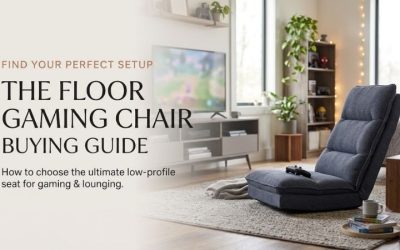
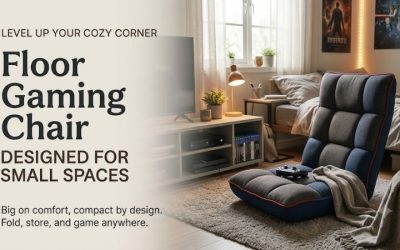
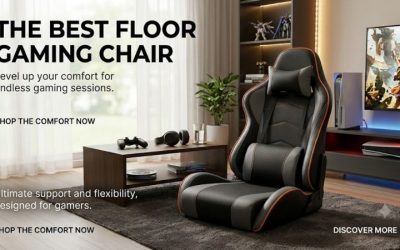
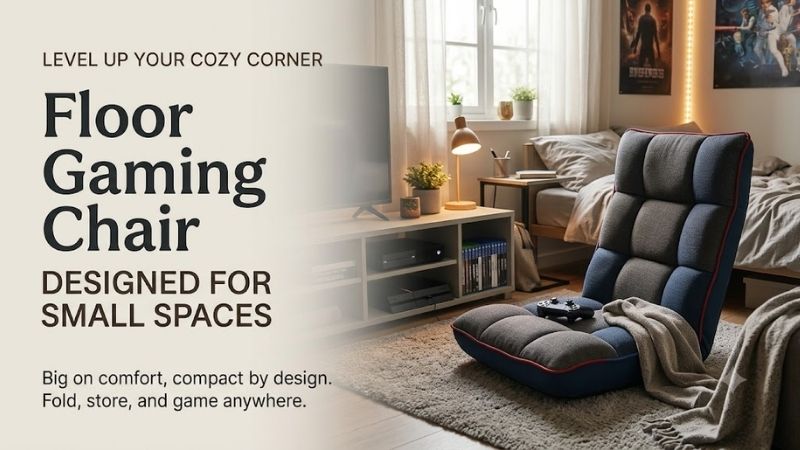
A floor gaming chair for small spaces can create a comfortable console setup without adding another large office chair or recliner. However, floor seating still requires legroom, back support, and suitable screen placement. This guide explains how to compare compact chairs, measure movement clearance, plan storage, and avoid common comfort mistakes in apartments and bedrooms.
Why Floor Gaming Chairs Can Work in Compact Rooms
A floor gaming chair places the sitting surface close to the ground. Many designs eliminate the tall chair legs, wheels, and wide five-star bases associated with conventional gaming chairs.
This can be useful when a bedroom or studio also functions as a gaming room.
A lightweight floor chair can be brought out for an evening session and stored afterward. Some models fold almost flat, while others remain upright but can be moved to the side.
However, a low profile does not mean the chair uses no floor space.
The occupant’s legs, the chair’s reclining position, and the clearance for rocking or swiveling must all be considered.
A Compact Chair Can Still Require a Large Operating Area
A foldable chair may measure only about 22 inches wide, but its back can extend more than 40 inches when flattened.
A rocker needs room to move backward and forward.
A swivel floor chair needs enough area for its upper body to rotate.
Therefore, the correct measurement is not just how much floor area the chair occupies when photographed upright.
It is the space needed for normal gaming, entering the seat, changing positions, and storing the chair afterward.
Compare Compact Floor Gaming Chair Types
| Type | Main space advantage | Main limitation | Best situation |
|---|---|---|---|
| Fold-flat adjustable chair | Can be stored beneath suitable furniture | Very low seat; no swivel | Dorm room or shared bedroom |
| Compact video rocker | Simple, narrow footprint | Rocking clearance | Television gaming corner |
| Foldable swivel chair | Directional movement and folding back | Pedestal adds storage height | Multipurpose living room |
| Floor chair with armrests | Controller arm support | Often wider or bulkier | Regular console gaming |
| Floor cushion with backrest | Minimal furniture complexity | Limited support and adjustment | Occasional short sessions |
| Conventional compact chair | Easier elevated sitting | More permanent furniture space | Frequent desk or mixed use |
Step 1: Measure Both Floor Space and Legroom
Begin by measuring the intended gaming area.
Record the available width and depth, including the area between the screen and any furniture behind the seated person.
Then consider the occupant’s legs.
A low chair often requires the knees to bend more than they would in a conventional elevated chair. Some players sit with legs forward, while others sit cross-legged or with knees bent.
These positions occupy floor space beyond the actual cushion.
Example: A Six-by-Eight-Foot Gaming Corner
Suppose a bedroom has a 72-by-96-inch area available near a television.
A chair measuring 22 inches wide and 23 inches deep fits easily on paper.
However, if the user extends their legs 30 inches beyond the seat, the practical occupied depth becomes much larger.
A coffee table positioned nearby can interfere with both movement and comfort.
The floor plan must include the person, not just the furniture.
Measure Side Clearance
A swivel chair can rotate its backrest or arms toward nearby furniture.
A rocker may move differently depending on how its curved base contacts the floor.
For either type, check the actual motion rather than using a universal clearance assumption.
Preserve Normal Room Access
A gaming chair should not obstruct bedroom doors, drawers, closets, or essential walkways.
This remains true when the chair is folded or moved into its storage location.
Step 2: Choose Between Folding, Rocking, and Swiveling
Fold-Flat Floor Chairs
A fold-flat adjustable chair is often the simplest compact option.
For example, a reviewed Costway 14-position chair measures approximately 41.5 inches long, 22.5 inches wide, and 6 inches thick in its flattened configuration.
That thickness may make under-bed storage possible, provided the actual space beneath the bed is sufficient.
However, a chair that folds flat does not necessarily have a smaller upright footprint than another floor chair.
Its main advantage is storage convenience.
Video Rockers
A rocker uses a curved base to allow passive movement.
It can be pleasant for controller-based gaming, but it usually cannot be stored as flat as a hinged floor chair.
The curved frame remains bulky even when unoccupied.
A narrow rocker may be appropriate for an occasional gaming space, but the usable seating width needs checking.
Swivel Floor Chairs
Swivel floor chairs rotate toward different points in the room.
That can be useful in a studio where the same seating area faces a television, another player, or a conversation space.
The trade-off is that the base may add weight and storage height.
Some folding swivel chairs reduce the upper profile but retain a substantial pedestal.
Step 3: Choose a Seat Width That Fits the Player
A floor gaming chair’s width should be evaluated using the actual seating area rather than only the exterior measurement.
For example, the Best Choice Products 360-Degree Swivel Gaming Floor Chair lists an overall width of about 22 inches but a usable seat width of approximately 18 inches.
Its armrests take up part of the exterior dimension.
That may be appropriate for some adults and restrictive for others.
A narrow rocker such as The Crew Furniture Video Rocker has an exterior width of roughly 15.88 inches, making it particularly important to assess fit.
Why Extra Width Matters
A broader seat gives the user more freedom to shift the hips or change leg positions.
However, an oversized chair can occupy enough space to interfere with room circulation.
Choose the smallest seat that comfortably accommodates the intended user rather than the smallest listing available.
Step 4: Evaluate the Backrest
A low-level gaming chair often uses an adjustable padded back or a fixed curved rocker shape.
The best backrest depends on screen placement and preferred posture.
Adjustable Backs
An adjustable back can support several reclining positions.
However, more settings do not guarantee more comfort.
A backrest with 14 positions is not necessarily better than a chair with six well-designed settings.
What matters is whether the chosen angle supports the person without encouraging an uncomfortable head position.
Fixed Rocker Backs
A rocker may encourage the occupant to lean backward naturally.
However, the angle is controlled through the chair’s shape and the person’s movement rather than a locking hinge.
This offers a different experience from a ratcheting chair.
Backrest Height
A short back may be suitable for quick gaming sessions but less comfortable during long periods of sitting.
A taller back can provide more torso contact, although its shape and padding matter.
Step 5: Position the Screen for Floor-Level Viewing
One of the most overlooked problems with floor gaming is the relationship between the low seat and the screen.
A television mounted for someone sitting on a normal sofa may be relatively high when viewed from the floor.
The user may need to look upward for extended periods.
Check the Actual Viewing Angle
Sit at the intended floor height and look toward the screen.
Notice whether the head remains in a comfortable position.
If you must repeatedly tilt the chin upward or twist the body, the screen and seating arrangement may not be suitable.
Adjust the setup where practical rather than expecting additional chair padding to solve screen-position problems.
Avoid Sitting Too Close to a Large Screen
A low chair does not have to sit directly in front of the television.
Comfortable viewing distance depends on screen dimensions, resolution, individual eyesight, and preference.
Choose a position that allows comfortable viewing without excessive head movement.
Desk Gaming Requires a Different Approach
A standard computer desk is usually configured around an elevated chair.
Using a floor chair with an ordinary desk may force the arms to reach upward toward the keyboard and mouse.
For extended desk-based play, a properly adjusted desk chair may be more suitable.
Step 6: Think About Getting Up From the Floor
A floor chair may feel comfortable while seated but be difficult to exit.
The occupant often needs to move from a near-floor position to standing without the assistance of a high seat.
Users With Limited Mobility
Someone experiencing difficulty with knee movement, balance, or standing may find a floor chair unsuitable.
Armrests on a floor chair are not automatically designed to support the entire force of standing.
Never assume that a padded gaming armrest functions as a certified mobility aid.
Everyday Convenience
Even for users without mobility limitations, sitting very low can make repeated trips to a desk, shelf, or doorway less convenient.
If gaming involves standing frequently, a higher conventional chair may be a better choice.
Step 7: Choose Upholstery for a Small Room
Small bedrooms and gaming areas often contain food, drinks, electronics, and soft furnishings.
Cleaning practicality is therefore important.
Polyester upholstery may be simple to spot clean, but not every chair has a machine-washable cover.
Soft velvet or flannel can feel comfortable but may require more careful maintenance.
Vinyl surfaces can be wiped according to product instructions but can also have coating and wear considerations.
Check the exact selected model rather than relying on general fabric descriptions.
Step 8: Plan Storage and Floor Protection
Under-Bed Storage
A thin folding chair may fit beneath a bed if its full length, width, and folded thickness are compatible with the available space.
Measure the lowest obstruction under the bed.
A six-inch-thick chair may not fit through an opening measuring slightly less than six inches.
Closet Storage
Some chairs fold into relatively compact upright shapes.
However, a swivel pedestal can limit the available storage options.
Check whether the chair is intended to be stored vertically.
Hardwood and Laminate Floors
A rotating or rocking base can create friction at the floor surface.
Follow manufacturer instructions for suitable floor contact and cleaning.
Do not install improvised slippery pads that could compromise chair stability.
Common Buying Mistakes
Buying by Folded Thickness Alone
The chair also needs enough sitting width, support, and floor space when opened.
Ignoring Legroom
The occupant’s knees and feet extend beyond the cushion.
Using a Desk Gaming Setup With a Floor Chair
The keyboard, mouse, and monitor may be incorrectly positioned.
Assuming Every Swivel Chair Stores Flat
The swivel base can remain substantial after the back folds.
Choosing a Very Low Chair for Someone Who Struggles to Stand
The chair may create difficulty that a higher seat would avoid.
Frequently Asked Questions
What Is the Best Floor Gaming Chair for a Small Room?
A lightweight fold-flat adjustable chair is a strong starting point when storage matters most. A compact swivel chair may be better when the room has several viewing directions and enough rotation clearance.
Can a Floor Gaming Chair Fit Under a Bed?
Some folding models can, provided the actual folded dimensions are smaller than the available under-bed opening. Check length, width, and thickness.
Are Floor Gaming Chairs Good for Studio Apartments?
They can be useful for temporary console seating, especially when they fold or can be moved aside. However, the room must still accommodate legroom, reclining movement, and safe access.
Is a Floor Rocker Smaller Than a Swivel Chair?
Not necessarily. A rocker may have a narrow base but remain tall and bulky in storage. A foldable swivel may reduce its backrest height while retaining its pedestal.
Do Floor Gaming Chairs Work for Adults?
Some do, but dimensions and load ratings vary. Compare usable seat width, back height, and the ability to enter and leave the chair comfortably.
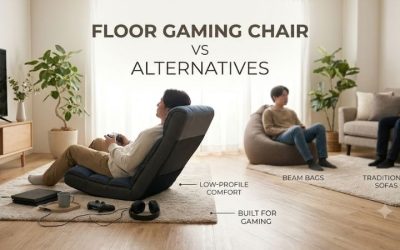
Is a Floor Gaming Chair Better Than a Bean Bag?
An adjustable floor chair usually provides a more defined backrest, while a bean bag changes shape around the occupant. The better choice depends on preferred support and storage needs.
Conclusion
A floor gaming chair for small spaces works best when the complete setup fits comfortably, not merely when the chair looks compact. Measure legroom, movement clearance, backrest dimensions, and storage space before ordering. Fold-flat chairs are useful for occasional play, while swivel and rocker models offer different movement benefits. Keep the screen at a comfortable viewing position and choose a higher chair if low-level seating is impractical.