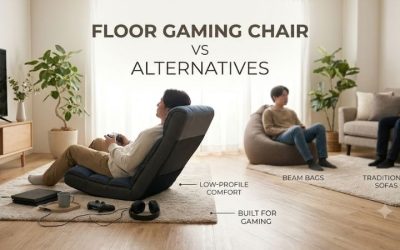
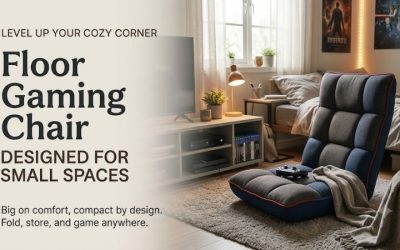
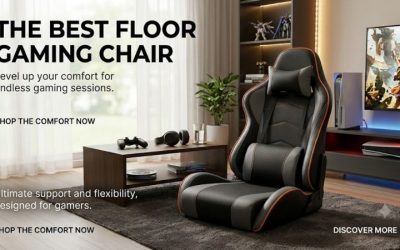
A floor gaming chair buying guide should help you choose seating that supports comfortable play without creating new problems for your room or body. Rocking, swiveling, and adjustable chairs serve different gaming styles, while seat width and screen placement affect everyday use. This guide explains construction, dimensions, storage, maintenance, and the trade-offs worth considering.
What Is a Floor Gaming Chair?
A floor gaming chair is a low seating product intended for activities such as console gaming, watching television, and casual lounging.
Unlike an ordinary PC gaming chair, it typically lacks a tall wheeled pedestal.
Some models rest directly on a padded base. Others use a curved rocker structure or a low swivel pedestal.
The category is broad, and these designs should not be treated as identical.
A lightweight folding floor chair may be intended for temporary use. A heavier rocker may serve as a permanent gaming-room seat. An electronic audio chair may prioritize entertainment features over compactness.
The right product depends on the gaming setup and the user.
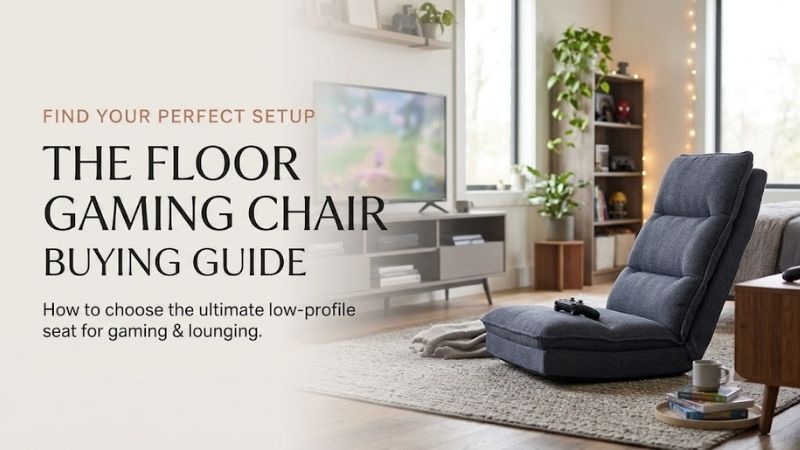
Main Types of Floor Gaming Chairs
| Chair type | Main function | Best use | Key trade-off |
|---|---|---|---|
| Fixed video rocker | Passive rocking motion | Console gaming | Limited adjustment |
| Adjustable folding chair | Changes backrest angle | Multipurpose bedroom | Very low seat |
| Swivel floor chair | Rotates toward different directions | Shared gaming room | Rotation clearance |
| Swivel rocker | Combines different movements | Dedicated entertainment area | Larger, heavier mechanism |
| Audio gaming rocker | Integrated speakers or vibration | Immersive media use | Power, connectivity, cost |
| Padded floor lounger | Simple soft seating | Occasional gaming | Limited structural support |
Step 1: Match the Chair to Your Gaming Platform
The first decision concerns the type of gaming being performed.
Television-Based Console Gaming
A floor chair may work well for console gaming because the user typically holds a wireless controller rather than reaching toward a desk.
However, the television must be positioned so the low seating height does not require an uncomfortable upward viewing angle.
A floor chair that feels comfortable for a few minutes can still be unsuitable if the head must remain tilted upward during every session.
Handheld Gaming
Handheld consoles introduce different posture requirements.
The user’s hands may remain near the lap, and the head may tilt downward toward the screen.
Armrest support or a suitable cushion can influence comfort.
However, no chair automatically corrects prolonged neck flexion.
Changes in position and comfortable screen placement remain important.
PC Gaming at a Desk
Traditional desk gaming requires appropriate keyboard, mouse, and monitor height.
A floor chair may be too low for a conventional workstation.
For extended mouse-and-keyboard gaming, a task-oriented chair with appropriate desk geometry is generally a better category.
Casual Media and Reading
An adjustable floor chair can also be used for movies, reading, and conversation.
This versatility may justify choosing a folding adjustable chair over a gaming-specific rocker with limited positioning.
Step 2: Choose Between Rocking, Swiveling, and Reclining
Rocking Chairs
A floor rocker uses a curved bottom that allows the occupant to shift forward and backward.
The movement can feel relaxing during casual gaming.
However, a fixed rocker may provide little control over the backrest angle.
The occupant must also avoid excessive rocking that could destabilize the chair.
Swivel Chairs
A swivel gaming chair can turn without being dragged across the floor.
This is useful for multiplayer rooms or spaces with several viewing directions.
However, the chair’s upper structure sweeps through surrounding space.
A model with protruding arms or a tall backrest may need more clearance than the pedestal suggests.
Adjustable Folding Chairs
A ratcheting backrest changes the sitting angle.
Some models can flatten for storage.
This makes them particularly useful in dormitories and apartments.
The drawback is that the user remains very close to the floor and may lack armrest support.
Combined Swivel and Adjustable Designs
These models offer multiple movement functions.
However, they are often heavier and more difficult to store.
Choose the additional features only when they solve a real need.
Step 3: Compare Seat Width and Depth
Seat dimensions have a direct influence on comfort.
A narrow chair may feel restrictive even when its stated weight capacity is adequate.
Usable Seat Width
The usable seat width is different from the chair’s exterior width.
Armrests and frame components reduce the space available to the occupant.
For example, the Best Choice Products swivel gaming floor chair has a listed overall width of about 22 inches but a usable seat width of approximately 18 inches.
That distinction matters for adult buyers.
Seat Depth
Seat depth affects the position of the thighs and lower back.
A shallow seat may suit shorter sessions or more upright gaming.
A deep seat may encourage lounging but leave smaller users sitting away from the backrest.
The preferred dimension depends on body proportions and gaming posture.
Backrest Height
A short back may provide lower-torso support while leaving the shoulders and head unsupported.
A taller back may suit longer casual sessions, but its contour and padding still matter.
Do not assume that height alone establishes ergonomic quality.
Step 4: Understand Seat Height and Floor-Level Sitting
Floor gaming chairs place the hips closer to the ground than conventional sofas or desk chairs.
This changes how the knees and hips bend.
Very Low Floor Chairs
Some folding floor chairs use a cushion only several inches thick.
The occupant’s legs may extend along the floor or remain bent in front.
This can be comfortable for certain users but impractical for others.
Pedestal Floor Chairs
Swivel versions may position the seat somewhat higher because of the rotating base.
However, they still remain much lower than many conventional gaming chairs.
Standing Up
A person must be able to rise comfortably and safely from the chair.
Someone who has trouble moving from near-floor positions should not assume that padded armrests provide sufficient structural assistance.
A higher chair may be more appropriate.
Step 5: Evaluate Backrest Adjustment
A chair advertised with 14 positions may appear more advanced than one with six positions.
However, the actual range and quality of adjustment matter more than the count.
Reclining Angles
Different gaming activities encourage different postures.
An upright back may be useful for focused controller gaming, while a more reclined angle may suit movies.
However, a deeply reclined position can make viewing a high television uncomfortable.
Ratcheting Mechanisms
Some adjustable floor chairs use a click-style hinge.
The user may need to move the backrest through its adjustment sequence to reset it.
Check how the mechanism works before purchasing.
Do not force the backrest beyond its designed positions.
Mechanism Durability
Hinges and locking points experience repeated loading.
Unfortunately, many low-cost listings provide limited technical endurance data.
A large number of adjustment positions does not establish mechanical longevity.
Check warranty and instructions, and avoid unsupported claims of lifetime durability.
Step 6: Assess Cushion Construction
Many budget floor gaming chairs use polyurethane foam over a metal or wood frame.
The quality of the cushion affects comfort, but marketing language can be misleading.
Foam Density
Density describes mass per unit volume.
It is not identical to firmness.
A product described as high-density foam may feel firm or soft depending on the material formulation.
Cushion Thickness
A thicker cushion can provide more material between the body and the support structure.
However, thickness alone does not guarantee better pressure distribution.
The firmness, underlying surface, and user’s body weight still matter.
Bottoming Out
A thin or excessively compressible cushion may allow the user to feel the hard support beneath it.
That can become uncomfortable over longer sessions.
A chair should provide adequate cushioning without instability or excessive sinking.
Frame Contact
Check that internal frame components do not produce uncomfortable pressure during intended sitting positions.
A new upholstery cover cannot correct a severely bent or damaged frame.
Step 7: Consider Armrests
Armrests may be useful for controller gaming because they allow the forearms to rest rather than remain unsupported.
However, their position matters.
Fixed Armrests
Fixed arms provide a predictable contact point.
However, they cannot adjust to different arm lengths or shoulder positions.
An incorrectly sized armrest can feel less comfortable than an armless chair.
Armless Floor Chairs
Armless designs create more room to change leg and upper-body positions.
They can also fold more compactly.
The trade-off is less built-in forearm support.
Carrying Handles
Some floor gaming chairs use padded arms as handles for moving the chair.
This can improve portability.
However, these handles should be used only according to manufacturer instructions and should not automatically be treated as grab bars for standing.
Step 8: Compare Upholstery and Cleaning
Polyester and Mesh
Polyester surfaces are common in floor gaming furniture.
Mesh panels may influence airflow, but small breathable sections do not guarantee that the entire chair remains cool.
Cleaning requirements depend on the construction.
Vinyl and Faux Leather
Vinyl-covered rockers may be wiped according to their instructions.
However, coatings can crack or wear under certain conditions.
Avoid harsh cleaners unless permitted.
Velvet and Flannel
These fabrics can feel soft but may attract lint or require specialized cleaning.
A removable cover is useful only if its actual care instructions suit the household.
Nonremovable Covers
Many low-cost floor chairs use permanently attached upholstery.
Spills may require spot treatment.
Do not assume every foldable gaming chair is machine-washable.
Step 9: Evaluate the Base and Floor Surface
A floor chair contacts the flooring differently from an elevated chair.
Rocking Bases
A curved rocker creates repeated contact and movement.
Use the product on suitable surfaces and avoid aggressive rocking.
Swivel Pedestals
A swivel pedestal supports rotational movement.
The base must remain stable and correctly assembled.
A damaged or loose bearing should not be ignored.
Folding Floor Cushions
Direct-contact cushions may have nonslip undersides.
However, their grip depends on the floor condition.
A wet, uneven, or excessively slippery surface can affect stability.
Hardwood and Laminate
Check manufacturer recommendations for floor protection.
Do not improvise pads that might allow unintended sliding.
Step 10: Evaluate Electronic Features
Certain floor gaming chairs include integrated speakers, Bluetooth connectivity, vibration, or lighting.
These features may enhance entertainment but introduce additional considerations.
Audio Compatibility
Check how the chair receives audio.
A chair marketed for console gaming may not connect directly to every console through Bluetooth.
Some systems require a television audio connection, transmitter, or wired adapter.
Do not assume universal PlayStation, Xbox, Nintendo Switch, or PC compatibility.
Power Cables
Electronic chairs require a safe power arrangement.
Keep cables away from rocking, folding, or swivel mechanisms.
Additional Cost
Speakers and vibration can increase the price without improving the basic seat structure.
If the user already prefers headphones, a non-electronic floor chair may offer better value.
Step 11: Plan Storage and Delivery
A folding chair may require minimal assembly and be easy to carry.
A heavier audio rocker or swivel chair may require a dedicated location.
Before buying, check folded dimensions, product weight, and the ability to pass through doors.
A product that appears compact in promotional images may not fit beneath a specific bed or into a narrow closet.
Floor Gaming Chair Buying Checklist
| Criterion | What to check |
|---|---|
| Gaming setup | Television, handheld, or desk |
| Chair style | Rocker, swivel, folding, or audio |
| Usable seat width | Fits occupant comfortably |
| Seat depth | Supports preferred leg and hip position |
| Backrest | Appropriate height and adjustment |
| Armrests | Useful controller support |
| Weight capacity | Suitable manufacturer rating |
| Floor compatibility | Stable, appropriate base |
| Storage | Actual folded or stored dimensions |
| Upholstery | Specific cleaning instructions |
| Electronics | Console and audio compatibility |
| Warranty | Mechanism and upholstery coverage |
Frequently Asked Questions
What Is the Best Type of Floor Gaming Chair?
A folding adjustable chair is useful for compact storage, a rocker provides passive motion, and a swivel design makes changing direction easier. The best type depends on the gaming setup and desired seating experience.
Are Floor Gaming Chairs Ergonomic?
They can offer comfortable casual support, but the term ergonomic is not a guarantee of proper posture. Screen position, body fit, sitting duration, and movement matter.
What Is a Good Weight Capacity?
Choose a model whose published load rating accommodates the intended user in accordance with manufacturer guidance. Capacity does not replace checking usable seat dimensions.
Are Floor Gaming Chairs Good for Long Sessions?
Some users enjoy them, but low-level seating may become uncomfortable for others. Try different positions, take movement breaks, and consider a higher chair if the setup causes persistent discomfort.
Are Gaming Chairs With Speakers Worth It?
They can be appealing when compatible with the gaming setup and the user enjoys integrated audio. They are less valuable if headphones already provide the preferred experience.
Can a Floor Gaming Chair Replace an Office Chair?
Not usually for conventional desk-based work. The low seat height can create poor relationships with the keyboard, mouse, and monitor.
Conclusion
A floor gaming chair should be selected around the player’s body, gaming platform, room layout, and storage needs. Rockers, swivel chairs, and adjustable folding designs provide distinct benefits, while cushion construction and back support influence everyday comfort. Check actual seat dimensions, floor compatibility, electronic connections, and cleaning requirements. Choose the simplest design that comfortably supports the intended gaming setup.