Key takeaways
- Tray stop: a stop that prevents the tray from pulling fully off the rails.
- Front lip or wrist rest: a thin padded or rounded edge reduces pressure on wrists.
- Cable path: a gap at the back of the tray or desktop lets the keyboard cable move as the tray slides without snagging.
- Mouse platform: some trays have a flip-out extension on one side; it should lock flat and not sag.
- Drawer stacks: one deep drawer of 6 inches or more for files, plus shallow ones for small items, is more useful than three equal drawers.
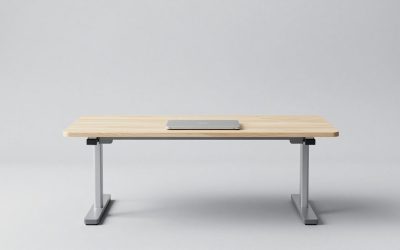
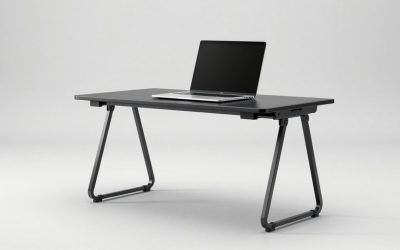
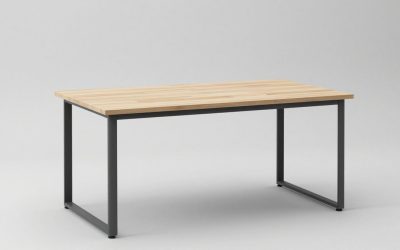
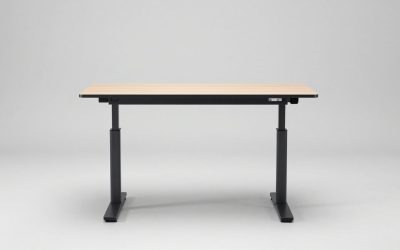
A computer table with a keyboard drawer is worth it when the pull-out tray sits about 2 to 4 inches below the desktop, leaves at least 24 inches of thigh clearance underneath, and runs on metal ball-bearing slides; without those three features the drawer often ends up either uncomfortable or broken. The tray’s job is simple: bring your keyboard down to elbow height while keeping the monitor at a standard 29 to 30 inch desk height.
Why a Keyboard Drawer Helps
Standard desks are around 29 to 30 inches tall, but for many people the ideal typing height is lower. When seated with feet flat and shoulders relaxed, the forearms should be roughly level, which puts the keyboard at about elbow height. For an average adult that is 25 to 28 inches from the floor. A keyboard drawer closes the gap without lowering the entire desk and the monitor with it.

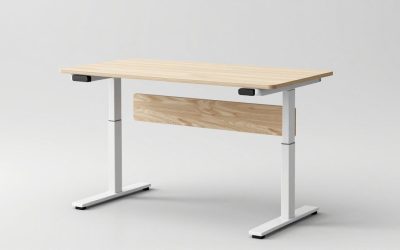
ErGear Electric Standing Desk with Keyboard Tray, 44x24 Inches Adjustable Height Sit Stand Up Desk, Home Office Desk Computer Workstation, Black
Chosen because it specifies 44x24 Inches Adjustable Height Sit Stand Up Desk and Home Office Desk Computer Workstation.
View on Amazon| User height | Approx. ideal keyboard height | Approx. ideal desk height for monitor/writing | Gap a keyboard drawer covers |
|---|---|---|---|
| 5’0″–5’3″ | 23–25 in | 26–28 in | 3–5 in |
| 5’4″–5’7″ | 24.5–26.5 in | 27.5–29 in | 2.5–4 in |
| 5’8″–5’11” | 26–28 in | 29–30 in | 2–3 in |
| 6’0″–6’3″ | 27.5–29.5 in | 30–31 in | 1–2 in |
The table shows the pattern: shorter users benefit most. If you are over about 6 feet, a keyboard drawer on a standard-height desk may put the keyboard too low and also pinch your thighs, so a plain desk at full height can be the better choice.
Knee and Thigh Clearance: The Number That Gets Missed
The underside of the tray, not the desktop, sets your leg room. A typical tray assembly takes 2 to 3.5 inches of vertical space. On a 29.5 inch desk, that leaves roughly 26 to 27 inches to the underside of the tray, which suits most adults. On a 28 inch desk, it may drop to 24.5 inches, which is tight for anyone with longer thighs or a chair that cannot go low.
A quick check: sit in your chair at your normal height and measure from the floor to the top of your thigh, then add 1 inch. If the underside of the keyboard drawer is below that number, it will touch your legs.
Types of Keyboard Drawers and Slides
Built-in drawer with front panel
Common on traditional and wooden computer tables. The front folds down or the drawer has a recessed front so your wrists can rest over it. It looks tidy when closed but often has only 2 inches of interior height and a fixed depth.
Open keyboard tray on slides
A flat shelf, usually 20 to 27 inches wide and 10 to 12 inches deep, that slides out on side rails. It is the most common design on budget and steel computer tables. Make sure the tray is wide enough for a mouse; a full-size keyboard is about 17 to 18 inches wide, plus 8 to 9 inches for mouse movement means at least 26 inches total.
Articulating under-desk arm
A separate mechanism bolted under any desk that adjusts height and tilt. More adjustable and usually sturdier than built-in trays, and a retrofit option if your existing table lacks a drawer.
| Slide or channel type | Extension | Typical load rating | Feel and lifespan |
|---|---|---|---|
| Plastic roller (epoxy) channel | About 3/4 | About 35–45 lb | Noisy, can derail; wears in 1–3 years of daily use |
| Steel ball-bearing channel | Full | About 75–100 lb | Smooth, quiet, long lasting |
| Wood runners | About 3/4 | Depends on build | Sticks in humidity; durable if waxed |
| Articulating arm track | Full plus swivel | Usually 10–20 lb on the platform | Very adjustable; check for bounce while typing |
The “computer table drawer channel” is the part that breaks first. Ball-bearing channels are worth the extra cost because typing creates constant small up-and-down force that loosens cheap rollers and their screws.
Small, Long and L-Shaped Options
Small computer table with keyboard tray
At 31 to 40 inches wide, small tables usually have room for a tray of only 20 to 24 inches, which fits a compact or tenkeyless keyboard and a small mouse area. If you use a full-size keyboard, look for a tray at least 26 inches wide or keep the mouse on the desktop.
Long computer table with drawers
Tables of 55 inches or more can fit a full-width tray plus a drawer pedestal. Keep the pedestal on the side away from your mouse hand so it does not stop your chair from tucking in.
L shaped computer table with drawers
On an L-shape, the keyboard drawer goes on the main run facing the monitor, and drawers go under the return. Check that the tray is not placed so close to the corner that your chair armrest hits the return.
Steel computer table with drawers
Steel frames with particleboard or laminate tops resist wobble better than all-particleboard designs and often bolt the tray rails directly to the frame, which is stronger than screwing into particleboard edges.
Material and Build Trade-Offs
| Build | Typical price range | Rigidity while typing | Notes |
|---|---|---|---|
| All particleboard, laminate finish | Usually $70–$200 | Fair | Tray screws can loosen; avoid moving fully assembled |
| Steel frame + engineered wood top | Usually $120–$300 | Good | Best value for daily use |
| Solid wood or plywood | Usually $250–$700 | Very good | Heavier boxes; holds screws well |
Computer Table With Drawer Design: Details Worth Checking
- Tray stop: a stop that prevents the tray from pulling fully off the rails.
- Front lip or wrist rest: a thin padded or rounded edge reduces pressure on wrists.
- Cable path: a gap at the back of the tray or desktop lets the keyboard cable move as the tray slides without snagging.
- Mouse platform: some trays have a flip-out extension on one side; it should lock flat and not sag.
- Drawer stacks: one deep drawer of 6 inches or more for files, plus shallow ones for small items, is more useful than three equal drawers.
Who Should Skip the Keyboard Drawer
- People over about 6 feet using a standard-height table.
- Anyone who writes by hand a lot; you will push the tray in and out constantly.
- Sit-stand users, since an adjustable desk can set the whole top to the right typing height.
- Laptop-only users, unless you add an external keyboard and raise the laptop screen.
Assembly Tips
Mount the slides with every screw provided, and check that both rails are parallel before tightening; a 1/16 inch difference at the back can make the tray bind. Most tables of this type ship in one box of roughly 35 to 70 lb and take one to two hours to assemble. After the first month of use, retighten the slide screws once, since particleboard settles around fasteners.