Key takeaways
- Latency impact. Which protocol it defaults to, how light the client is, and whether the nearest server is genuinely near.
- Server coverage where you play. Not country count — city count within your region, plus dedicated servers for the regions you actually queue into.
- Connection stability. Whether the tunnel survives a network hiccup, how fast it reconnects, and whether the client leaks or stalls during a server switch.
- Device support. Simultaneous connections, router support, console workarounds, and whether the app exists for your platform at all.
- DDoS protection. How easy it is to swap IPs, whether shared IPs are rotated, and whether you can pin a dedicated address.
- Pricing. The real cost after the first term expires, not the promotional headline rate.
Best VPN for Gaming: The Direct Answer
The best VPN for gaming is the one that adds the fewest milliseconds to your route while keeping jitter and packet loss near zero. For most players that means NordVPN or ExpressVPN running a WireGuard-class protocol, Surfshark if you need unlimited simultaneous devices, and Mullvad, Proton VPN, or Private Internet Access if port forwarding and flat, predictable pricing matter more than raw server count. A VPN will never lower the ping to a server that is already close to you — physics does not work that way. What it can do is replace a congested ISP route with a cleaner one, hide your home IP from opponents who enjoy DDoS attacks, and stop ISP-level throttling on game downloads and patch servers.
If you take one number away from this article, take this one: a good gaming VPN costs you roughly 5 to 25 ms of added round-trip time on a same-region server, and the difference between a good pick and a bad pick is usually the difference between that 5–25 ms penalty and a 40–80 ms penalty. On a 144 Hz monitor, where a single frame lasts 6.9 ms, that gap is the difference between “I never noticed it was on” and “something feels wrong and I can’t say what.”
What a Gaming VPN Actually Changes — and What It Doesn’t
Marketing pages blur three separate things: latency, routing, and privacy. They behave differently in a match.
Latency is the round-trip time for a packet to reach the game server and come back. A VPN always adds some, because your traffic takes an extra hop through an encrypted tunnel and gets decrypted at the exit node. Encryption itself is cheap on modern hardware — WireGuard on a mid-range CPU typically costs 1–3 ms of processing. The expensive part is the detour: if the nearest VPN server is 200 km away and the game server is 400 km away, you may be adding 30–50% to your route length.
Routing is where a VPN can genuinely help. ISP peering agreements are not built for gamers. It is entirely possible for a route from your city to a game server 300 km away to bounce through two other cities because that is the cheapest path your ISP bought. If a VPN provider has a peering arrangement that takes a more direct path, you can end up with a lower ping than your raw connection. This is the legitimate basis for “gaming VPN” claims, and it happens most often for cross-region play — playing on a server in another country, or on a game with a sparse server footprint.
Privacy and DDoS protection is the most reliable benefit. If you stream, play in a public tournament, or just beat someone badly in a ranked match, your IP address is visible to anyone in the lobby on many peer-to-peer and some client-server games. With a VPN, the address they see belongs to a data center, and rotating to a new server takes seconds. For anyone who has been knocked offline mid-match, this alone justifies the cost.
What a VPN will not do: reduce your ping to a server in your own city, fix a bad Wi-Fi signal, compensate for a 60 Hz monitor, or make a laggy game server faster. If your baseline ping is 12 ms and your route is already direct, adding a VPN can only make it worse.
The Latency Budget: Where Your Milliseconds Actually Go
Before comparing providers, it helps to know what you are spending. The table below shows typical figures for a player on a wired connection with a decent router. Treat them as planning numbers, not guarantees.
| Component | Typical cost | Notes |
|---|---|---|
| Frame time at 60 fps | 16.7 ms | Anything under one frame is invisible to most players |
| Frame time at 144 fps | 6.9 ms | Sub-frame VPN penalties start becoming perceptible |
| Frame time at 240 fps | 4.2 ms | Competitive players notice 10 ms+ added consistently |
| Wi-Fi airtime (2.4 GHz, congested) | 5–40 ms jitter | Usually a bigger problem than the VPN |
| Wi-Fi airtime (5/6 GHz, clean) | 2–8 ms jitter | Wired Ethernet is still 0–1 ms and worth it |
| WireGuard encryption on a modern CPU | 1–3 ms | AES-NI and equivalent instructions make this cheap |
| OpenVPN encryption on the same CPU | 3–10 ms | Older protocol, heavier handshake, more overhead |
| Extra tunnel distance (nearby server) | +3–10 ms | Server in your metro area or one region over |
| Extra tunnel distance (far server) | +20–80 ms | Cross-continent exits are for region switching, not ping |
| Jitter threshold most players notice | >10 ms variance | Consistency matters more than the average |
| Packet loss threshold | 1% noticeable, 3%+ unplayable | Loss hurts far more than latency in shooters |
The practical rule: pick the geographically closest server, not the fastest-sounding one. A provider with 6,000 servers but only two cities in your country will often lose to a provider with 600 servers spread across twelve cities near you. Server density near you beats total server count every time.
How These Picks Were Ranked
Six criteria decide whether a VPN is usable for gaming, in roughly this order of importance:
- Latency impact. Which protocol it defaults to, how light the client is, and whether the nearest server is genuinely near.
- Server coverage where you play. Not country count — city count within your region, plus dedicated servers for the regions you actually queue into.
- Connection stability. Whether the tunnel survives a network hiccup, how fast it reconnects, and whether the client leaks or stalls during a server switch.
- Device support. Simultaneous connections, router support, console workarounds, and whether the app exists for your platform at all.
- DDoS protection. How easy it is to swap IPs, whether shared IPs are rotated, and whether you can pin a dedicated address.
- Pricing. The real cost after the first term expires, not the promotional headline rate.
Quick Comparison: Gaming VPNs Side by Side
All figures below are as advertised by the providers and typical of the 2026 market. Plans, server counts, and device limits change frequently, so treat this as a shape-of-the-market table rather than a contract.
| Provider | Default fast protocol | Servers / locations | Simultaneous devices | Port forwarding | Typical monthly cost |
|---|---|---|---|---|---|
| NordVPN | NordLynx (WireGuard-based) | ~7,000 servers, 110+ countries | ~10 | No | ~$4–$13 |
| ExpressVPN | Lightway | ~3,000 servers, 100+ countries | ~8 | No | ~$5–$13 |
| Surfshark | WireGuard | ~3,200 servers, 100 countries | Unlimited | No | ~$2–$15 |
| Proton VPN | WireGuard / Stealth | ~9,000 servers, 120+ countries | ~10 | Yes (paid plans) | ~$4–$10 |
| Private Internet Access | WireGuard | Thousands of servers, 90+ countries | Unlimited | Yes | ~$2–$12 |
| Mullvad | WireGuard | ~600 servers, 40+ countries | ~5 | Yes | Flat ~€5 |
| CyberGhost | WireGuard | ~11,000 servers, 100 countries | ~7 | No | ~$2–$13 |
| IPVanish | WireGuard | ~2,400 servers, 75+ countries | Unlimited | No | ~$3–$11 |
| Windscribe | WireGuard | ~100 locations, 65+ countries | Unlimited | Yes (paid) | ~$3–$9 |
| Hide.me | WireGuard | ~2,600 servers, 100+ locations | ~10 | Yes | ~$3–$10 |
| IVPN | WireGuard | ~90 locations, 40+ countries | ~2–7 by plan | Yes | ~$6–$10 |
| PureVPN | WireGuard | ~6,500 servers, 75+ countries | ~10 | Yes | ~$2–$11 |
1. NordVPN — The Balanced Default for Most Gamers
NordVPN is the safest recommendation for someone who wants one subscription that handles gaming, streaming, and general browsing without fiddling. Its NordLynx protocol is a WireGuard implementation with a custom connection setup that avoids storing a static identifier, and it is the default in the app for a reason: on a same-region server it typically adds only single-digit milliseconds on a decent CPU.
What makes it useful for gaming specifically is Meshnet, a feature that builds a virtual LAN between your own devices and up to a set number of invited friends. That solves a real problem: LAN-only multiplayer in older titles, and co-op sessions where you want a direct tunnel without exposing your home network. It also gives you a stable, private address for self-hosted game servers on a machine at home.
Server spread is broad — advertised at roughly 7,000 servers across 110-plus countries — with multiple cities in most large countries, which is the number that actually matters. The client includes split tunneling on Windows and Android, so you can route only the game through the tunnel and leave everything else on your normal connection. That is a genuinely useful latency trick: if a particular game benefits from the VPN route but your browser does not, split tunneling lets you have both.
Where NordVPN fits
- Best for: players who want one app, low setup effort, and a virtual LAN for private sessions.
- Watch out for: no port forwarding, so it is a poor fit if you host a dedicated server that others must reach directly.
- Device limit: around ten simultaneous connections, which covers a household of consoles, phones, and a PC.
- Price shape: usually $4–$13 per month depending on term length; the long-term plans are far cheaper per month but renew higher.
2. ExpressVPN — The Most Consistent Tunnel
ExpressVPN’s pitch has always been consistency rather than headline speed. Its Lightway protocol was built specifically to reduce the handshake overhead and reconnect delay that plague WireGuard and OpenVPN when your network changes — for example when a laptop hops between Wi-Fi access points, or when a mobile connection drops from 5G to LTE mid-match. For gamers, that reconnection speed matters more than most people expect: a tunnel that takes 15 seconds to re-establish is a match lost, while one that reconnects in under two seconds is barely an inconvenience.
Coverage is advertised at roughly 3,000 servers across 100-plus countries, which is smaller than NordVPN’s and CyberGhost’s on paper. In practice, ExpressVPN tends to have unusually good server quality per location, and the app does a reasonable job of picking a low-latency endpoint automatically. The router app is also one of the more mature ones, which matters if you plan to put the VPN at the network level for a console.
Where ExpressVPN fits
- Best for: players on unstable connections — mobile hotspots, shared housing Wi-Fi, travel — where reconnect speed is everything.
- Watch out for: higher per-month pricing than the budget options, and no port forwarding.
- Device limit: around eight simultaneous connections.
- Price shape: typically $5–$13 per month; the premium is mostly for client polish and support.
3. Surfshark — Unlimited Devices on a Budget
Surfshark’s defining feature is that it does not count your devices. If your household has three consoles, four phones, two laptops, and a gaming PC, that removes an entire category of planning. It also means you can put the VPN on a router and on individual devices without burning through a limit.
On the latency side, Surfshark’s WireGuard implementation is competitive with the fastest options when you connect to a nearby city, and its server list is advertised at roughly 3,200 servers across 100 countries. The gap to the leaders shows up mainly at peak hours in popular locations, where shared servers can get busy. Its CleanWeb feature blocks ads and trackers at the DNS level, which is a small but real benefit for game launchers that are stuffed with promotional panels.
Surfshark also offers rotating IP, which changes your visible address on a schedule. That is a genuinely useful anti-DDoS feature for streamers: an opponent who scrapes your IP from a lobby finds an address that stops working shortly after.
Where Surfshark fits
- Best for: large households and anyone who wants the cheapest per-device cost.
- Watch out for: server performance can be more variable in heavily loaded locations; no port forwarding.
- Device limit: unlimited.
- Price shape: usually $2–$15 per month; the low end requires a multi-year commitment.
4. Proton VPN — Best Free Tier and Best Port Forwarding Combo
Proton VPN is the rare provider with a free tier that is genuinely usable rather than a demo. The free plan is unlimited in data but limited to a handful of countries and does not include the fastest servers, so it is not a serious gaming option on its own. The paid tiers are a different story: WireGuard support, a large network advertised at roughly 9,000 servers across 120-plus countries, and — importantly for gaming — port forwarding on paid plans.
Port forwarding is the single most underrated feature in this whole category. If you host a Minecraft, Valheim, or Project Zomboid server for friends, or if a game’s peer-to-peer matchmaking refuses to connect without an open port, port forwarding is the difference between “works” and “does not work at all.” Only a handful of reputable providers still offer it, and Proton is one of the largest.
Proton also offers Secure Core, which routes traffic through multiple servers in privacy-friendly jurisdictions. That is a latency disaster for gaming — it can double or triple your ping — but it is a useful option to have for everything else on the same subscription. Stealth protocol, designed to look like ordinary HTTPS traffic, is useful on restrictive networks like campus or corporate Wi-Fi where WireGuard gets blocked.
Where Proton VPN fits
- Best for: self-hosted game servers, restrictive networks, and privacy-focused players who want port forwarding without a small provider.
- Watch out for: the free tier is not suitable for competitive play; Secure Core should be off while gaming.
- Device limit: around ten on paid plans.
- Price shape: typically $4–$10 per month, with a free option that costs nothing but a smaller network.
5. Private Internet Access — Port Forwarding Plus Unlimited Devices
PIA has been around long enough that it is the default answer in self-hosting communities, and for gaming that reputation is earned. It combines two features that rarely appear together: unlimited simultaneous devices and port forwarding. If you run a dedicated server at home and want your friends to reach it through the tunnel without exposing your home IP, PIA handles that in a way most competitors simply cannot.
Its WireGuard implementation is fast on nearby servers, and the network is large and spread across 90-plus countries. The client is more configurable than most — you can choose encryption cipher, handshake settings, and whether to use a smaller MTU, which is occasionally the fix for a tunnel that connects but drops packets in games.
The trade-off is polish. PIA’s app is functional rather than elegant, and its server naming can be cryptic. It also has a history of ownership in a jurisdiction that privacy purists question, which matters to some buyers and not at all to others.
Where PIA fits
- Best for: server hosts, tinkerers, and anyone who wants port forwarding plus a large device count.
- Watch out for: less refined client experience; configuration options can overwhelm casual users.
- Device limit: unlimited.
- Price shape: usually $2–$12 per month depending on term.
6. Mullvad — Flat Pricing, No Accounts, Port Forwarding
Mullvad is the choice for players who dislike the entire subscription model. There is no account, no email, no promotional pricing that triples on renewal — just a flat monthly fee of roughly €5, an account number, and the option to pay in cash or cryptocurrency. For someone who has been burned by a “three-year deal” that renewed at four times the price, that predictability is worth real money.
The network is smaller: roughly 600 servers across 40-plus countries. That sounds like a weakness, and for some players it is. But Mullvad tends to have good coverage in the cities that matter for European and North American gaming, and its WireGuard implementation is lean and fast. Port forwarding is supported, which makes it a legitimate option for hosting small servers.
Mullvad also supports multi-hop and has a strong record on independent audits. The device limit is around five, which is the main practical constraint.
Where Mullvad fits
- Best for: privacy-conscious players who want flat pricing and port forwarding without a marketing funnel.
- Watch out for: smaller network; fewer simultaneous devices than the big names.
- Device limit: around five.
- Price shape: flat, roughly €5 per month, no term discounts.
7. CyberGhost — Gaming-Oriented Server Labels
CyberGhost is the provider that leans hardest into the gaming framing, with server categories labeled for streaming and gaming and a client that surfaces them directly. The network is advertised at roughly 11,000 servers across 100 countries, which is one of the largest totals in the market, and the dedicated gaming locations are usually just well-provisioned servers in major cities.
What this buys you is convenience: a user who does not want to think about which city to pick can select a gaming-optimized endpoint and get a reasonable result. The underlying protocol is WireGuard, so raw performance on a nearby server is in the same range as the other big providers. The main caveat is that “optimized” labels are marketing as much as engineering — a plain nearby server from a different provider can be just as fast.
CyberGhost’s weakness for gamers is the device limit of around seven and the absence of port forwarding. Long-term plans are cheap, but the renewal pricing is notably higher.
Where CyberGhost fits
- Best for: less technical users who want a labeled “gaming” server they can click without thinking.
- Watch out for: renewal pricing jumps; no port forwarding; only around seven devices.
- Device limit: around seven.
- Price shape: typically $2–$13 per month, with a steep promotional discount on long terms.
8. IPVanish — Straightforward and Unlimited
IPVanish sits in the middle of the pack and is content to stay there. It offers WireGuard, unlimited simultaneous connections, and a network advertised at roughly 2,400 servers across 75-plus countries. The client is simple, which is a virtue for console-adjacent setups where you might be configuring a router rather than a desktop app.
There is no port forwarding and no virtual LAN feature, so it is not the pick for hosting. Its strength is that it does the basics without drama: connect to a nearby city, get a modest latency penalty, and move on. For a household that wants one subscription across a lot of devices and does not need advanced features, it is a reasonable value pick.
Where IPVanish fits
- Best for: device-heavy households that want simplicity and unlimited connections.
- Watch out for: smaller network than the leaders; no port forwarding.
- Device limit: unlimited.
- Price shape: usually $3–$11 per month.
9. Windscribe — Free Tier, Build-Your-Own Plans, Port Forwarding
Windscribe is unusual in two ways. First, it has a free tier with a monthly data cap (around 10 GB, more if you confirm an email), which is enough for testing whether a VPN helps your route before you pay anything. Second, it lets you build a custom plan by picking the locations you want, which can be cheaper than a full subscription if you only ever play on servers in two or three countries.
It supports WireGuard, port forwarding on paid plans, and unlimited devices. The network is advertised at roughly 100 locations across 65-plus countries, which is smaller than the majors but includes good coverage in most gaming hubs. The R.O.B.E.R.T. feature provides DNS-level blocking of ads, trackers, and malware domains, which is useful for keeping launcher telemetry off your connection.
Where Windscribe fits
- Best for: testing the concept for free, and players who want to pay only for the locations they use.
- Watch out for: free tier has a data cap and fewer locations; smaller network than the majors.
- Device limit: unlimited.
- Price shape: typically $3–$9 per month, with a genuinely usable free option.
10. Hide.me — Port Forwarding and a Solid Free Tier
Hide.me is a long-running provider that stays out of the spotlight while offering features the big names dropped. It supports port forwarding, allows around ten devices, and runs a free tier with a monthly data allowance. The protocol lineup includes WireGuard alongside IKEv2 and OpenVPN, and the network is advertised at roughly 2,600 servers across 100-plus locations.
For gaming, the appeal is the combination of port forwarding and a mid-size, well-distributed network. It is not the fastest option in head-to-head terms, but it is consistent, and consistency is what you actually feel in a match. The client includes split tunneling and a kill switch that behaves predictably.
Where Hide.me fits
- Best for: players who want port forwarding and a free trial path without a huge provider.
- Watch out for: smaller network; not the outright fastest option.
- Device limit: around ten.
- Price shape: usually $3–$10 per month.
11. IVPN — Audited, Minimal, Multi-Hop
IVPN is built for people who care about verification. It publishes regular audits, has a clear no-logs posture, and offers a flat-rate model similar to Mullvad’s. It supports WireGuard, port forwarding, and multi-hop routing, and the network covers roughly 90 locations in 40-plus countries.
The device limit depends on the plan, starting low and rising with the higher tier, which makes it a poor fit for a big household but a good fit for a single player with a PC and a phone. Latency on nearby servers is competitive. The client is deliberately minimal — there is no attempt at a gaming-optimized server list, which some users find refreshing and others find unhelpful.
Where IVPN fits
- Best for: privacy-first players with one or two devices who value audits and flat pricing.
- Watch out for: low device limits on the base plan; smaller network.
- Device limit: around two on the base plan, more on higher tiers.
- Price shape: typically $6–$10 per month.
12. PureVPN — Big Network, Port Forwarding, Frequent Discounts
PureVPN rounds out the list with a large network advertised at roughly 6,500 servers across 75-plus countries, around ten simultaneous devices, and port forwarding. It has spent years in the budget tier of the market, with aggressive promotional pricing on long terms.
Performance on nearby WireGuard servers is respectable, and the port forwarding support makes it one of the more flexible budget options for hosting. The main caution is pricing structure: the headline rate is often for a multi-year commitment, and renewal is substantially higher. If you are willing to treat it as a fixed-term purchase and re-evaluate at the end, it is a reasonable value.
Where PureVPN fits
- Best for: budget buyers who want port forwarding and a large server list.
- Watch out for: renewal pricing; long commitments required for the lowest rates.
- Device limit: around ten.
- Price shape: usually $2–$11 per month depending on term.
Decision Matrix: Match the VPN to Your Situation
If you only read one section, read this one. The right pick depends far more on your setup than on which provider wins a speed test.
| Your situation | What matters most | What to choose |
|---|---|---|
| Competitive FPS on a wired connection, 144 Hz+ | Lowest added latency, split tunneling, stable tunnel | NordLynx or Lightway on the nearest city; avoid multi-hop entirely |
| You host a dedicated server for friends | Port forwarding, static-ish IP, upstream bandwidth | PIA, Proton VPN, Mullvad, Hide.me, or PureVPN |
| Console gamer with no native VPN app | Router-level support, NAT type, throughput headroom | A provider with a router app or manual WireGuard config; see the console section below |
| Large household, many devices | Device limit, per-device cost, router support | Surfshark, PIA, IPVanish, or Windscribe (all unlimited) |
| Shared dorm or apartment Wi-Fi you don’t control | Reconnect speed, obfuscation, low jitter | ExpressVPN (Lightway) or Proton VPN Stealth if WireGuard is blocked |
| You stream and get DDoS’d | IP rotation, dedicated IP options, fast server switching | Surfshark rotating IP, or any provider with easy one-click server swaps |
| Cross-region play (another continent) | Route quality to that region, server density there | A provider with many cities in the target region, not just many countries |
| Privacy-first, single player, flat budget | Audits, no-logs posture, predictable billing | Mullvad or IVPN |
| You want to test before paying | Free tier without a card | Proton VPN free, Windscribe free, or Hide.me free |
| Mobile / 5G gaming on a phone | Battery efficiency, fast reconnect on network handoff | WireGuard-based apps; Lightway if you roam between cells often |
Console Gaming: What Actually Works
PlayStation, Xbox, and Switch do not run third-party VPN apps. There is no way around this. If you want console traffic through a tunnel, the tunnel has to live upstream of the console, which means one of three approaches.
Router-level VPN. Install the VPN on your router, either through a built-in client (some consumer routers and most router firmware support WireGuard or OpenVPN) or by flashing compatible firmware. Every device behind the router is then tunneled. The critical number here is router CPU throughput: many consumer routers cap out at 20–60 Mbps on OpenVPN and 100–300 Mbps on WireGuard, and a console plus a phone plus a TV can saturate that. If you have gigabit fiber, a router-level VPN will be your bottleneck, not your ISP.
Travel router as a middle hop. A small travel router connects to your main network (or a mobile hotspot) and runs the VPN client; the console connects to the travel router. This keeps the rest of your home network untouched, which is often the real goal.
PC or laptop as a hotspot. You can share a VPN-tunneled connection from a computer over Wi-Fi or Ethernet. It works, but the extra hop adds latency and the setup is fragile — fine for a one-off, not for a ranked session.
Two practical notes. First, a VPN will often change your NAT type on console. If matchmaking gets worse after you enable it, that is why, and the fix is usually to pick a provider with port forwarding or to accept an “Open” NAT on your base connection and only tunnel specific traffic. Second, if your goal is purely anti-DDoS on console, a VPN is a blunt instrument — some routers support IP-level filtering that solves it with less overhead.
DDoS Protection in Practice
DDoS protection is the one benefit that is not a trade-off. Your home IP is exposed in several places: peer-to-peer game lobbies, some voice chat systems, streaming platforms, and any service where another player can see your connection. Once someone has it, a cheap booter service can knock you offline for hours.
What a VPN gives you is substitution. The opponent sees a data center address. Three things determine how good that protection is:
- How fast you can switch servers. If your client takes 30 seconds to change locations, you are offline for 30 seconds. Look for one-click server switching and a fast reconnect.
- Whether IPs are shared or dedicated. Shared IPs are effectively immune to targeted attacks because the attacker cannot isolate you, but they also carry more abuse-related friction. Dedicated IPs are cleaner but attackable, so they are the wrong choice for anti-DDoS.
- Whether rotation exists. A rotating IP that changes on a schedule makes you a moving target. Surfshark is the most prominent provider offering this.
One caution: a VPN hides your address from other players, but it does not protect your account, and it does not stop an attacker from targeting the game service itself. It is a layer, not a shield.
Connection Stability: The Metric Nobody Advertises
Average ping is the number everyone quotes. Jitter and packet loss are the numbers that actually ruin matches. A stable 60 ms connection feels dramatically better than a 35 ms connection that swings between 25 and 90 ms and drops one packet in fifty.
Three things drive stability with a VPN on:
Protocol choice. WireGuard-class protocols recover from network changes faster than OpenVPN because they are stateless and do not need a lengthy renegotiation. If your client defaults to OpenVPN, switching to WireGuard is often the single biggest stability improvement available.
Server load. A server at 95% capacity will queue your packets. Popular locations at peak hours are the usual culprit. If your ping spikes every evening at the same time, try a different city in the same region before blaming your ISP.
MTU and fragmentation. This is the most overlooked fix in gaming VPNs. If the tunnel MTU is too high for your connection, packets get fragmented or silently dropped, which shows up as rubber-banding rather than high ping. Lowering the MTU by 40–80 bytes in the client settings resolves a surprising share of “the VPN makes my game stutter” complaints.
Also worth checking: whether your client has a kill switch that blocks traffic on disconnect (good for privacy, occasionally annoying mid-match), and whether it leaks DNS. A DNS leak will not raise your ping but it will route your traffic through a resolver that may be far away, adding a variable delay to matchmaking and party services.
Device Support and Simultaneous Connections
The device limit is the constraint people forget until they hit it. A typical gaming household has a PC, a laptop, two phones, two or three consoles, a tablet, and maybe a streaming stick. That is eight to ten devices before anyone invites a friend over.
Unlimited-device providers — Surfshark, PIA, IPVanish, Windscribe — remove the problem entirely. Providers with limits in the 5–10 range are fine for a single player but awkward for families. If you plan to run the VPN at the router level, the device count becomes irrelevant, since the router counts as one connection regardless of how many devices sit behind it.
Platform coverage is usually not a differentiator among the major providers, but it is worth confirming for the platforms you actually use. Windows, macOS, Android, and iOS apps are near-universal. Linux clients vary significantly in quality, and a few providers ship command-line-only tooling. Router support ranges from a polished app to “here is a configuration file, good luck” — and if you are a console player, that distinction matters more than anything else in this article.
Pricing: What You’ll Actually Pay
Every provider in this category advertises a headline monthly rate that only exists on a multi-year prepayment. The number that matters is the renewal rate, because that is what you will pay in year two if you do nothing.
| Plan shape | Typical monthly equivalent | What you commit to | Renewal reality |
|---|---|---|---|
| Monthly, no commitment | $9–$15 | One month | Same rate; the safest way to test |
| One-year plan | $4–$8 | 12 months upfront | Renews at or near monthly rate unless you cancel |
| Two-to-three-year plan | $2–$4 | 24–36 months upfront | Largest jump at renewal; set a calendar reminder |
| Flat-rate providers | ~€5, no term | Month to month | No promotional cliff at all |
| Free tiers | $0 with a data cap | Nothing | Fewer locations, no port forwarding, not for competitive play |
| Dedicated IP add-on | +$2–$5 per month | Adds to any plan | Not recommended for anti-DDoS; useful for whitelisting |
For gaming specifically, a monthly plan is often the rational choice. VPN performance varies with your ISP’s routing, which can change after a network upgrade or a peering dispute. Paying for a month, measuring, and switching if needed costs less than being locked into three years of a tunnel that got worse.
Setup: From Download to First Match
- Measure your baseline first. Before installing anything, note your ping to the game server you play on most. Without a baseline you cannot tell whether the VPN helped or hurt.
- Install and switch to the WireGuard-class protocol. Whatever the provider calls it — NordLynx, Lightway, or plain WireGuard — this is the setting that matters most.
- Connect to the closest city, not the closest country. Then test a second city in the same region. Differences of 10–20 ms between two nearby cities are common.
- Test in an actual match, not a speed test. Speed tests measure throughput to a nearby test server, which says almost nothing about your route to a game server.
- Enable split tunneling if available. Route only the game through the tunnel and leave everything else direct. This preserves your normal browsing speed and reduces load on the tunnel.
- Set the MTU lower if you see stutter. Reduce it by 40–80 bytes and retest. Rubber-banding with low ping is the signature of a fragmentation problem.
- Turn on the kill switch. Decide in advance whether you would rather drop from a match or leak your real IP. Most players choose the drop.
- Record your numbers. Write down the ping, jitter, and packet loss for two or three servers. When something feels off in a month, you will have a reference point.
The Physical Setup Still Matters More Than the VPN
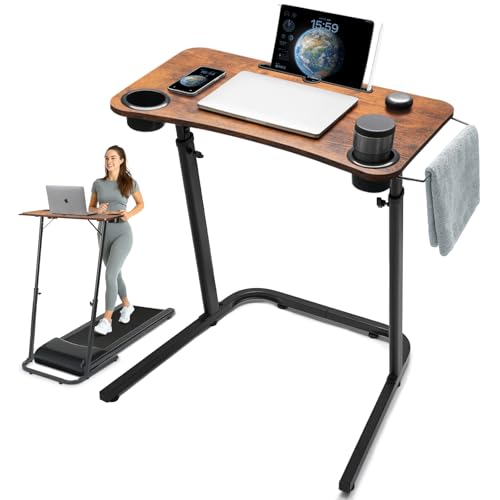
A VPN can add 5–25 ms. A bad Wi-Fi signal can add 40 ms of jitter. Before optimizing the tunnel, fix the room. If you are playing from a desk, the same measurements that make a workspace comfortable also keep your cable runs and router placement sane.
| Element | Typical dimension | Why it affects your connection |
|---|---|---|
| Desk height | 28–30 in (71–76 cm) | Comfortable posture lets you keep long sessions without shifting position mid-match |
| Chair seat height | 16–20 in (41–51 cm) | Forearm angle affects mouse precision more than most players realize |
| Monitor viewing distance | 20–28 in (51–71 cm) for a 24–27 in display | Closer viewing reduces reaction time to on-screen motion |
| Cable clearance behind desk | 3–4 in (8–10 cm) minimum | Ethernet strain relief prevents the intermittent drops that look like packet loss |
| Router placement | Same room, 6–10 ft (2–3 m), unobstructed | One wall between router and PC can cost more than any VPN |
| Desk load rating | 110–150 lb (50–68 kg) for typical particleboard tops | A heavy monitor arm plus tower is where budget desks flex and sag |
| Room size for a two-person setup | 10 x 12 ft (3 x 3.7 m) minimum | Two desks plus chairs need roughly 8 ft of wall run |
The point is not that furniture fixes your ping. It is that a wired connection to a well-placed router, on a desk where you are not fidgeting, removes the two largest sources of jitter in most homes. Optimize those before you spend money on a tunnel.
Troubleshooting a Slow or Unstable Gaming VPN
Ping went up by 60 ms or more. You are connected to a server that is too far away, or the client auto-selected a “fastest” endpoint based on throughput rather than latency. Pick a city manually.
Throughput is fine but the game rubber-bands. Almost always MTU or fragmentation. Lower the tunnel MTU and retest.
Matchmaking takes longer or fails. Your NAT type changed. On console, this is expected. On PC, check whether the game relies on UPnP or a port that the VPN blocks.
Ping spikes only in the evening. Server congestion at peak hours. Try a different city in the same region, or a provider with more capacity near you.
The tunnel drops mid-match. Usually a Wi-Fi handoff or an unstable upstream. A protocol with a fast reconnect (Lightway is the standout here) reduces the outage to a second or two.
Everything is slower including downloads. Your CPU may be the bottleneck if it lacks hardware AES acceleration, or your router is doing the encryption on weak silicon. Test the VPN on the PC directly rather than at the router to isolate which device is struggling.
FAQ
Does a VPN actually lower ping?
Only when your ISP’s default route to the game server is worse than the VPN provider’s route. That happens most often with cross-region servers and with ISPs that have poor peering in your area. On a same-city server with a clean route, a VPN will always add latency, typically 5–25 ms.
Will a VPN get me banned?
Using a VPN is not against the terms of service of major game platforms in general, but some games restrict region switching or prohibit VPN use to evade regional pricing or matchmaking restrictions. Check the specific game’s rules. The risk is highest when you use a VPN to access a region you are not in.
What’s the fastest protocol for gaming?
WireGuard and its derivatives — NordLynx, Lightway, and plain WireGuard — are consistently the lowest-overhead options. OpenVPN is heavier but more mature and more resistant to being blocked. IKEv2 is a reasonable middle ground, especially on mobile.
Do I need a VPN for console gaming?
Only if you want IP protection or region switching. Consoles have no native VPN support, so you need router-level configuration or a travel router. For most console players, the effort is not worth it unless DDoS is a recurring problem.
How many devices do I need?
Count your PC, laptop, phone, tablet, and every console, then add one for a guest. If that number exceeds a provider’s limit, look at Surfshark, PIA, IPVanish, or Windscribe, all of which do not count devices. Alternatively, run the VPN on your router so the whole house counts as one connection.
Is a free VPN good enough for gaming?
Usually not. Free tiers typically limit locations, cap data, and run on congested servers, all of which increase latency and jitter. They are useful for testing whether a VPN helps your route at all before you pay.
Should I use a dedicated IP for gaming?
Rarely. A dedicated IP gives you a stable address for whitelisting and hosting, but it is also a fixed target, which defeats the anti-DDoS purpose of using a VPN. Shared or rotating addresses are better for competitive play.
Does a VPN reduce lag spikes?
It can, if the spikes come from ISP routing or congestion on your default path. It cannot fix spikes caused by Wi-Fi interference, a saturated home network, or a busy game server. Diagnose the source before assuming a VPN will help.