Our Top Picks
The best laptops for 8K video editing are the 16-inch Apple MacBook Pro with M4 Max, Lenovo ThinkPad P1 Gen 7, Dell XPS 16 9640, ASUS ROG Strix SCAR 18, and Razer Blade 16, because only models with 14+ core processors, 32GB-64GB+ unified or DDR5 RAM, discrete RTX 4070-class graphics or better, and fast NVMe storage can handle 8K RAW without constant proxy rendering.
What 8K Editing Actually Demands From a Laptop
8K footage is not just 4x the pixels of 4K. A single minute of 8K RAW from a RED or Canon EOS R5 can exceed 30GB, and timelines with multiple layers, LUTs, and stabilization will push every subsystem at once. If one component bottlenecks, playback drops frames, export times triple, and thermal throttling makes the laptop loud and slow after 10 minutes.

fanxiang 1TB PCIe 5.0 NVMe M.2 SSD,Up to 14000 MB/s,High Performance Solid State Drive for 8K Video Editing, AI Training,Gaming, PC, Laptop
Chosen because it specifies Up to 14000 MB/s and High Performance Solid State Drive for 8K Video Editing.
View on Amazon
NIMO 2026 New AI PC, AMD Ryzen AI Max+ 395(16-Core, up to 5.1GHz) 128GB LPDDR5x 1TB SSD Radeon 8060S Graphics(40 CUs) 126 Tops AI Performance 230W DC 165HZ 99WH Battery for 8K Video Editing
Chosen because it specifies AMD Ryzen AI Max+ 395(16-Core.
View on AmazonFor a sustainable workflow without proxies, prioritize in this order:
- Processor and Graphics together: 8K decoding and effects rely heavily on both. Apple Silicon handles this via media engines on the chip, while Windows laptops rely on Intel Core Ultra 9 / AMD Ryzen 9 paired with NVIDIA RTX 40-series GPUs.
- Memory: 32GB is the functional minimum for 8K. 64GB or more lets you edit multicam 8K, use After Effects dynamically, and keep Chrome and DaVinci Resolve open without swapping to disk.
- Storage speed and capacity: You need at least 1TB internal NVMe (7000 MB/s read) plus external Thunderbolt 4 storage. 512GB fills after one project.
- Display accuracy: 100% DCI-P3 or Adobe RGB, Delta E < 2, factory calibration, and at least 500 nits for HDR preview. A 16 to 18-inch 16:10 panel reduces scrolling in timelines.
- Cooling: Sustained performance matters more than peak benchmarks. Thin and light chassis throttle faster under a 20-minute export.
Core Performance Compared: CPU, GPU, and Media Engines
Not all powerful laptops are good at the same part of the 8K pipeline.
Apple MacBook Pro 16-inch (M4 Pro / M4 Max)
The reference for 8K efficiency in 2026. The M4 Max includes dedicated ProRes and H.265 encode/decode engines, unified memory up to 128GB, and leading performance-per-watt. It edits 8K ProRes and H.265 natively in Final Cut Pro and DaVinci Resolve with quiet fans and 10+ hours of battery when not exporting. Limitation: no NVIDIA CUDA, so some GPU-accelerated effects in Premiere Pro and DaVinci run slower than on RTX 4080/4090 laptops.
Intel + NVIDIA Workstation and Gaming Platforms
Windows options like the Lenovo ThinkPad P1 Gen 7 (Intel Core Ultra 9 185H + NVIDIA RTX 3000 Ada), Dell XPS 16 9640 (Core Ultra 9 185H + RTX 4070 Laptop), ASUS ROG Strix SCAR 18 (Core i9-14900HX + RTX 4080/4090), and Razer Blade 16 (Core i9-14950HX + RTX 4080) offer more raw GPU power for CUDA, OpenFX, and AI-driven features like auto-reframe and noise reduction. They export heavy effects stacks faster but need larger power bricks (240W-330W), run hotter, and lose 40-60% performance on battery.
| Spec Area | Minimum for 8K (Proxy-Free) | Recommended for Smooth 8K | Ideal for RAW / Multicam 8K |
|---|---|---|---|
| Processor | 12 cores / 16 threads, hardware H.265 decoder | 14-16 cores (M4 Max, Core Ultra 9 185H, i9-14900HX) | 16+ cores, 5.0GHz+ boost, dual media engines |
| Graphics | RTX 4060 Laptop 8GB or M3 Pro 18-core GPU | RTX 4070/4080 Laptop 12GB or M4 Max 40-core GPU | RTX 4090 Laptop 16GB or M4 Max / RTX 3000 Ada |
| Memory | 32GB DDR5 / Unified Memory | 64GB | 96GB – 128GB |
| Storage (Internal) | 1TB NVMe PCIe 4.0 (5000 MB/s) | 2TB NVMe PCIe 4.0 (7000 MB/s) | 2TB – 4TB PCIe 4.0/5.0 + 2TB external Thunderbolt 4 SSD |
| Display | 16″ 2560×1600, 100% DCI-P3, 500 nits | 16″ 3456×2234 / 3840×2400, 100% DCI-P3, Delta E <2 | 16-18″ Mini-LED/OLED 4K, 600+ nits, HDR10 / Dolby Vision |
| Cooling / Sustained Wattage | Dual fan, allows 80W CPU+GPU sustained | Vapor chamber, 125-140W sustained | Vapor chamber + liquid metal, 175W+ sustained |
| Typical Price Range | usually $2,200 – $2,800 | usually $2,800 – $3,800 | usually $3,800 – $5,500 |
Memory, Storage, and Display Accuracy Trade-Offs
Choosing the wrong balance here creates daily friction.
Memory type matters. Apple unified memory is faster and more efficient for video, so 36GB on a MacBook Pro often performs like 64GB DDR5 on Windows for Resolve caching. On Windows, look for DDR5-5600 and dual-channel (2 sticks). Single-channel 32GB cuts bandwidth in half and drops 8K playback performance by 15-20%.
Storage cannot be upgraded later on most models. MacBook Pro and Razer Blade storage is soldered. Dell XPS 16 and Lenovo P1 have two accessible M.2 slots. If you shoot 2-3TB per project, buying 1TB to save money now means living with external drives permanently attached, which limits portability.
Display choice is a workflow choice. OLED (Razer Blade 16, ASUS Zephyrus) gives perfect blacks and 100% DCI-P3 for color grading, but risks temporary burn-in with static timeline UI and often dims to 400 nits at full-screen white. Mini-LED (MacBook Pro 16) stays brighter at 600-1600 nits peak and is better for HDR grading in bright rooms. IPS (ThinkPad P1, Dell XPS 16) is the most color-stable over years and easier to calibrate with a probe like Calibrite ColorChecker.
Cooling and Noise: The Spec That Determines Real Export Speed
A laptop that benchmarks fast for 30 seconds will throttle to half speed after 8-10 minutes if cooling is inadequate. For 8K, exports often run 15-40 minutes.
Thin laptops under 0.75 inches (MacBook Air-type, Dell XPS 13/14) cannot sustain 8K workloads. Aim for a chassis at least 0.70-0.95 inches thick with rear and side exhaust. Gaming chassis like the Strix SCAR 18 are thick and loud (45-50 dB under load) but maintain 3.5-4x faster exports than ultra-thin designs on 30-minute timelines. Workstations like the ThinkPad P1 and MacBook Pro 16 balance this best, holding 35-42 dB with vapor chamber cooling while keeping clock speeds within 10% of peak.
Placement affects cooling directly. Blocking bottom intakes with a couch cushion or soft bedding raises internal temperatures 12-18°C. Using the laptop on a hard desk or a ventilated stand restores full airflow.
Decision Matrix: Which Laptop Fits Your Situation
Use your primary editing situation, not just specs, to choose.
| Your Situation | Best Fit Type | Why It Fits | Example Models |
|---|---|---|---|
| Travel editor, battery life and quiet operation matter | Efficiency-first 16-inch | Best media engines, 12-15 hour real use, quiet under 38 dB | MacBook Pro 16 M4 Max / M4 Pro |
| Home studio, heavy effects, CUDA plugins, After Effects | Workstation with ISV-certified GPU | RTX Ada drivers, ECC memory option, color-accurate factory calibration | Lenovo ThinkPad P1 Gen 7, HP ZBook Studio G10 |
| Maximum export speed, gaming + editing dual use | Desktop-replacement 18-inch | 175W RTX 4080/4090, largest vapor chamber, fastest renders | ASUS ROG Strix SCAR 18, Razer Blade 18 |
| Small apartment or renter, limited desk space | Balanced 16-inch thin performance | Powerful but compact footprint, easier to store, lower heat output | Dell XPS 16 9640, ASUS ROG Zephyrus G16 |
| Budget-constrained 8K workflow | 64GB RAM + RTX 4070 tier | Proxy workflow still needed for RAW, but smooth with ProRes 8K | ASUS ProArt Studiobook 16, Lenovo Legion Pro 7 |
Home Workspace Fit: Making an 8K Laptop Usable at Home
An 8K-capable laptop is only comfortable if your desk and seating support long grading sessions. Product listings rarely cover room fit, but these measurements prevent back pain and thermal issues.
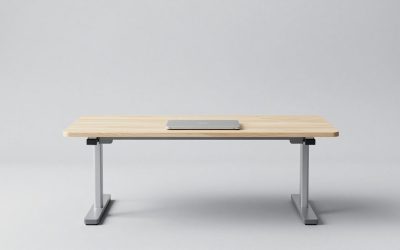
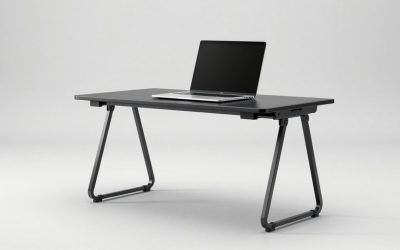
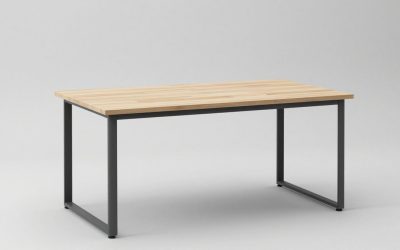
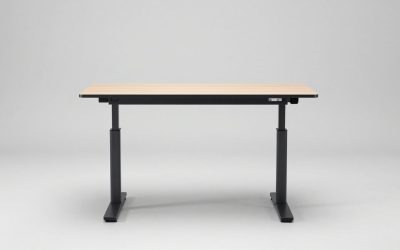
For a home office or living room editing setup, allow at least 36 inches of desk width for the laptop plus an external 27-inch monitor, and 30 inches of depth to keep the screen 24-28 inches from your eyes. Leave 4-6 inches of clearance behind the laptop for exhaust and cable bend radius. If you use a Thunderbolt dock and external SSDs, add a 6-inch cable management tray under the desk to avoid pulling warm air back into intakes.
| Workspace Element | Recommended Measurement | Why It Matters for 8K Editing |
|---|---|---|
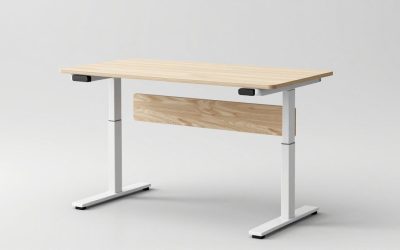
| Desk height (seated) | 28-30 inches standard, 29 inches ideal for 5’8″ – 6’0″ users | Keeps elbows at 90 degrees, reduces wrist strain during timeline scrubbing |
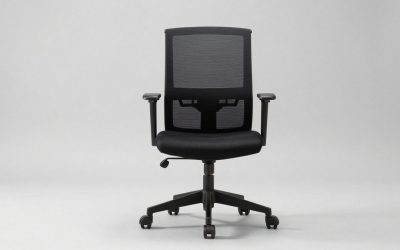
| Chair seat height | 17-19 inches adjustable, with lumbar support at 6-9 inches above seat | Prevents lower back pain in 2+ hour edits |
| Desk clearance for laptop | 6 inches on each side, 4-6 inches behind for vents | Prevents thermal throttling and protects hinges when opening to 135 degrees |
| Room size for full setup | 10×10 ft fits desk + chair + light panel; 10×12 ft allows dual monitors and storage tower | Ensures 36-inch doorway clearance for moving a desk (typically 48-60 inches wide) and airflow around tower storage |
| Weight load | Desk rated to 100-150 lbs for laptop (4.5-6.5 lbs) + monitor (13-18 lbs) + peripherals | Standing desks under 80 lbs capacity will wobble when typing aggressively |
Box weight and moving realities: 16-18 inch performance laptops ship at 9-14 lbs boxed with the power brick. If you are in a rental with a narrow 28-inch doorway or plan to move frequently, a 14-inch laptop saves space but is not recommended for native 8K. Instead choose a 16-inch model under 4.8 lbs (MacBook Pro 16 is 4.7 lbs, XPS 16 is 4.3 lbs) rather than 6.5+ lb desktop replacements.
What to Avoid When Buying for 8K
- Do not buy 16GB RAM for 8K, even if the processor looks fast. Memory swapping will stutter playback more than a slightly slower CPU.
- Do not rely on SD card slots for 8K ingest. Most slots are UHS-II (300 MB/s). Use Thunderbolt 4 / USB4 with a CFexpress reader (1700 MB/s) or you will wait hours to offload.
- Do not choose 4K OLED if you grade in a bright sunlit room without curtains. Glossy OLED reflects more and auto-dims, hiding shadow detail.
- Do not expect advertised battery life while editing. Even the best 99Wh battery gives 2.5-4 hours of active 8K timeline work, not 12+ hours.
Final Picks by Priority
Best overall for most 8K editors: MacBook Pro 16-inch with M4 Max and 48GB-64GB memory. Usually $3,500-$4,800 depending on memory and storage. Best balance of native codec support, display, cooling, and portability for a home studio.
Best Windows workstation for color and CUDA: Lenovo ThinkPad P1 Gen 7 or HP ZBook Studio G10 with RTX 3000 Ada. Usually $3,200-$4,500. Ideal if you need ISV certification for DaVinci Resolve Studio and 10-bit SDI out via dock.
Best pure performance for fastest exports: ASUS ROG Strix SCAR 18 with RTX 4080/4090. Usually $2,900-$4,200. Fastest renders but louder, heavier, and needs 2-3 inches more desk depth.
Best compact 16-inch for small spaces: Dell XPS 16 9640 with Core Ultra 9 and RTX 4070. Usually $2,400-$3,200. Fits a 42-inch apartment desk and still handles 8K ProRes with proxies.
Before you buy, confirm the exact RAM configuration (soldered vs. slotted), number of M.2 slots, port layout for your dock, and whether the display panel in that SKU is the Mini-LED/OLED or base IPS option, since the same model name often ships with three different screens.