Our Top Picks
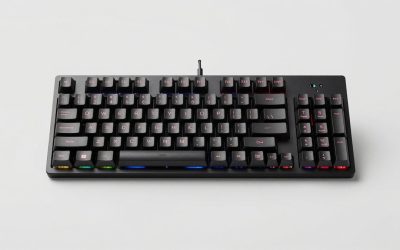
 Razer BlackWidow V4 X Mechanical Gaming Keyboard20.5 x 8 x 2 Inch18.36 x 6.01 x 1.71 inches2.51 PoundsCheck on Amazon
The best gaming keyboard deals right now sit in three bands: $40–$80 hot-swap 60% and TKL boards that outperform their price, $90–$150 aluminum or gasket-mounted 75% boards, and $160–$250 analog/hall-effect keyboards that were flagship-priced a couple of years ago and now routinely sit near $180. If you want the short answer: buy a hot-swap TKL or 75% in the $80–$150 band unless you play competitive shooters and specifically want rapid trigger, in which case a magnetic-switch board in the $150–$200 band is worth the extra money. The rest of this guide explains how to tell those deals apart by switch feel, layout, wired versus wireless use, and how much desk you actually have.
What actually moves the price of a gaming keyboard
Two boards can look identical in photos and differ by $120. The gap almost always comes down to six things, in roughly this order of impact:

Redragon Mechanical Gaming Keyboard Wired, 11 Programmable Backlit Modes, Hot-Swappable Red Switch, Anti-Ghosting, Double-Shot PBT Keycaps, Light Up Keyboard for PC Mac
Chosen because it specifies 11 Programmable Backlit Modes and Hot-Swappable Red Switch.
View on Amazon
Aula WIN60 HE - 60% Mechanical Gaming Keyboard Wired, Magnetic Switch Hot Swappable, Adjustable Actuation Rapid Trigger Mode, 8000 Hz Polling Rate, RGB Small Keyboard 60 Percent Compact Design for PC
Chosen because it specifies 60% Mechanical Gaming Keyboard Wired and Magnetic Switch Hot Swappable.
View on AmazonRazer BlackWidow V4 X Mechanical Gaming Keyboard, Yellow Switches, Black
Chosen because it specifies Yellow Switches and Black.
View on Amazon- Switch type and technology. A standard mechanical switch costs cents to make. A magnetic (hall-effect) or analog optical switch needs a different PCB, a magnetic sensor per key, and firmware work, which is why analog boards start around $150 and rarely dip below $110.
- Case material. Plastic (ABS or polycarbonate) versus CNC-milled aluminum is typically a $60–$120 difference on its own.
- Mount style. Tray-mounted boards screw the plate into the case. Gasket-mounted boards float the plate on silicone or foam strips, which changes the sound and feel — and adds cost.
- Keycaps. Thin ABS caps versus doubleshot PBT is a $20–$45 difference and the single biggest factor in how long the board still looks new.
- Connectivity. Wired-only is cheapest. Tri-mode (USB-C, 2.4 GHz, Bluetooth) adds a battery, a dongle, and a wireless chipset.
- Hot-swap sockets. The ability to pull switches without soldering is cheap to add on a budget board and often missing on older premium ones.
Software matters less than people assume. Boards that use open-source QMK or VIA firmware let you remap every key without installing a vendor app, and that configuration lives on the keyboard, so it follows you between computers. Vendor software usually offers more lighting control but ties your layout to one machine.
Switch feel: the biggest factor in whether a deal is right for you
Switch feel is subjective, but the categories are not. This is the table to read before you compare two keyboards at the same price.
| Switch family | Feel | Typical actuation force | Travel | Noise | Best for | Price effect |
|---|---|---|---|---|---|---|
| Linear mechanical (Cherry MX Red, Gateron Yellow, Razer Yellow) | Smooth, no bump | 40–50 g | 2.0 mm actuation / 4.0 mm total | Moderate clack | Fast repeated taps, shooters | Baseline |
| Tactile mechanical (Cherry MX Brown, Gateron Brown) | Noticeable bump at the actuation point | 45–60 g | 2.0 mm / 4.0 mm | Moderate | Typing plus gaming mix | Baseline |
| Clicky mechanical (Cherry MX Blue, Kailh Box White) | Sharp bump plus audible click | 50–60 g | 2.2 mm / 4.0 mm | Loud | Solo use, people who like feedback | Baseline |
| Magnetic / hall-effect (Wooting Lekker, Gateron Magnetic Jade, Razer Analog, SteelSeries OmniPoint 2.0) | Linear, but actuation point is adjustable in software | 30–45 g typical | 0.1–4.0 mm adjustable | Moderate | Competitive shooters, rapid trigger, analog movement | +$60–$120 |
| Optical (Razer Optical, Gateron Optical) | Linear or clicky, very light activation | 40–45 g | 1.0–1.5 mm actuation, fixed | Moderate | Fast actuation without analog features | +$20–$50 |
| Low-profile (Cherry MX Low Profile, Gateron Low Profile, Logitech GL) | Shorter, shallower keypress | 45–50 g | 1.2 mm / 3.2 mm | Quieter | Laptop users, travel, wrist comfort | Varies |
The practical takeaway: if you have never used a mechanical keyboard, a linear or tactile switch in the 45–55 g range is the safe default. Clicky switches are the most likely purchase regret, because they are unusable on calls and in shared rooms. Magnetic switches are the only category where the keyboard itself changes how you play, not just how it feels — rapid trigger resets the key the instant you lift your finger, which matters in games where you tap the same key repeatedly.
Layout and desk fit: measure before you compare prices
This is where most buyers get it wrong. A full-size keyboard is roughly 17–18.5 inches wide. On a 47-inch desk that leaves about 28 inches for a mouse and everything else — fine for most players, tight for anyone using low mouse sensitivity, where a single swipe can travel 8–12 inches. If you play tactical shooters with a large mousepad, the layout choice matters more than the switch choice.
| Layout | Typical width | Typical depth | What you lose | Fits a desk of… |
|---|---|---|---|---|
| 60% | 11.5 in / 292 mm | 4.0 in / 100 mm | Function row, arrows, numpad (all via layers) | 31 in / 80 cm and up |
| 65% | 12.6 in / 320 mm | 4.3 in / 110 mm | Function row, numpad | 35 in / 90 cm and up |
| 75% | 13.0–13.4 in / 330–340 mm | 5.3 in / 135 mm | Numpad | 39 in / 100 cm and up |
| TKL (80%) | 14.0–14.4 in / 355–365 mm | 5.5 in / 140 mm | Numpad | 39 in / 100 cm and up |
| 96% / 1800 compact | 15.2–15.6 in / 385–395 mm | 5.5 in / 140 mm | Nothing, but keys are tighter together | 43 in / 110 cm and up |
| Full-size (100%) | 17.0–18.6 in / 430–470 mm | 5.9–6.1 in / 150–155 mm | Nothing | 47 in / 120 cm and up |
A few numbers worth checking against your actual setup:
- Desk depth. Most desks are 24–30 inches deep. Add a keyboard wrist rest (3–3.5 in) and a monitor stand, and a 30-inch desk gets crowded fast. A 60% board with no wrist rest buys you roughly 6 inches of depth back compared with a full-size board plus rest.
- Keyboard tray clearance. Under-desk trays are usually 2–3 inches tall. A full-size board with tall keycaps and a riser can exceed that. Measure the tray’s interior height before buying anything with a raised back.
- Desk height. Standard desks sit at 28–30 inches, and most office chairs have a seat height of 16–21 inches. If your elbows sit below the desk surface, you will want either a wrist rest or a lower tray — this matters more for wrist comfort than switch type does.
- Small rooms. In a 10 × 12 ft room with a 47-inch desk, a full-size board plus a large mousepad and a monitor takes nearly the entire surface. A 65% or 75% board is the realistic choice if you also want a lamp, speakers, or a notepad on the same desk.
- Weight. Plastic TKL boards weigh roughly 1.5–2.5 lb. Aluminum 75% boards run 3–5 lb, and aluminum full-size boards can hit 6 lb. If the keyboard moves between rooms or you carry it in a bag, that difference is noticeable every day.
Wired, 2.4 GHz, or Bluetooth: what you actually give up
Wired USB-C remains the default for competitive play, and it is also the cheapest option — plenty of strong wired-only boards sit in the $60–$120 range. What you give up is cable management and portability, plus one more cable on an already crowded desk.
2.4 GHz wireless via a dedicated dongle is the right choice for gaming on a wireless board. Latency is close enough to wired that the difference is not the limiting factor for nearly anyone. The trade-off is a dongle you can lose, a battery to charge, and a polling rate that sometimes drops when the battery gets low.
Bluetooth is the convenience option: it pairs with multiple devices and switches between them, which is genuinely useful if the same keyboard drives a desktop, a laptop, and a tablet. But Bluetooth adds latency and is not what you want for ranked play. Tri-mode boards give you all three, and the ones worth buying let you switch between them with a physical toggle rather than a software setting.
Battery life numbers vary enormously by lighting. A tri-mode board with RGB at full brightness might last 25–40 hours; the same board with lighting off can run 150–300 hours. If you plan to leave RGB on constantly, treat the wireless feature as a convenience rather than a way to escape the cable.
Compact-desk picks: 60% and 65%
Wooting 60HE — the benchmark for competitive 60%
The 60HE is the board most competitive players compare everything else to. It uses Wooting’s Lekker magnetic switches, supports adjustable actuation from 0.1 mm, and offers rapid trigger and analog input, so a key can register partial presses for variable movement speed in supported games. It is wired-only, which is a deliberate choice rather than a limitation. Around $175–$200. The trade-off is real: a 60% layout with no arrow keys or function row, a plastic case, and a learning curve while you build layers. The larger 80HE keeps the same switch technology with arrow keys and a function row, usually $200–$230.
Asus ROG Falchion Ace HFX — 65% with a touch panel
This is a 65% hall-effect board with hot-swappable magnetic switches, a touch panel on the left edge for volume and media, and a protective cover that doubles as a travel case. Usually $150–$190. The 65% layout keeps arrow keys, which makes it far easier to live with as a daily driver than a pure 60%, and the hot-swap sockets mean you can change switch weight without replacing the keyboard. The touch panel is a genuine divider — people either use it constantly or ignore it.
Keychron Q2 and V4 — 65% with open firmware
Keychron’s Q2 is an aluminum, gasket-mounted 65% with hot-swap sockets and QMK/VIA support, usually $170–$200 wired. The V4 is the same layout in a plastic case, typically $70–$100, and is one of the best value boards in this guide. Both let you remap every key and build layers in the browser without installing vendor software. The Q2 Max adds tri-mode wireless for roughly $200–$230.
Royal Kludge RK61 — the budget entry point
A 60% tri-mode board that regularly sells in the $35–$55 range. It is plastic, tray-mounted, and the stabilizers are the weakest part — spacebar rattle is common out of the box. But it hot-swaps, connects over USB-C, 2.4 GHz, or Bluetooth, and costs less than a set of aftermarket keycaps. If you want to find out whether a 60% layout suits you before spending $180, this is the cheapest honest test. The RK84 is the same idea in a 75% layout for about $50–$70.
Ducky One 3 SF and Mecha Mini — 65% and 60% with better build
Ducky’s compact boards sit in the $120–$160 band and are known for consistent stabilizers, doubleshot PBT keycaps, and hot-swap sockets on the One 3 line. The One 3 SF is a 65%; the Mecha Mini is a 60% with a heavier case. Neither offers wireless, and neither offers analog switches, but if your priority is a board that still feels tight after three years of daily typing, this is the tier where that starts to be true.
75% picks: the layout most people should buy
Keychron Q1 and Q1 Max — aluminum 75% with hot-swap
The Q1 is the reference point for a premium-feeling 75%: CNC aluminum case, gasket mount, hot-swap sockets, QMK/VIA, usually $160–$200 wired. The Q1 Max adds tri-mode wireless and runs roughly $200–$240. Both are heavy — around 4 lb — and both sound notably better than plastic boards without any modification. If you want one keyboard that handles typing and gaming and you do not need rapid trigger, this is the safest recommendation in the guide.
MonsGeek M1 — aluminum 75% at a plastic price
Roughly $100–$140 depending on configuration, with an aluminum case, gasket mount, hot-swap sockets, and VIA support. The compromises show up in the stock stabilizers and the switch selection rather than the chassis. For someone who wants the weight and rigidity of an aluminum board without the $200 outlay, this is the value pick. It is also one of the easiest boards to modify later, which matters if you expect to tinker.
NuPhy Halo75 and Air75 V2 — 75% with a distinct look
NuPhy’s 75% boards usually run $100–$150. The Halo75 is a standard-height board with a tall, sculpted case and a rotary knob; the Air75 V2 is low-profile, roughly 0.6 inches thick at the front, and light enough to carry in a laptop bag. Both are tri-mode wireless and both hot-swap, though the low-profile version uses a different switch footprint, so your existing switch collection will not fit. The Air75 is the better pick if you are coming from a laptop keyboard and want the least adjustment.
Asus ROG Azoth — 75% with an OLED display
Around $200–$250, gasket-mounted, aluminum top frame, hot-swap, tri-mode wireless, and a small OLED screen for system information and animations. The screen is a novelty for most people, but the underlying board is genuinely well built, and the bundled switch-lubing kit signals how much Asus expects buyers to tinker. It is expensive for what it does; buy it if the display appeals, not because it games better than a $120 board.
Epomaker TH80 and Wobkey Rainy 75 — budget 75% with character
Both sit in the $70–$130 range, both are gasket-mounted with hot-swap sockets, and both are tri-mode wireless. The Rainy 75 in particular has become a common entry point for people who want an aluminum case and a soft, quiet typing sound without spending $200. Stock stabilizers and stock switches are the usual weak points, and swapping either is a $25–$50 upgrade that changes the board more than the price difference suggests.
TKL picks: full function row, no numpad
SteelSeries Apex Pro TKL — analog with an OLED strip
Usually $180–$230. The Apex Pro TKL uses OmniPoint 2.0 adjustable magnetic switches, so you can set each key’s actuation point independently — a shallow 0.5 mm for movement keys and a deeper 3.5 mm for typing keys, for example. It has a small OLED display for profiles and settings, an aluminum top plate, and a magnetic wrist rest. There is no hot-swap on this model, which is the main reason to consider alternatives at the same price.
Razer Huntsman V3 Pro TKL — analog optical with rapid trigger
Roughly $200–$250. Razer’s analog optical switches support adjustable actuation and rapid trigger, and the board adds on-board controls for adjusting actuation without opening software — a genuinely useful feature at a LAN or on a machine where you cannot install anything. The TKL version keeps the function row and drops the numpad. Razer’s optical switches are not hot-swappable, and the switch feel is on the lighter side.
Logitech G Pro X TKL Rapid — magnetic switches, clean design
Usually $160–$190. A TKL board with magnetic analog switches, adjustable actuation, rapid trigger, and a restrained design without a lot of extra keys. It supports both wired and 2.4 GHz wireless depending on the model you buy, so check which version is on offer — the naming is close enough to cause confusion. The upside over Razer and SteelSeries is a cleaner layout and better software stability; the downside is fewer on-board tuning controls.
Ducky One 3 TKL — the durable all-rounder
Around $120–$160. Hot-swap, doubleshot PBT keycaps, consistent stabilizers, and a choice of switch brands at checkout. No wireless, no analog, no display — just a board that holds up. If you type more than you game and want something that survives years of daily use, this is a stronger buy than a $200 analog board you will never tune.
HyperX Alloy Origins Core — the value TKL
Typically $70–$90. An aluminum-framed TKL with HyperX’s own linear, tactile, or clicky switches, full RGB, and a compact footprint. It is wired-only and not hot-swappable, and the keycaps are ABS, which will shine with heavy use. But the aluminum frame at this price is unusual, and it is one of the most reliable budget TKLs to recommend. The Alloy Origins Core is often discounted further during seasonal sales, sometimes into the $60s.
Keychron C3 Pro and V3 — budget TKL with open firmware
The C3 Pro is a wired, plastic, gasket-mounted TKL that frequently sells for $40–$60 and supports VIA remapping. The V3 is the same layout with a slightly better case and hot-swap sockets, usually $70–$100. Both are wired-only. For anyone who wants a full function row and arrow keys on a tight budget, these are the most straightforward recommendations in the guide.
Full-size picks: when you need the numpad
Corsair K70 RGB Pro — the familiar full-size workhorse
Usually $130–$170. Aluminum frame, per-key RGB, a volume roller, a magnetic wrist rest, and a choice of Cherry MX switches. It is wired-only and uses a fixed plate rather than a gasket mount, so the typing sound is firmer and louder than a modern gasket board. The newer K70 Pro TKL variant uses magnetic switches for around $150–$180 if you want analog features without giving up the function row.
Razer BlackWidow V4 Pro — full-size with macro keys
Roughly $200–$250. It adds a column of dedicated macro keys on the left, a command dial, and underglow. If you use macros for work — spreadsheets, editing, streaming — the extra keys earn their space. If you do not, the board is simply wide: about 18 inches, which leaves little room for a mouse on a 47-inch desk. The BlackWidow V4 75% is the more sensible version for most people at $180–$200, and it adds hot-swap sockets the full-size model does not have.
Logitech G915 X — full-size low-profile wireless
Typically $200–$230. A full-size, low-profile, tri-mode wireless board with a machined aluminum top plate, dedicated media keys, and a volume roller. It is one of the few full-size boards that stays thin enough to be comfortable without a wrist rest, and battery life with lighting off is measured in weeks rather than days. The cost is high, the keycaps are proprietary low-profile, and the switches are not hot-swappable. Buy it for the form factor, not the value.
Keychron V6 and Q6 — full-size with open firmware
The V6 is a plastic, gasket-mounted, hot-swap full-size board at roughly $80–$110. The Q6 is the aluminum version at $180–$220. Both support QMK/VIA and both offer a knob in place of one or more keys. If you want a numpad and you also want to remap keys without vendor software, these are the most flexible options in the full-size category.
SteelSeries Apex Pro — full-size analog
Around $200–$250. The same OmniPoint 2.0 adjustable switches as the TKL version, plus a numpad, an OLED display, and a magnetic wrist rest. It is a lot of keyboard for the money if you use the numpad daily and want analog features. If you do not use the numpad, the TKL version is $20–$30 cheaper and takes up three fewer inches of desk.
Low-profile and travel picks
Keychron K3 and K5 — thin wireless boards
The K3 is a 75% low-profile board at roughly $80–$110; the K5 is the full-size version at $100–$130. Both are tri-mode wireless, both hot-swap with low-profile switches, and both sit low enough that a wrist rest is optional. The low-profile switch footprint is not compatible with standard switches, so this is a commitment rather than a stepping stone. Battery life is good with lighting off, and both are light enough to carry daily.
NuPhy Air75 V2 — the best-looking travel 75%
About $110–$150. Very thin, very light, tri-mode wireless, hot-swap with low-profile switches, and available with a range of keycap colorways. The typing feel is closer to a good laptop than to a full mechanical board, which is either the point or the dealbreaker. It pairs well with a tablet or a laptop and fits in a sleeve alongside a 14-inch laptop.
Silent and shared-space picks
If you share a room, work near other people, or take calls while gaming, switch choice matters more than anything else on this page. The quietest options, in order:
- Silent linear switches (Cherry MX Silent Red, Gateron Silent series) — dampened stems that cut the bottom-out noise substantially. Available as a factory option on Ducky and Keychron boards, or as a $30–$50 switch swap on any hot-swap board.
- Low-profile switches — shorter travel means less noise on every keystroke, and the thinner case resonates less.
- Standard linear switches plus case foam — cheaper, less effective. Foam reduces the hollow ping but does nothing about the click of the keycap hitting the plate.
- Avoid clicky switches entirely in any shared space. There is no configuration that makes them quiet.
Hot-swap and tinkerer picks
Glorious GMMK 3 — modular by design
Roughly $100–$180 depending on size and configuration, with a Pro version around $200–$250. The GMMK line is built around the idea that you will change things: hot-swap sockets, a removable top frame, and support for multiple plate materials. The stock configuration is fine rather than exceptional, which is the point — you are buying a platform. If you already know you want to try three different switch types, this saves you from buying three keyboards.
Keychron V and Q series — the tinkerer’s default
Everything from the V1 to the Q6 is hot-swappable and QMK/VIA-compatible. Switch swaps take about 15 minutes with a puller. The Q series uses a screw-together aluminum case that is straightforward to open for foam or stabilizer work; the V series is clipped together and less friendly to open repeatedly. If you plan to modify the board more than once, spend the extra $80 on aluminum.
Decision matrix: match the deal to your situation
| Your situation | What to prioritize | Layout | Realistic price band | Example types |
|---|---|---|---|---|
| Small apartment, 39–47 in desk | Small footprint, wireless to cut cable clutter | 65% or 75% | $80–$150 | Tri-mode hot-swap 75% |
| Shared room or open office | Silent or low-profile switches | Any; TKL is the compromise | $90–$180 | Board with factory silent linear switches |
| Competitive shooter player | Magnetic switches, rapid trigger, wired | 60% or TKL | $150–$230 | Hall-effect board with adjustable actuation |
| Renter who moves often | Light weight, detachable cable, no dongle dependency | 65% or TKL plastic | $60–$120 | Plastic hot-swap TKL, wired |
| Wrist or forearm discomfort | Low-profile or shallow case, plus a rest | TKL or 75% with a 0.7–0.9 in front height | $100–$230 | Low-profile wireless board |
| Accounting, editing, or data work | Numpad, reliable stabilizers, PBT caps | Full-size or 96% | $110–$220 | Aluminum full-size with hot-swap |
| First mechanical keyboard | Hot-swap, linear or tactile switches, low risk | TKL | $60–$110 | Budget hot-swap TKL with VIA support |
| Multi-device user (desktop + laptop + tablet) | Tri-mode wireless with a physical toggle | 75% | $100–$200 | Tri-mode 75% with hot-swap |
Materials and construction: the trade-offs that decide how a board ages
| Component | Cheaper option | Better option | What changes in daily use | Cost difference |
|---|---|---|---|---|
| Case | ABS plastic | CNC aluminum | Aluminum is rigid, heavier (3–5 lb vs 1.5–2.5 lb), and sounds cleaner without foam | +$60–$120 |
| Keycaps | Thin ABS, printed legends | Doubleshot PBT | ABS develops a visible shine in 6–12 months of heavy use; PBT typically holds 3–5+ years | +$20–$45 |
| Plate | Steel | Aluminum, FR4, or polycarbonate | Steel is stiff and loud; polycarbonate and FR4 flex and produce a softer sound | +$10–$40 |
| Mount | Tray mount (plate screwed to case) | Gasket mount (plate floats on foam or silicone) | Gasket gives a softer bottom-out and a less hollow sound | +$20–$60 |
| Switches | Soldered, fixed | Hot-swap sockets | Hot-swap lets you change feel for $30–$50 instead of buying a new board | +$10–$30 |
| Stabilizers | Stock, unlubed | Tuned or aftermarket screw-in | Determines whether the spacebar sounds solid or rattles — the most noticeable flaw on budget boards | +$10–$25 |
What wears out first, and when
Keyboards rarely fail suddenly. They degrade in a predictable order:
- Keycap shine (6–12 months on ABS, 3–5+ years on PBT). The most visible aging, and the cheapest to fix — a PBT set runs $25–$50.
- Stabilizer rattle (3–12 months). Grease migrates and the spacebar and shift keys start to sound loose. Re-lubing takes about 30 minutes.
- Switch chatter (2–5 years on budget switches). A key registers double presses or drops inputs. On a hot-swap board this is a $1 fix; on a soldered board it means desoldering.
- USB-C port wear (2–4 years with daily plugging). The most common failure on wired boards, and the reason detachable cables are preferable to fixed ones.
- Battery capacity loss (2–3 years). Wireless boards typically fall to 70–80% of original runtime. Most batteries are replaceable with a screwdriver, but not all are sold separately.
- Foam compression (2–4 years). Case foam flattens and the sound gradually gets hollower. Inexpensive to replace.
The practical implication: a hot-swap board with PBT keycaps and a detachable cable can realistically be kept going for six to eight years for well under the price of a replacement. A soldered board with ABS caps starts feeling old at the two-year mark.
When keyboard prices actually drop
Gaming keyboard discounts are not random. The reliable windows are:
- Late November through early December — the deepest discounts of the year, typically 20–35% off, with the best selection on flagship analog boards.
- Late spring and back-to-school (July–August) — solid but shallower, usually 15–25%, with the strongest offers on mid-range TKLs.
- Product refreshes — when a manufacturer replaces a model, the outgoing version often drops 30–40% and stays there. This is where the best genuine deals appear, because nothing about the older board got worse.
- New brand launches — a new entrant’s first board is frequently priced low to build a reputation. These are good value but carry more risk on stabilizer quality and firmware support.
A practical rule: if a board is discounted more than 40% and it is not a holiday window or a clearance of a discontinued model, check whether the seller is offering a different regional layout, a refurbished unit, or a version with a different switch than the one advertised.
FAQ
Is a $50 keyboard good enough for gaming?
Yes. Switch type affects how a keyboard feels far more than how it performs. A $50 hot-swap TKL with linear switches will not hold you back in any game. What you give up at that price is build quality, keycap durability, and stabilizer consistency — things you notice over months, not during play.
Do I actually need rapid trigger?
Only if you play games where you repeatedly tap the same key and want the reset to happen instantly on release. It is a measurable advantage in that specific case and close to irrelevant everywhere else. If you split your time between gaming and typing, the money is better spent on a better-built board with hot-swap sockets.
Is wireless fast enough for competitive play?
2.4 GHz wireless via a dedicated dongle is. Bluetooth is not — the added latency is noticeable in fast games. If you play competitively, use wired or 2.4 GHz and keep a cable on the desk as a fallback.
Will a 60% keyboard work for everyday typing?
It can, but only if you commit to layers. Arrow keys, function keys, and Delete all move to combinations you have to memorize. Most people who try a 60% for work end up preferring a 65% or 75%, which keeps arrows and the function row for about one extra inch of width.
Do I need a wrist rest?
Not necessarily, but it helps if your desk is at standard height and the keyboard sits flat. A rest mainly prevents your wrists from angling upward while typing. Low-profile boards usually do not need one; tall aluminum boards almost always benefit from one. Budget $15–$35 for a decent foam or gel rest.
Should I buy an aluminum board or a plastic one?
Aluminum changes sound and rigidity, not performance. If the keyboard stays on one desk and you care about feel, it is worth the $60–$120 premium. If you carry it around, move frequently, or want the lightest option, plastic is the better answer.
Bottom line
For most people, the best gaming keyboard deal is a hot-swap TKL or 75% in the $80–$150 range with PBT keycaps and either QMK/VIA support or a stable vendor app. That configuration handles typing, gaming, and future switch changes without forcing a replacement. Step up to $150–$230 only if you specifically want magnetic switches and rapid trigger for competitive shooters, or a full-size aluminum board with a numpad for work. Skip anything above $250 unless it offers a feature you can name and will use weekly — and before you buy anything, measure your desk width and the clearance under your keyboard tray, because layout fit causes more returns than switch feel ever does.