Key takeaways
- Measure your seated eye height from the floor while sitting on your usual sofa or chair.
- Measure the height of your TV screen (not the diagonal, just the vertical height of the display area). A 55-inch TV is about 27 inches tall, a 65-inch TV is about 32 inches tall.
- The center of the TV will be half the screen height above the bottom bezel.
What's inside
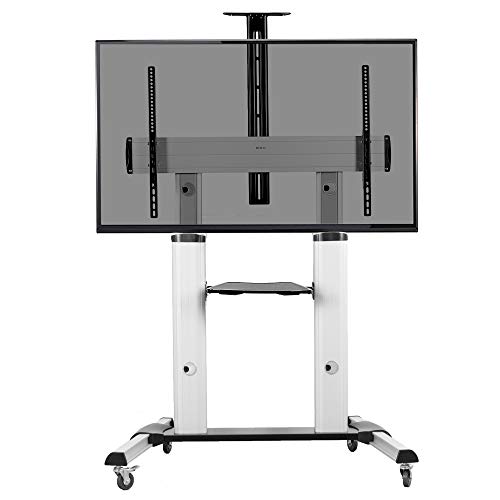
A tv stand with mount fits your TV only if three numbers align: your TV’s VESA pattern is within the mount’s supported range, your TV’s weight is under the mount’s weight limit, and the mount’s height places the center of the screen at your seated eye level. Get those three right, and any 32 to 75-inch TV can be safely mounted; get one wrong and the stand will be unstable, incompatible, or uncomfortable to watch.
How to Match VESA Pattern, Size, and Weight
VESA is the square or rectangular hole pattern on the back of your TV, measured in millimeters. It has nothing to do with screen size alone. Two different 55-inch TVs can have different VESA patterns, so always check your TV’s manual or measure the distance between the four mounting holes horizontally and vertically.

PERLESMITH Universal Swivel TV Stand for 24-60 inch TVs up to 99 lbs, 12 Height Adjustable Table Top TV Stand, TV Base Stand with Tempered Glass Base, Max VESA 400x400mm, PSTVS33
Included for 'TV Stand with Mount: How to Match TV Size, VESA and Height' because the listing specifies 12 Height Adjustable Table Top TV Stand and TV Base Stand with Tempered Glass Base, details this guide uses to compare options.
View on Amazon
PERLESMITH Universal Swivel TV Stand Legs for 32-65 inch TVs up to 88lbs, Height Adjustable Table Top Stand Base, Television Mount Stands with Tempered Glass Base, Universal VESA 400x400mm, PSTVS17
Included for 'TV Stand with Mount: How to Match TV Size, VESA and Height' because the listing specifies Height Adjustable Table Top Stand Base and Television Mount Stands with Tempered Glass Base, details this guide uses to compare options.
View on Amazon
PERLESMITH Universal Swivel TV Stand for 32-75 inch TVs to 99lbs with Legs
Included for 'TV Stand with Mount: How to Match TV Size, VESA and Height' as a relevant option in this category; details come from the product listing.
View on AmazonStep 1: Find your VESA and weight
Check the specifications sheet that came with your TV or search “[your TV model] specifications” on the manufacturer’s site. Look for “VESA Wall Mount Pattern” and “Weight without Stand.” If you cannot find it, measure the horizontal and vertical distance between the centers of the four holes on the back of the TV.
Step 2: Compare it to the stand’s specs
A tv stand with mount will list a VESA range like 100×100 to 600×400 and a maximum weight like 80 lbs. Your TV must fall inside both. If the stand supports up to 400×400 but your TV is 600×400, the holes will not line up. If your TV weighs 65 lbs and the stand is rated for 50 lbs, it is not safe even if the holes fit.
| TV Screen Size | Common VESA Pattern (mm) | Typical TV Weight Without Stand | Mount Capacity You Need |
|---|---|---|---|
| 32″ – 43″ | 100×100, 200×100, 200×200 | 10 – 22 lbs (4.5 – 10 kg) | At least 30 lbs, VESA up to 200×200 |
| 50″ – 55″ | 200×200, 300×200, 300×300, 400×200 | 25 – 40 lbs (11 – 18 kg) | At least 50 lbs, VESA up to 400×400 |
| 58″ – 65″ | 300×300, 400×300, 400×400 | 35 – 55 lbs (16 – 25 kg) | At least 70 lbs, VESA up to 600×400 |
| 70″ – 75″ | 400×400, 600×400 | 50 – 75 lbs (23 – 34 kg) | At least 90 lbs, VESA up to 600×400 |
| 77″ – 85″ | 400×400, 600×400 | 70 – 100 lbs (32 – 45 kg) | At least 110 lbs, check for XL mount plate |
Most tv stand with mount models sold in 2026 are rated for 32 to 65 inches and support VESA up to 600×400 with weight limits of 60 to 100 lbs. If you own a 75-inch or larger OLED or a heavy older LCD, you need a large-base floor stand rated for 100+ lbs, not a standard entertainment console with an attached pole.
How to Get the Viewing Height Right
Comfortable viewing height is not about the stand, it is about your eyes. The center third of the TV screen should sit at your seated eye height. For most sofas and armchairs, seated eye height is 38 to 44 inches from the floor. A standard sofa seat is 16 to 18 inches high, plus the distance to your eyes when sitting upright.
To calculate your ideal mount height:
- Measure your seated eye height from the floor while sitting on your usual sofa or chair.
- Measure the height of your TV screen (not the diagonal, just the vertical height of the display area). A 55-inch TV is about 27 inches tall, a 65-inch TV is about 32 inches tall.
- The center of the TV will be half the screen height above the bottom bezel.
Example: If your eye height is 42 inches and your 65-inch TV is 32 inches tall, the center of the screen is 16 inches above the bottom of the TV. To put the center at 42 inches, the bottom of the TV should be at 26 inches from the floor. Most tv stands with mounts allow you to set the bracket anywhere from 36 to 58 inches to the center, which works for this scenario. Low-profile stands that only go to 44 inches may be too short for high sofas.
Practical height and clearance tips
- Leave at least 4 to 6 inches of clearance between the bottom of the TV and the top surface of the stand so you can access ports and allow airflow for consoles or soundbars.
- If you use a soundbar, choose a mount with a soundbar shelf or leave 3 to 4 inches below the TV for a bar that is 2.5 to 4 inches tall.
- For a 10×12 ft living room with a sofa 8 to 10 feet from the TV, a 55 to 65-inch screen at 40 to 44-inch center height avoids neck strain without overwhelming the wall.
- If the stand will go in a corner, measure the full footprint including the base. Swivel mounts need an extra 6 to 10 inches behind the pole to rotate without hitting the wall.
Fixed vs. Swivel Mount: Pros and Cons
The mount attached to the stand is either fixed or swivel. Fixed means the TV stays flat facing forward. Swivel means the bracket can pan left or right, typically 25 to 60 degrees each way, and sometimes tilt -10 to +10 degrees.
| Feature | Fixed Mount | Swivel Mount |
|---|---|---|
| Best for | Single centered sofa, bedroom, minimal setup | Open-plan rooms, L-shaped sectionals, glare reduction |
| Stability | More stable, fewer moving parts, less wobble | Slightly more wobble if bumped, needs tighter locking bolts |
| Viewing angles | Optimal only directly in front (within ~20 degrees) | Can angle 30 – 60 degrees to side seating or kitchen area |
| Cable management | Cleaner, cables stay hidden behind pole | Cables need slack to allow rotation, may be visible |
| Assembly complexity | Faster, 4-6 bolts to attach plate | More hardware, pivot and tilt adjustments |
| Price range | Usually $90 – $250 for the stand + mount combo | Usually $150 – $380 for comparable size and materials |
Choose fixed if:
You watch from one main position and want maximum stability. Fixed mounts are better for larger, heavier TVs over 65 inches because there is less stress on the pivot mechanism. They are also easier to keep level long-term.
Choose swivel if:
Your seating is off-center, you have windows that cause glare at certain times of day, or you want to angle the TV toward a dining area or kitchen. A swivel is essential in a studio or open concept apartment where the TV is viewed from multiple zones. Look for models that swivel at least 45 degrees each way and have a lock to hold position.
What to Check Before You Buy: Fit and Durability
1. Base type and room fit
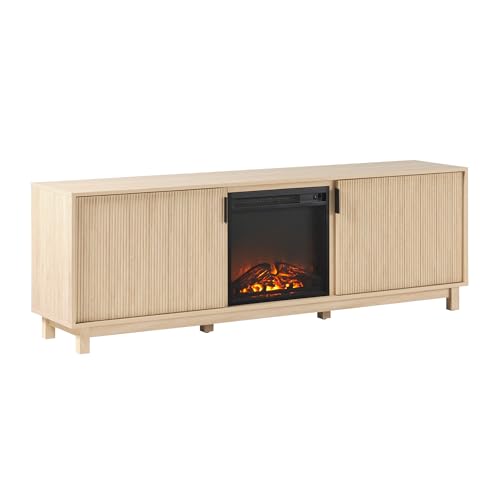
There are two main types of tv stand with mount: a console cabinet with an attached vertical column, and an open floor stand with a wide base and no storage. A console (48 to 65 inches wide) doubles as storage but needs a flat wall and occupies more floor depth, typically 15 to 17 inches deep. A floor stand has a footprint of about 28×28 inches and can be placed anywhere, but offers no drawers or shelves for devices unless it includes tempered glass shelves.
Measure your wall width and leave 3 to 6 inches on each side of the stand for ventilation and to avoid a cramped look. In a small apartment, a 50-inch wide console often fits better than a 65-inch one, even with a 65-inch TV above it, because the TV can overhang the sides by 5 to 7 inches safely as long as the mount holds the weight.
2. Material and construction trade-offs
| Material | Pros | Cons | Best For |
|---|---|---|---|
| Solid wood (pine, rubberwood) | Strong screw hold, can be refinished, holds heavy TVs well | Heavier, usually $300 – $600, can expand with humidity | Long-term living rooms, heavy TVs |
| Engineered wood (MDF/particleboard with veneer) | Lower cost, usually $120 – $280, smooth finish | Weaker at screw points, swells if moisture gets in, chips at edges | Budget or temporary setups, lighter TVs under 55 lbs |
| Metal frame + wood shelves | Highest weight capacity, slim profile, very stable | Industrial look, shelves may be smaller, may need assembly of many bolts | Rental apartments, modern spaces, swivel mounts |
| Tempered glass shelves (common on floor stands) | Easy to clean, does not block remote signals | Shows dust, limited weight per shelf (usually 15-20 lbs) | Game consoles and streaming boxes only, not heavy receivers |
3. Assembly, moving, and what wears first
A tv stand with mount ships in one to two boxes weighing 40 to 85 lbs total. Console-style stands often come in two boxes and require two people for assembly. The pole and bracket are steel and rarely fail. What wears first is the engineered wood around the pole anchor, the swivel pivot that loosens over time, and cable management clips. Check that the pole is bolted through metal reinforcement plates, not just wood screws, if your TV is over 55 lbs.
Doorway width matters if you plan to move. Assembled consoles are 48 to 65 inches wide and will not fit through a standard 29 to 32-inch bedroom doorway without disassembly. Floor stands can be tilted and moved in one piece but are top-heavy with the TV attached, so always remove the TV before moving.
Decision Matrix: Which Setup Fits Your Situation
| Your Situation | Recommended Choice | Why |
|---|---|---|
| Small apartment or renter (no wall drilling) | Floor stand with swivel mount, metal frame | No wall damage, can be repositioned, swivel covers odd layouts |
| Family with kids and pets | Low console with fixed mount + wall anchor strap | Lower center of gravity, fewer pinch points, stable for bumping |
| Large open-plan living room with multiple seating areas | Wide console (60″+) with 60-degree swivel mount | Wide viewing coverage, storage for devices, glare control |
| Back or neck pain, sensitive to viewing angle | Height-adjustable mount with tilt (+/- 10 degrees) | Lets you align center of screen exactly to eye height |
| Heavy 75″+ TV or OLED over 70 lbs | Solid wood or metal console, fixed mount rated 100+ lbs | Avoids pivot stress, stronger anchor for VESA 600×400 |
Frequently Asked Questions
Can the TV be larger than the stand?
Yes. The TV screen can be 5 to 10 inches wider than the stand on each side because the mount holds the weight, not the tabletop. What matters is that the VESA and weight are within the mount’s limits and the stand’s base is stable enough that it will not tip if bumped.
Do I need to drill into the wall?
No. The purpose of a tv stand with mount is to avoid wall mounting. The TV attaches to the pole on the stand. Some models include an optional anti-tip strap that screws into the wall for extra safety with children or in earthquake-prone areas, but it is not required to hold the TV.
Will a tv stand with mount work with a curved or OLED TV?
Yes, if the VESA pattern and weight match. Curved TVs and OLEDs use the same VESA standards. Check that the mount plate is not wider than the flat area on the back of the TV so the plate sits flush. Ultra-thin OLEDs sometimes need the included spacers and longer M6 or M8 screws.
How do I hide cables?
Most poles have a hollow channel or clips on the back. Run power and HDMI cables through the channel and leave a small service loop near the bracket if you have a swivel so the cables are not stretched when you rotate. Avoid pinching cables between the bracket and the TV.