Key takeaways
- Mostly Nintendo Switch, older consoles, or 60-fps games: Choose a dependable 4K 60Hz TV with low Game Mode lag. Spend extra only if you value a brighter HDR picture or plan to upgrade consoles.
- PS5 or Xbox Series X and games with performance modes: Target native 120Hz, 4K/120 support, VRR, and ALLM. Confirm how many HDMI ports support the full feature set.
- PC gaming from the sofa: Check 4K/120Hz input support, VRR compatibility, and whether the TV offers a PC-friendly picture mode. Make sure the graphics card and cable can also deliver the chosen resolution and refresh rate.
- Bright room with daytime play: Favor brightness and glare control over a feature list that is mostly about dark-room contrast. Avoid placing the screen directly opposite a large window if possible.
- Shared TV and gaming use: A 55- or 65-inch 120Hz model can balance couch gaming and films, but keep budget for a soundbar or headphones if built-in audio is a priority.
The best affordable gaming TV for most setups is a 55-inch 4K model with native 120Hz refresh, two or more HDMI 2.1 ports, VRR, and input lag below 15 ms in Game Mode; if you mostly play at 60 frames per second, a good 60Hz set can save money without hurting the experience.
Quick picks by budget and situation
| Gaming setup | What to look for | Typical price range | Main trade-off |
|---|---|---|---|
| Casual play, older consoles, or a tight budget | 4K, 60Hz, Game Mode input lag under 20 ms, ALLM | Usually $200–$400 | No native 120Hz for high-frame-rate play |
| PS5, Xbox Series X, or a gaming PC | 4K, native 120Hz, HDMI 2.1, VRR, ALLM | Usually $400–$800 | Budget models may have only one or two full-bandwidth HDMI 2.1 ports |
| Bright room, daytime gaming | Strong full-screen brightness, effective anti-glare finish, local dimming if available | Usually $500–$900 | Affordable sets may show blooming or lose contrast off-axis |
| Small bedroom or desk setup | 42–50 inches, measured stand width and depth, low-lag Game Mode | Usually $200–$600 | Small-screen 120Hz options can cost more than basic 55-inch TVs |
Prices are broad market ranges, not fixed quotes; sales, screen size, and model year can shift them considerably. Treat model specifications as a checklist, and verify the exact size variant: features sometimes differ between sizes in the same product family.

INSIGNIA 65-inch Class QF Series LED 4K UHD QLED Smart Fire TV with Alexa Voice Remote (NS65-UQFL26)
Included for 'Best Affordable Gaming TVs' as a relevant option in this category; details come from the product listing.
View on Amazon
TCL 65 Inch T7 Series 4K 144Hz QLED Smart Google TV, 65T7 (Latest Model)
Included for 'Best Affordable Gaming TVs' because the listing specifies 65T7 (Latest Model), details this guide uses to compare options.
View on Amazon
TCL 55 Inch Class QM6K Series | Mini LED QLED 4K HDR | 55QM6K, Latest Model | 120HZ-144HZ High Brightness Smart Google TV Dolby Atmos Onkyo Audio | Voice Remote Alexa Gaming Streaming Television
Included for 'Best Affordable Gaming TVs' because the listing specifies Mini LED QLED 4K HDR and 55QM6K, details this guide uses to compare options.
View on Amazon
Hisense 55" E7 Cinema Series Hi-QLED Mini-LED 4K UHD Smart Fire TV (55E7SF, 2026 NEW) - Native 144Hz, AI Picture, Dolby Vision IQ · Atmos, FALD, HDR10+ Adaptive, MEMC, Alexa+
Included for 'Best Affordable Gaming TVs' because the listing specifies 2026 NEW) and Native 144Hz, details this guide uses to compare options.
View on AmazonWhat matters most for gaming
Input lag: how quickly the TV responds
Input lag is the delay between pressing a button and seeing the result on screen. It is separate from response time, which describes how quickly pixels change. For most players, a TV measuring around 10–15 ms at 60Hz in Game Mode feels responsive. Competitive players should favor lower lag, especially at 120Hz, where a frame lasts about 8.3 ms. A set with low lag at 60Hz may still perform differently at 120Hz, so check both figures when available.
Use Game Mode to reduce image processing delay. It may soften motion smoothing, noise reduction, or other picture enhancements, but those features can add lag and are usually less useful during play.
Refresh rate: native 120Hz versus “motion” numbers
A native 120Hz panel can display up to 120 frames per second when the console or PC supplies them. Some games support high-frame-rate modes; others are capped at 30 or 60 fps. A 60Hz TV remains a sensible buy for players who prioritize single-player games, streaming, and price.
Look for “native 120Hz” in the specifications. Motion-rate labels are often processing or marketing terms and do not prove that the panel accepts a 120Hz gaming signal. A 120Hz panel also does not guarantee every HDMI port supports 4K at 120Hz.
HDMI 2.1 and VRR: check the port, not just the box
HDMI 2.1 features are valuable for current-generation consoles and PCs, but manufacturers may include them on only some inputs. Confirm that the specific port supports 4K/120Hz and the features you need. If you connect a console, a PC, and a soundbar, count the available ports before buying; a TV with one high-bandwidth input can require unplugging devices or adding an HDMI switch.
Variable refresh rate (VRR) synchronizes the display with a game’s changing frame rate, reducing tearing and stutter. ALLM, or Auto Low Latency Mode, switches the TV into a low-lag setting when gameplay begins. These features help most when performance fluctuates; neither makes a game run faster.
HDR quality: the label is not the whole picture
HDR10 support is common, but an HDR logo alone does not mean highlights will look bright or detailed. In lower-priced TVs, limited peak brightness and weak local dimming can make HDR look only slightly different from standard dynamic range. For daytime play, prioritize brightness and reflection handling. For dark rooms, stronger contrast and controlled backlighting can matter more than peak brightness. If possible, compare the picture modes in the lighting conditions where you actually play.
Choose screen size for the room, not the deal
A larger screen can be immersive, but it needs appropriate viewing distance and furniture space. These are practical starting points, not strict rules; personal preference and eyesight matter.
| Screen size | Approx. screen width | Comfortable starting distance | Common fit |
|---|---|---|---|
| 43 inches | About 37 inches | 4–6 feet | Desk, compact bedroom |
| 50 inches | About 44 inches | 5–7 feet | Small living room |
| 55 inches | About 48 inches | 6–8 feet | Flexible living-room setup |
| 65 inches | About 57 inches | 7–10 feet | Larger room, shared viewing |
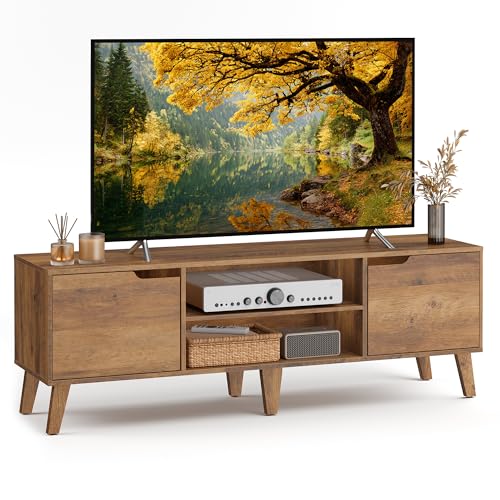
Screen width is approximate and excludes the frame. Before ordering, measure the stand’s actual footprint, not just the panel. Leave room for the feet, cables, ventilation, and any soundbar. For wall mounting, check the mount pattern and keep the TV’s weight within the mount’s stated limit. In a 10 × 12 ft room, a 55-inch screen is often a comfortable starting point when seating is about 6–8 feet away; a 65-inch model can work if the viewing position is farther back and the wall has enough width.
Pick by gaming habits
- Mostly Nintendo Switch, older consoles, or 60-fps games: Choose a dependable 4K 60Hz TV with low Game Mode lag. Spend extra only if you value a brighter HDR picture or plan to upgrade consoles.
- PS5 or Xbox Series X and games with performance modes: Target native 120Hz, 4K/120 support, VRR, and ALLM. Confirm how many HDMI ports support the full feature set.
- PC gaming from the sofa: Check 4K/120Hz input support, VRR compatibility, and whether the TV offers a PC-friendly picture mode. Make sure the graphics card and cable can also deliver the chosen resolution and refresh rate.
- Bright room with daytime play: Favor brightness and glare control over a feature list that is mostly about dark-room contrast. Avoid placing the screen directly opposite a large window if possible.
- Shared TV and gaming use: A 55- or 65-inch 120Hz model can balance couch gaming and films, but keep budget for a soundbar or headphones if built-in audio is a priority.
Where affordable models cut corners
Budget gaming TVs usually make at least one compromise: fewer HDMI 2.1 ports, modest HDR brightness, narrow viewing angles, or basic sound. The stand can also be wider than expected, especially on larger screens. Measure the furniture and check whether the feet can be repositioned; some stands have multiple placements, while others do not.
Think about installation, too. A large TV carton can be awkward through stairwells and doorways even when the TV itself is not especially heavy. Check the packaged dimensions and weight before choosing delivery or arranging a move. Once installed, avoid lifting a big screen by its corners, and secure a stand-mounted TV against tipping if children or pets are nearby.
A simple buying checklist
- Choose a screen size that fits the room and viewing distance.
- Confirm native refresh rate: 60Hz for value, 120Hz for high-frame-rate gaming.
- Check input lag in Game Mode at the refresh rate you plan to use.
- Verify 4K/120Hz, VRR, and ALLM support on the specific HDMI ports.
- Judge HDR by brightness and contrast capability, not format names alone.
- Measure the stand, furniture, doorway route, and wall-mount capacity.
The best affordable gaming TV is the one whose features match your console, room, and budget. For most current-console players, a 55-inch native 120Hz set with VRR and at least two useful HDMI 2.1 inputs is the strongest all-around target. If you play mainly at 60 fps, a well-chosen 60Hz model is a better value than paying for refresh features you will rarely use.